
Offline Digital Wallets Explained: Payments Without Internet and Their Limits





Some digital wallets can still make in-store payments when your phone has no internet connection, provided the device, card, and payment system support the method. Your phone losing its signal does not mean the merchant and bank are also offline. Payments with both parties offline require a dedicated solution. Whether you are preparing for a trip or a temporary outage, check which card you can use, whether you need to load funds in advance, and how to confirm the payment result. Opening a wallet or seeing a card on screen does not, by itself, prove that a transaction can go through.
Product conditions were checked on November 3, 2026. Available features depend on your market, device, card issuer, and the payment service's latest rules.
Key Takeaways
- Some NFC wallets that are already set up can make in-store payments while your phone is offline.
- An offline phone, an offline merchant terminal, and both parties being offline involve different requirements.
- Complete card verification, activate offline features, and prepare any dedicated balance in advance.
- Check transaction amounts, cumulative limits, and reconnection requirements for the specific service.
- A delayed wallet record does not mean a payment failed; confirm the result before paying again.
Which Digital Wallet Payments May Work Without a Phone Internet Connection?
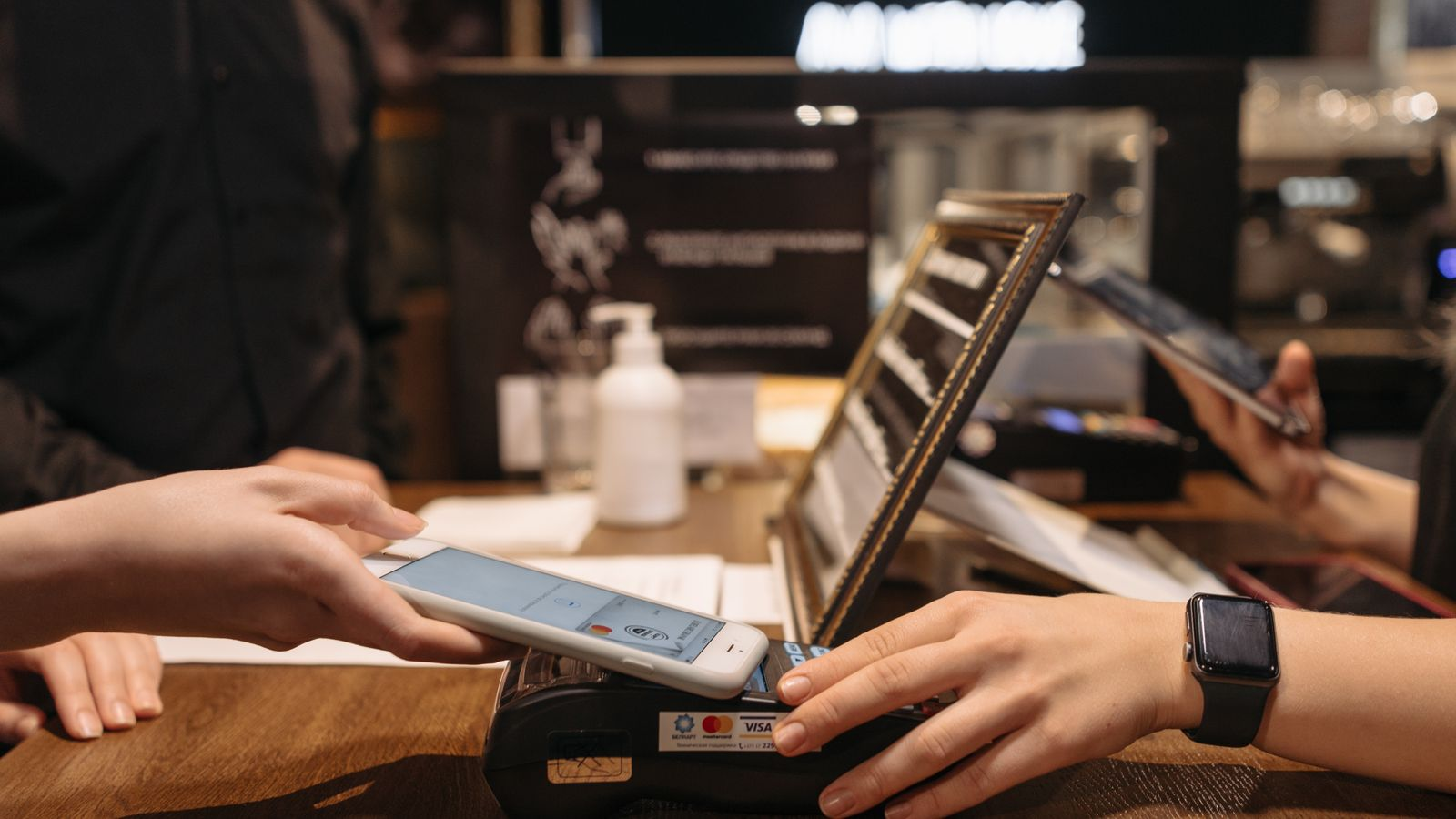
An NFC wallet with a payment card already set up is one option that may work without a phone internet connection. Some transit cards, stored-value cards, and dedicated offline balances can also handle offline use, but each has its own acceptance conditions. What matters is whether the specific payment feature works in your circumstances, rather than whether the app is called a digital wallet. The same conclusions do not automatically apply to online checkout, account top-ups, or international transfers.
| Payment or Account Activity | Possibility While Your Phone Is Offline | What to Check Before Use |
|---|---|---|
| In-store NFC payment with a card already set up | Supported by some wallets | Device, card, wallet, and merchant compatibility |
| Mobile transit card or stored-value card payment | Depends on the system | Card activation, balance, and accepted transit routes |
| Payment from a dedicated offline balance | May work within the supported scope | Feature activation, available funds, and requirements for both parties |
| Ordinary website or in-app shopping | NFC support does not make checkout work offline | Whether checkout, verification, and order submission require internet |
| Top-ups, transfers, or account currency conversion | Cannot be inferred from offline payment capability | Connection, review, and crediting requirements for that activity |
For example, Apple Pay states that an iPhone or Apple Watch can make in-store purchases without an internet or cellular connection. The device communicates with the merchant terminal through NFC, while the transaction may not appear in your history until you reconnect. A phone data connection is therefore not essential for this type of in-store payment, but that does not guarantee acceptance of every card at every merchant.
A wallet linked to payment cards generally uses a card you have added, without requiring you to load money into a separate wallet balance first. Some transit cards and offline stored-value features, by contrast, require funds in advance. Both may work while your phone is offline, but they draw on different funding sources. Money in your bank account does not mean a particular transit card also has enough credit.
For mobile transit payments, distinguish a dedicated transit card from using a bank card directly to travel. The relevant system determines supported cities, routes, devices, and how to address an insufficient balance. Successfully tapping to pay in a store does not establish that the same card will work at transit gates in another city.
Being able to open the wallet only shows that the app or card can still be displayed. The device must also complete any required verification, the receiving terminal must recognize the payment method, and the transaction must meet the applicable authorization conditions. If you have changed phones, added a card again, or still see a verification-pending status, finish setup while connected before relying on it for payment.
What Does “Offline” Mean in an Offline Payment?
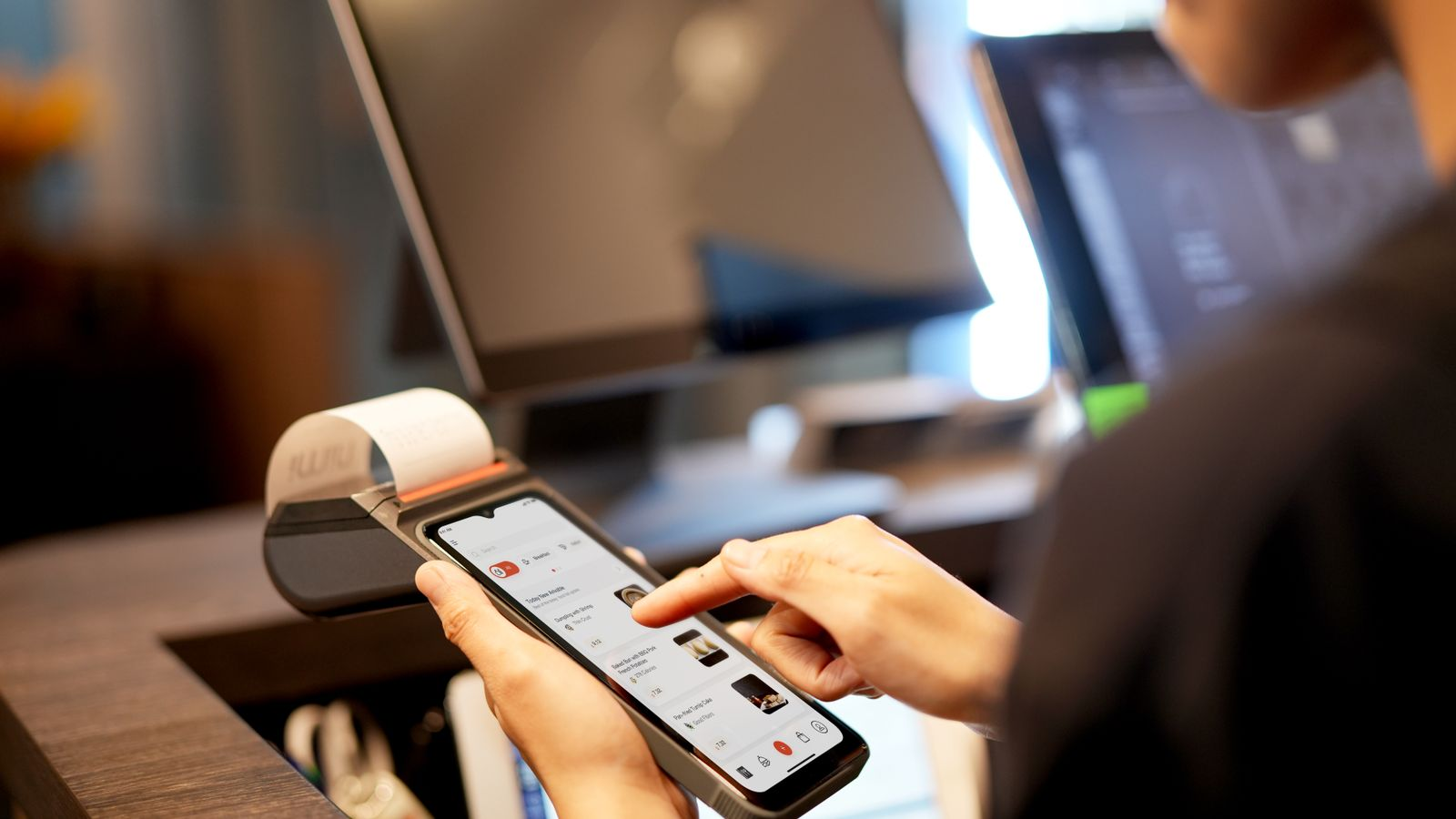
Offline payment can describe just one part of a transaction rather than a process that is entirely independent of networks. When your phone is offline, the merchant may still submit a card authorization in real time. When the merchant is offline, some systems store transactions for later upload. When both parties are offline, a specially designed payment mechanism is needed. These differences explain why similar-looking taps can lead to different outcomes and follow-up risks.
Your Phone Is Offline, but the Merchant Can Still Process Card Payments
NFC is a form of short-range communication between devices. Your phone does not need mobile data or Wi-Fi to pass the necessary payment information to a terminal. Even without a phone signal, the merchant may use its own connection to communicate with its acquiring provider and the card issuer for further processing.
In this situation, your phone is offline, while the rest of the card-processing network may remain connected. Card validity, available funds or credit, and security checks can still affect the outcome. A response from the terminal does not necessarily mean the bank has approved the payment; check the final result on the merchant's side.
If only your phone is offline, moving somewhere with better reception may not resolve a failed payment. Checking the terminal message, selected card, and device verification status first helps establish whether you actually need to reconnect to address an account issue. This is more useful than repeatedly switching mobile data on and off.
The Merchant Terminal Is Offline and Stores Transactions for Later Upload
Some payment services let merchants store transactions during an outage and upload them for processing once connectivity returns. For example, PayPal's merchant offline payments apply to certain Point of Sale integrations with third-party apps and require a compatible PayPal Reader and appropriate software. The feature is not automatically available to every PayPal user.
Under this arrangement, merchants must reconnect within 24 hours of the first offline payment to upload queued transactions. New offline payments are paused after that deadline, and delayed uploads increase the risk of declines. This time limit belongs to the specific payment service and should not be applied to all digital wallets.
For consumers, a transaction being stored on the terminal is a different status from authorization and posting being completed. Merchants still need to upload it and check the processing result. The risks of transactions awaiting upload also differ from those of a dedicated stored-value payment where the balance transfer has already taken place locally.
Both Parties Are Offline and Need a Dedicated Supported Solution
When neither the payer nor the recipient can connect, ordinary contactless card functionality does not automatically become an offline transfer between them. A system must specifically handle local verification, balance changes, and later record synchronization. Both parties' devices and apps must meet the corresponding requirements.
UPI LITE X, launched by NPCI in 2023, is an example designed for sending and receiving money with both parties offline, using NFC on compatible devices. Its design includes preparation such as enabling offline payments and making an initial top-up. This does not mean every UPI user automatically has the same capability.
Ordinary UPI, UPI LITE, and activated offline features should be checked separately. Not needing to enter a PIN is a characteristic of the verification process; it does not, by itself, establish that both parties can pay without connectivity. Confirm that your current app actually offers the feature and that the recipient is compatible, rather than relying on an old demonstration or a feature name.
What Should You Set Up Before Losing Connectivity?
Prepare while you have a working connection: confirm that the device and card are usable, then complete verification, fund any dedicated balance, and arrange a backup payment method. Offline capability generally does not replace initial installation, account login, card verification, or top-ups. This is particularly important after changing phones or cards, or before visiting a new destination. Experience with an old device does not prove that a new combination is ready.
Work through the payment process with this checklist:
- Install or update the wallet over a reliable connection, sign in, complete identity or card verification, and confirm that the card is ready to use.
- Check that your device supports the required NFC functionality. Where applicable, enable NFC and select your default payment app and card.
- Set and remember the required screen-lock passcode, and confirm that biometric and other verification methods work.
- If using a transit card or dedicated offline balance, activate it in advance and check its available funds rather than only your total bank balance.
- Check which card networks, currencies, and payment methods your destination, merchant, or transit system accepts, including any specific conditions.
- Charge your phone and wearable devices, and prepare a suitable physical card or cash to reduce reliance on one device.
Adding a card to a phone and adding it to a watch are not necessarily the same setup step. If you plan to pay with a watch, confirm that the card has been added and verified on that device. A card appearing correctly on your phone does not replace checking the wearable. Familiarize yourself with whether payment requires unlocking, entering a passcode, or using a particular express mode.
For prepaid-balance solutions, confirm that a successful top-up has reached the correct card or offline feature. A debit appearing in your bank account does not, on its own, prove that the destination balance has updated. If the top-up is still processing, resolve its status before relying on those funds for essential spending during an outage.
Some services may require reconnection to refresh payment credentials, synchronize records, or continue using offline functionality. The timing and triggers vary. Do not treat online claims about a fixed number of payments or a fixed reconnection interval as rules shared by every wallet. Avoid disabling security features in an attempt to extend offline use.
A small payment can help you become familiar with the device, but it cannot establish that every offline situation is covered. It may only test a combination where your phone is offline and the merchant is connected. If you need to pay somewhere with no connectivity at all, check the system's support directly rather than trying to infer it from repeated test payments.
Backup methods also have limits. A physical card may help when your phone is out of power or the wallet has a setup problem, but it may still fail to obtain authorization if the merchant's entire payment system is offline. Consider whether cash is accepted and whether change is available. Two payment methods with different dependencies are usually more useful than simply adding another wallet app to the same phone.
What Limits, Failures, and Financial Risks Apply to Offline Payments?
Offline payments remain subject to amount, balance, acceptance, and security restrictions. They do not give you unlimited payment capability during an outage. Risk also depends on where processing takes place: a payment authorized normally by the merchant while your phone is offline can have a different subsequent status from one stored for later submission. Check both how much you can spend and what evidence you need before deciding whether to retry.
Amounts, Transaction Counts, Balances, and Acceptance Have Separate Limits
Check per-payment amounts, cumulative offline limits, consecutive offline transaction counts, and requirements to reconnect or synchronize records separately. Even if a service has no general wallet transaction-count limit, the issuer, merchant, or particular offline feature may impose other restrictions. One brand's rules should not be generalized to every wallet.
For dedicated balances, the amount available may be lower than your bank balance because offline spending can only draw on funds prepared for that feature. For card-linked wallets, an older balance displayed in the app may not reflect recent holds or spending. Hotels, car rentals, and other situations involving preauthorizations or later amount adjustments require particular attention to merchant and payment rules.
Device compatibility and acceptance matter as well. A phone having NFC establishes that it has the relevant communication hardware, but does not prove that the wallet, card, and receiving device support the same offline mechanism. Check supported markets and permitted payment uses separately. One successful transaction does not establish that every condition is met.
Offline functionality does not automatically remove card fees or currency-conversion costs. For foreign-currency purchases, check the payment currency, issuer charges, and applicable exchange rate. If you are also comparing accounts for holding currencies, converting funds, and making cross-border payments, a comparison of multi-currency digital wallet features and costs can help you assess account funding arrangements separately from offline in-store payment capability.
How Can You Confirm a Payment and Avoid Paying Twice?
If no new record appears in your wallet, check the merchant's result and receipt before tapping again. An animation, sound, or card display change on your phone may reflect only one processing step. Whether the merchant sees an approval, decline, or pending status determines what to check next. If the receiving system clearly shows success, keep the time, amount, and order details, then reconcile the payment after reconnecting.
If the terminal reports failure or an unclear status, ask the merchant to check the order before you retry. If you need to use another card or cash, confirm the original transaction's processing status and retain evidence of both payment attempts. Two pending entries will not necessarily both post, so continue checking for completion, reversal, or refund.
Transactions stored by an offline merchant need their upload and processing status checked once connectivity returns. Merchant devices holding transactions that have not been uploaded should not have their data casually cleared or their apps reset, as this could destroy pending records. Consumers should retain receipts and monitor subsequent statements. No visible debit on the day of purchase does not mean a charge cannot appear later.
After reconnecting, match records by merchant, amount, currency, and time. Contact the merchant and card issuer if you find duplicate posted charges, an unexpected amount, or a status that remains unexplained. If you lose your device, promptly use a verified account or issuer channel to disable the relevant payment capability. Do not wait for the phone to reconnect before taking action.
If you are organizing funds for a trip, use a working connection to separate everyday spending money, currencies you need to exchange, and backup funds. When managing relevant funds with Biya, check the account's supported funding, conversion, and withdrawal conditions, then compare applicable charges in the Biya fee center with those shown for the actual order. Account preparation and offline in-store payment support need separate checks; multi-currency or multi-asset features do not guarantee offline payments. Reserving a payment method you can actually use for essential expenses is more useful than looking only at total wallet assets. Service availability depends on your location, identity verification results, platform rules, and applicable laws and regulations.
Frequently Asked Questions
Can You Pay with a Digital Wallet When Your Phone Is in Airplane Mode?
Some NFC wallets that are already set up may still make in-store payments, but airplane mode does not mean every payment feature remains available. Check that NFC is usable, the card and device meet verification requirements, and the merchant accepts the method. Check connection requirements separately for online shopping, top-ups, and account transfers.
Can a Digital Wallet Make Offline Payments When the Phone Battery Is Dead?
A phone being offline and a phone being out of power are different situations, so payment cannot be assumed in both. Certain express cards on compatible devices can use power reserve, but eligible cards and operating conditions are limited. This does not extend to every payment card. Carry a power source and another payment method when traveling rather than relying on this exception.
Can a Screenshot of a Payment Code Replace an Offline Digital Wallet Payment?
A screenshot is not a universal substitute for offline payment. Dynamic codes may expire, and the receiving system may need online verification. Features specifically supporting offline code generation also have their own rules. Do not give screenshots to strangers or assume that displaying a QR code means a charge can be completed.
Does Offline Digital Wallet Support Mean You Can Shop Online Without Internet?
Generally, offline wallet support does not establish that online checkout will work without internet. In-store NFC payments use short-range communication, while website and in-app purchases usually require connectivity to submit an order, verify payment, and receive the result. Check a wallet's contactless in-store and online checkout capabilities separately.
Should You Pay Again If an Offline Payment Does Not Appear in Your Wallet?
Check the merchant's result first rather than paying again simply because your wallet history has not updated. Some records appear after reconnection, and transactions stored by merchants may be processed later. Keep the receipt and check the order. If the status is unclear, ask the merchant to investigate before changing methods or retrying.
Is an Offline Payment Wallet the Same as a Crypto Cold Wallet?
They serve different purposes. An offline payment wallet handles payments under specific connectivity conditions, while a cold wallet primarily keeps crypto private keys offline. Even if a cold wallet can sign a transaction offline, the transaction still needs to be broadcast through an internet-connected channel and receive on-chain confirmation. Offline signing does not mean an immediate offline transfer is complete.
*Ang artikulong ito ay ibinigay para sa pangkalahatang layunin ng impormasyon at hindi bumubuo ng legal, buwis, o iba pang propesyonal na payo mula sa BiyaPay o sa mga subsidiary at kaakibat nito, at hindi ito nilalayong maging kapalit ng pagkuha ng payo mula sa isang financial advisor o sinumang iba pang propesyonal.
Hindi kami gumagawa ng anumang pahayag o garantiya, hayag man o ipinahiwatig, hinggil sa katumpakan, kabuuan, o pagiging napapanahon ng nilalaman ng publikasyong ito.
Mga kaugnay na blog tungkol sa

Intesa Sanpaolo Wire Transfer Fees to the US: Charges, Exchange Rates, and Total Cost


Frost Bank Currency Exchange: Fees, Supported Currencies, and Non-Customer Requirements


Forward Exchange Rate Calculation: Formula, Forward Points, and Worked Examples


Does Coinstar Exchange Foreign Currency? Accepted Coins and Alternatives

Pumili ng Bansa o Rehiyon para Basahin ang Lokal na Blog
 Australia
 Austria
 Belhika
 Canada
 Siprus
 Republika ng Tsek
 Dinamarka
 Estonia
 Pinlandiya
 Pransiya
 Alemanya
 Gresya
 Hong Kong
 India
 Indonesia
 Ireland
 Italya
 Hapon
 Latvia
 Lithuania
 Luxembourg
 Malaysia
 Malta
 Morocco
 Nepal
 Olanda
 New Zealand
 Noruwega
 Pakistan
 Pilipinas
 Poland
 Portugal
 Romania
 Singapore
 Slovakia
 Eslobenya
 Timog Aprika
 Timog Korea
 Espanya
 Suwesya
 Taylandiya
 Estados Unidos
 Turkiya
 Nagkakaisang Arabong Emirato
 Nagkakaisang Kaharian
 Biyetnam