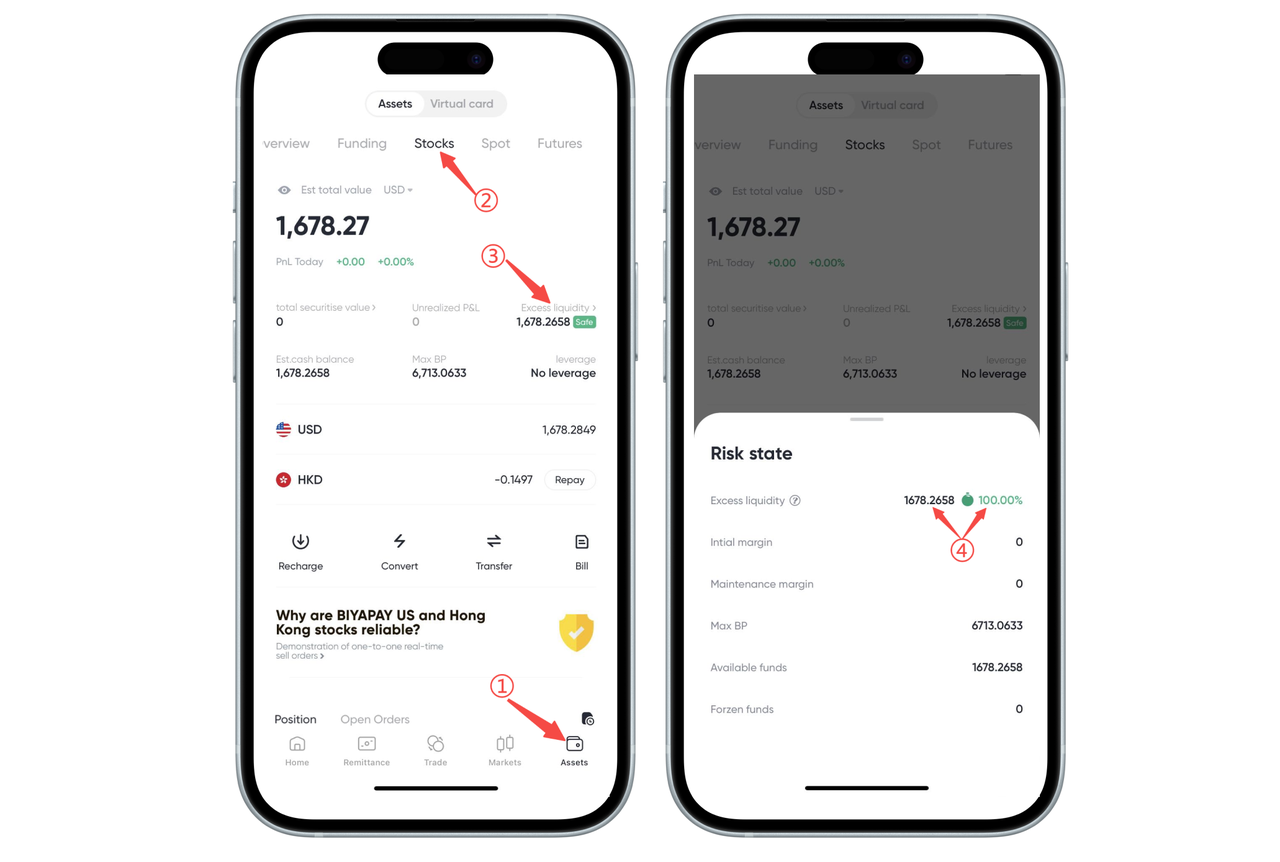
How to Check the Risk of Forced Liquidation on the App:
You can view the Remaining Liquidity and Remaining Liquidity Ratio on the 【Assets】-【Stocks】 page in the BiyaPay App.
When using leveraged trading, the system will trigger a forced liquidation (forced close) if any of the following conditions occur:
-
The stock account's Remaining Liquidity is 0;
-
The stock account's Remaining Liquidity Ratio is 0%.
We recommend that you monitor your account status regularly and manage your leverage prudently to avoid triggering forced liquidation.
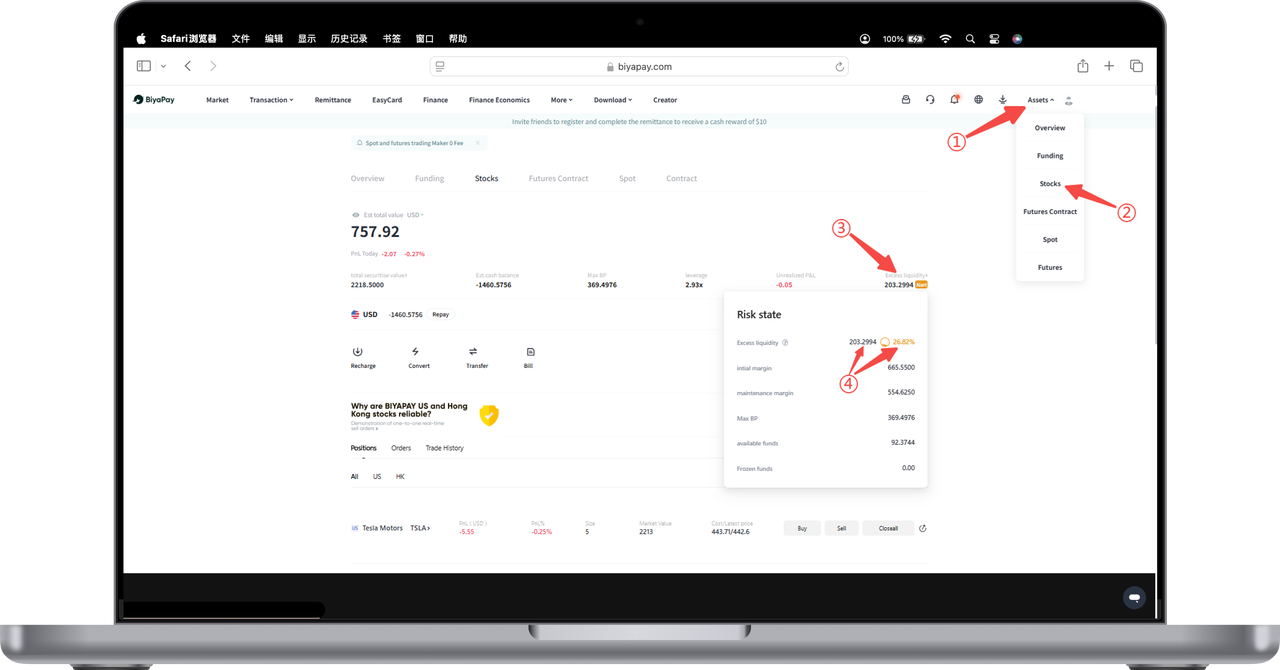
How to Check the Risk of Forced Liquidation on the Web:
Click 【My Assets】 in the top menu and select the 【Stocks】 option. In the 【Risk Control Status】 pop-up window, you will see a metric called "Remaining Liquidity," which shows the proportion of your current remaining liquid funds relative to your total account assets.
For example, the Remaining Liquidity is 202.8494, accounting for 26.79%. This ratio indicates the proportion of your account's remaining liquid funds to your risk exposure.
When using leveraged trading, the system will trigger a forced liquidation (forced close) if any of the following conditions occur:
-
The stock account's Remaining Liquidity is 0;
-
The stock account's Remaining Liquidity Ratio is 0%.
We recommend that you monitor your account status regularly and manage your leverage prudently to avoid triggering forced liquidation.