Analysis of the Usage Method, Fees, and Arrival Time of MoneyGram Remittance in the United States



Image Source: pexels
When using MoneyGram for transfers in the USA, you have two main options: online (via website or app) and in-person (at agent locations). This provides you with the freedom to choose based on your convenience.
Fees vary depending on the transfer amount, destination, and other factors, typically ranging from a few dollars to tens of dollars. Delivery times are highly flexible, with cash pickup transfers completing in as little as 10 minutes.
This initial understanding can help you determine if MoneyGram meets your needs.
Key Takeaways
- MoneyGram offers both online and in-person transfer methods, allowing you to choose the most convenient option.
- Transfer fees include handling fees and exchange rate margins, with bank account payments typically being the most cost-effective.
- Delivery times depend on the receipt method, with cash pickup being the fastest and bank transfers taking a few days.
- Before sending money, prepare identification and understand transfer amount limits.
- You can track the transfer status and cancel the transfer before the recipient collects the funds.
MoneyGram Transfer Methods
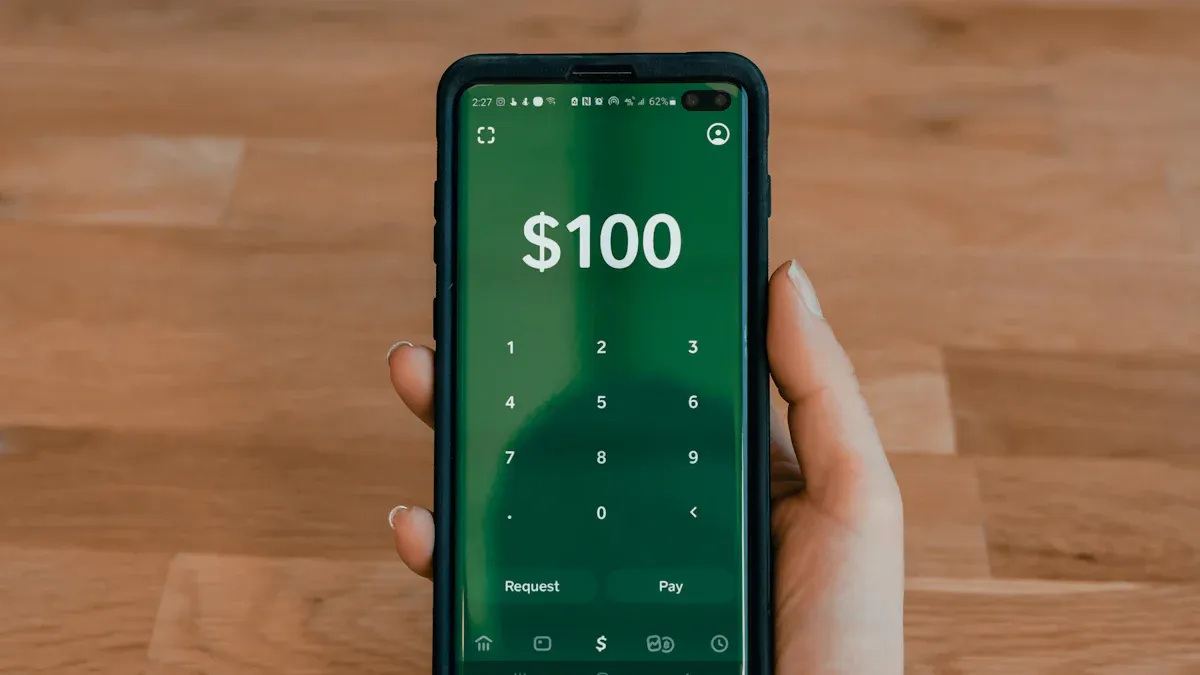
Image Source: unsplash
MoneyGram provides both online and in-person transfer channels. You can flexibly choose the method that best suits your habits and needs.
Online Transfers: Website and App
Using MoneyGram’s official website or mobile app for online transfers is one of the most convenient methods. You can complete the entire transfer process without leaving home.
1. Payment Methods
When initiating an online transfer, you have two primary payment options:
- Bank Account (ACH): You can pay directly from your US checking or savings account. This method is processed through the Automated Clearing House (ACH) system, eliminating the need for a bank card.
- Credit or Debit Card: You can also use Visa or MasterCard credit or debit cards for payment.
Friendly Reminder: If you choose to pay with a credit card, the card issuer may charge additional cash advance fees and interest. Be sure to review the terms before proceeding.
2. Tracking Your Transfer
After completing an online MoneyGram transfer, tracking the status of your funds is straightforward. You will receive a Reference Number.
- Website Tracking: Visit the “Track & Receive” page on MoneyGram’s website, enter the Reference Number and your last name to check the status. If you have an account, you can also view it in your transaction history after logging in.
- App Tracking: Log in to the mobile app to directly view the latest status of your sent transfers.
In-Person Transfers: Agent Locations
If you prefer cash transactions or need in-person assistance, you can visit MoneyGram’s agent locations across the USA. These are typically found in retail stores like Walmart or CVS Pharmacy.
1. Finding Agent Locations
You can easily find the nearest agent location using MoneyGram’s online locator tool. Simply enter your address, city, or ZIP code, and the system will display a list of nearby locations. You can also authorize the website to use your current location for a quick search.
2. Transfer Process
There are two main ways to process an in-person transfer:
- In-Person Handling: Bring a valid ID and the cash needed for the transfer to an agent location, where staff will assist you in completing all steps.
- Online Initiation, In-Person Payment: Pre-fill your transfer details on the website or app, then visit the chosen agent location within 24 hours. At the location, present your ID and pay in cash.
Important Note: To comply with regulations, regardless of the in-person method, you must bring a valid government-issued photo ID (such as a driver’s license or passport) for verification.
MoneyGram Transfer Fees Explained
Image Source: unsplash
Understanding fees is a critical step when choosing a transfer service. MoneyGram’s total transfer cost primarily consists of two parts: fixed handling fees and variable exchange rate margins. Understanding how these work can help you make more economical choices.
Fee Structure: Handling Fees and Exchange Rates
Your total cost will be clearly displayed on the final confirmation page. Below, we break down these two core fee components.
1. Handling Fee (Transfer Fee)
The handling fee is the fixed cost you pay for a single transfer service. This fee varies based on several factors:
- Transfer Amount: Higher amounts may increase the handling fee.
- Destination: Fees differ depending on the country or region the money is sent to.
- Payment Method: The method you choose to pay for the transfer directly affects the fee amount.
Impact of Payment Method on Fees
- Bank Account Transfer: Typically the lowest-cost payment option, making it more economical.
- Debit or Credit Card: Fees are usually higher than bank transfers. Additionally, if you use a credit card, the issuer may treat it as a “cash advance,” incurring extra fees and interest.
As a reference, for transfers initiated from the USA, handling fees generally fall within the following ranges:
- Domestic Transfers: Fees range from approximately $5.99 to $17.50.
- International Transfers: Handling fees typically float between $10 and $15.
2. Exchange Rate Markup
For international transfers, there is a difference between the exchange rate offered by MoneyGram and the real-time market rate. This difference is MoneyGram’s exchange rate markup, one of its profit sources. Some users report that this markup can sometimes reach up to 5%, significantly affecting the amount the recipient ultimately receives.
To give you a clearer picture of the market, here’s a comparison of exchange rate markup ranges for several providers:
| Provider | Exchange Rate Markup Range |
|---|---|
| Remitly | 1% to 3.7% |
| Western Union | 1% to 6% |
⚠️ Note: Potential Additional Fees
In addition to the two main fees above, you may encounter other third-party fees during the transfer process:
- Card Issuer Fees: As mentioned, credit card companies may charge cash advance fees.
- Intermediary Bank Fees: If your transfer is processed via the SWIFT network, intermediary banks may deduct a processing fee.
- Recipient Bank Fees: Some recipient banks may charge a fee when receiving funds.
How to Check and Estimate Fees
The most accurate way is to use the fee calculator built into MoneyGram’s website or app. It will display all fees and the final amount received based on your specific inputs.
- Visit MoneyGram’s website or open the app and select “Start Transfer.”
- Enter the amount you plan to send.
- Choose the recipient’s country or region.
- Select your payment method (e.g., bank account, credit card).
- Choose the recipient’s receipt method (e.g., cash pickup, bank deposit).
- The system will immediately calculate and display the handling fee, the day’s exchange rate, and the estimated total amount the recipient will receive.
💡 Cost-Saving Tip: How to Get Fee Discounts?
MoneyGram offers opportunities to save on fees:
- Join the Loyalty Program: Sign up for MoneyGram Plus Rewards, and your second transfer can enjoy a 20% fee discount, with further savings accumulating with each transfer.
- Refer a Friend: Through the referral program, you and your referred friend can enjoy a zero-fee transfer upon their first transaction.
- Watch for Promotions: Subscribe to MoneyGram’s email or SMS to receive exclusive discount codes or first-time user offers during holidays.
By using these methods, you can fully understand fee details before sending money, avoiding unexpected expenses.
While reviewing MoneyGram, you may also benchmark BiyaPay to choose the best fit across speed, cost, and compliance. BiyaPay supports local clearing in most countries and regions, often enabling same-day delivery with fees as low as 0.5% . Within one account you can convert over thirty fiat currencies and more than two hundred digital assets.
Before sending, use the free Exchange Rate Comparison to gauge real-time rates and conversion costs; if your transfer requires accurate beneficiary details, BiyaPay also provides SWIFT Lookup and IBAN Lookup to reduce data errors. As a multi-asset trading wallet with regulatory registrations in the U.S. and New Zealand, BiyaPay offers a streamlined international remittance route that works well for bank deposits and business payouts.
MoneyGram Delivery Time Analysis
Transfer speed is an important consideration when choosing a service. MoneyGram’s delivery times are highly flexible, primarily depending on the receipt method you choose for the recipient. Understanding the key factors affecting speed can help you make the most suitable choice.
Key Factors Affecting Delivery Speed
In addition to the chosen receipt method, other factors influence when funds become available.
- Destination Country and Region: Each country has different banking systems and regulations. Fund availability is affected by the destination bank’s operating hours, system availability, and compliance reviews.
- Holidays and Weekends: Bank transfers rely on banks’ normal operations. If you initiate a transfer during weekends or US federal holidays, processing will be delayed.
Friendly Reminder: The US banking system (e.g., ACH network) pauses services during federal holidays. Thus, bank transfers initiated before holidays may be delayed by at least one business day.
- Recipient Bank’s Processing Efficiency: Even after MoneyGram sends the funds, the recipient bank needs time to process and deposit them. Processing speeds vary across banks, affecting when funds ultimately reach the account.
Estimated Times for Different Receipt Methods
Different receipt methods result in significantly different delivery times. You can choose based on your urgency.
| Receipt Method | Estimated Delivery Time |
|---|---|
| Cash Pickup | Can be completed in as little as 10 minutes, depending on agent location hours. |
| Bank Account | Typically takes 1-3 business days, depending on the bank’s processing speed. |
| Mobile Wallet | Usually arrives within minutes, offering a fast digital receipt method. |
In summary, if you prioritize speed, cash pickup is the best option. If the recipient prefers bank deposits and time is less urgent, bank account transfers are a reliable choice.
Transfer Requirements: Documents and Limits
Before preparing a transfer, understanding the required documents and amount limits is key to ensuring a smooth transaction. This can help you avoid delays due to incomplete documents or exceeding limits.
Documents Required for Sender and Recipient
The documents you and the recipient need to prepare vary by receipt method.
1. Sender (You) Required Documents
- Online Transfers: You need to provide your name, address, contact information, and payment details (bank account or card information).
- In-Person Transfers: You must bring a valid government-issued photo ID, such as a driver’s license or passport.
2. Recipient Required Documents The documents needed depend on the chosen receipt method.
For Cash Pickup: When the recipient visits an agent location, they typically need to provide:
- The transfer’s Reference Number.
- A valid government-issued photo ID, such as a passport or national ID. The ID must be an unexpired original.
- Depending on local regulations, they may also need to fill out a simple receipt form.
For Bank Deposit: You need to accurately provide the recipient’s bank information, including:
Transfer Amount Limits
MoneyGram imposes limits on single transactions, daily, and monthly transfers. These limits vary based on several factors.
Typically, for online transfers initiated from the USA, the limit for most countries is $10,000 per transaction and $10,000 total within any 30-day period.
Important Note: Limits Vary by Country
While there is a general limit, the maximum per-transaction limit can reach $25,000. However, specific limits adjust based on the recipient country’s regulations. For example, transfers to mainland China may be capped at $10,000. Additionally, MoneyGram has a “30-day rolling limit,” which is the total amount you can send in the past 30 days.
The most accurate approach is to enter your transfer details into the calculator on the website or app during the transfer process, and the system will clearly inform you of the available limit for that transaction.
In summary, MoneyGram offers both online and in-person channels for convenient transfers in the USA. It particularly excels in fast cash delivery.
Its fees and delivery times are highly flexible, allowing you to choose based on your specific needs.
How to Make the Best Decision?
- Prioritize Speed: Choose cash pickup for funds to arrive in minutes.
- Control Costs: Consider using a bank account for payment, typically the lowest-fee option.
You can make the best decision based on speed, cost, and convenience.
FAQ
How Can I Cancel a MoneyGram Transfer?
You can cancel a transfer before the recipient collects the funds. For online transactions, log in to your account to cancel. For in-person transactions, contact customer service or return to the agent location. Note that in some cases, the handling fee may not be refundable.
What If I Enter the Wrong Recipient Name?
Contact MoneyGram customer service immediately. For minor spelling errors, customer service may be able to correct them. If the name difference is significant, you may need to cancel the original transaction and initiate a new transfer to ensure fund safety.
Does the Recipient Need to Pay Fees to Collect Funds?
Typically, recipients do not need to pay fees to collect cash. However, if funds are deposited into a bank account, such as one at a licensed bank in Hong Kong, the bank may charge a small processing fee based on its own policies. The fees you pay during the transfer cover the main costs.
How Can I Track My Transfer Status?
You will receive an 8-digit Reference Number. You can use this number to check the latest status on the “Track Transfer” page on MoneyGram’s website or app. This allows you to stay updated on the exact movement of your funds.
*This article is provided for general information purposes and does not constitute legal, tax or other professional advice from BiyaPay or its subsidiaries and its affiliates, and it is not intended as a substitute for obtaining advice from a financial advisor or any other professional.
We make no representations, warranties or warranties, express or implied, as to the accuracy, completeness or timeliness of the contents of this publication.
Related Blogs of

2026 Latest US Stock Broker Review: Which is Better in Features and Fees - IB, Futu, or Tiger Securities

A Blessing for Small Investors: Finding the Lowest Trading Cost US Stock Brokers


Must-Read for Investing in US Stocks in 2025: 5 Technical Indicator Tips for Analyzing Real-Time Quotes


BiyaPay Secures Sumsub's Highest Security Certification: Building a Rock-Solid Foundation for a Global Integrated Financial Platform with Zero-Tolerance Risk Controls
Choose Country or Region to Read Local Blog
 Australia
 Austria
 Belgium
 Canada
 Cyprus
 Czech Republic
 Denmark
 Estonia
 Finland
 France
 Germany
 Greece
 Hong Kong
 India
India Indonesia
 Ireland
 Italy
Italy Japan
Japan Latvia
 Lithuania
 Luxembourg
 Malaysia
 Malta
Malta Morocco
 Nepal
Nepal Netherlands
 New Zealand
 Norway
 Pakistan
 Philippines
 Poland
 Portugal
 Romania
 Singapore
 Slovakia
 Slovenia
 South Africa
 South Korea
 Spain
Spain Sweden
 Thailand
 The United States
 Turkey
 United Arab Emirates
 United Kingdom
 Vietnam
Contact Us




BIYA GLOBAL LLC is a licensed entity registered with the U.S. Securities and Exchange Commission (SEC No.: 802-127417); a certified member of the Financial Industry Regulatory Authority (FINRA) (Central Registration Depository CRD No.: 325027); regulated by the Financial Industry Regulatory Authority (FINRA) and the U.S. Securities and Exchange Commission (SEC).
BIYA GLOBAL LLC is registered with the Financial Crimes Enforcement Network (FinCEN), an agency under the U.S. Department of the Treasury, as a Money Services Business (MSB), with registration number 31000218637349, and regulated by the Financial Crimes Enforcement Network (FinCEN).
BIYA GLOBAL LIMITED is a registered Financial Service Provider (FSP) in New Zealand, with registration number FSP1007221, and is also a registered member of the Financial Services Complaints Limited (FSCL), an independent dispute resolution scheme in New Zealand.