Want to Invest in US Stocks But Don't Know Where to Start? Sina Finance App Teaches You Step by Step




Image Source: pexels
Are you interested in investing in US stocks but deterred by the complicated account opening and trading processes? Faced with tedious steps, you may feel confused and intimidated.
The good news is that the Sina Finance App provides a simple solution. It not only offers free real-time quotes but also has a built-in convenient Sina US stock trading feature, allowing you to solve your investment challenges in one stop.
Key Points
- The Sina Finance App helps you easily invest in US stocks, providing free real-time quotes and trading functions.
- Before opening an account, you need to download the App, prepare your ID card and mobile number, and sign the W-8BEN form online.
- In the Sina Finance App, select a broker, fill in personal information, complete a risk assessment, and then wait for account review.
- After the account is approved, you need to exchange RMB into USD through a bank, remit to the broker’s account, and submit a deposit notification.
- You can use the App’s simulated trading function to practice, set stock price alerts, and learn how to trade using market orders, limit orders, and stop-loss orders.
Preparations Before Trading
Before officially starting your US stock investment journey, thorough preparation will make the subsequent process twice as effective with half the effort. Let’s start with the two most basic steps: downloading the App and preparing materials.
Download and Register the App
Your first step is to get the Sina Finance App. This app is an important source for investors in China and other regions to obtain information, known for its extensive coverage of market dynamics and stock information.
- iPhone users: You can search for “Sina Finance” in the App Store to download.
- Android users: You can find and install the Sina Finance App in major official app markets.
After downloading, you need to register using a valid mobile number. The entire process is very quick; just follow the on-screen instructions.
Prepare Account Opening Materials
To ensure a smooth online account opening process, it’s crucial to prepare the necessary electronic documents in advance. Most brokers require you to provide the following materials to verify your identity:
- Personal ID: Prepare clear photos of the front and back of your ID card.
- Proof of Address: Some brokers may require it. You can use recent utility bills, credit card statements, or bank statements as proof.
- Valid mobile number and email: For receiving verification codes and important notifications.
Tip: Understand the W-8BEN Form As a mainland China investor, you need to sign a W-8BEN form online during the account opening process. Don’t worry—this is just a standard procedure to declare your non-US resident status to the US tax authorities, allowing you to enjoy corresponding tax policies. Just fill it out according to the App’s instructions.
Mastering Sina US Stocks: Online Account Opening
Once preparations are ready, you can officially enter the core step—online account opening. The Sina Finance App simplifies the complex process; you just need to follow the instructions and complete the application in minutes.
Find the Account Opening Entry
First, you need to locate the account opening feature. The entire path is very clear, and you can easily find it.
Open the Sina Finance App, tap the “My” tab in the bottom right corner. On the page, find and select the “Sina US Stocks” service, where you’ll see a prominent “Open Account Now” button.
Click this button, and your US stock account opening journey officially begins.
Select a Broker and Fill in Information
After entering the account opening process, you first need to choose a partner broker. The Sina Finance App embeds multiple well-known brokers for you to select. Different brokers vary slightly in commissions and features; you can judge based on your needs.
| Broker Name | Commission Fees |
|---|---|
| Zhangyue Wealth | Default 0.03% commission for A-shares, higher costs for Shanghai-Shenzhen-Hong Kong Connect trading |
| Niu Gu Wang | Higher commissions, lacking competitiveness |
In addition to fees, you can also focus on broker-specific features:
- Zhangyue Wealth (Huatai Securities official App): Very stable trading system, supports Level-2 ten-tier quotes, more suitable for investors requiring trading speed and depth.
- Niu Gu Wang: Itself not a broker; you need to bind an existing broker account through it for trading.
After selecting a broker, you’ll enter the information filling stage. Be sure to fill in each item truthfully and accurately according to the instructions.
- Fill in Personal Information: Including your name, ID number, contact address, etc.
- Upload ID Photos: Upload the prepared front and back photos of your ID as required.
- Provide Financial and Occupational Information: Simply fill in your occupation, annual income, investment experience, etc.
Tip: When uploading ID photos, ensure they are clear, complete, without glare, and all four corners are fully visible. This will greatly improve review efficiency.
Complete Risk Assessment and Signature
Per regulatory requirements, you need to complete a risk assessment questionnaire before opening an account. This questionnaire aims to understand your investment goals, risk tolerance, and financial situation to ensure you understand potential investment risks. Questions typically include:
- Your investment knowledge level (e.g., none, low, medium, high)
- Your primary investment goals (e.g., avoid losses, hedge inflation, pursue maximum returns)
- Your reaction to market fluctuations (e.g., adjust immediately, wait for recovery, buy on dips)
- Your most concerning investment scenarios (e.g., principal loss, returns lagging inflation)
Answer based on your actual situation. After completing the questionnaire, perform an electronic signature on the screen to confirm the information provided is true and valid.
Wait for Account Review
After submitting all materials, you’ve completed all application steps. Next, just patiently wait for the broker’s review.
The review process typically takes 1-3 business days. During this time, you can check the review progress anytime on the Sina US Stocks account opening page. Once approved, you’ll receive an App push or SMS notification.
Once the account is approved, you can proceed to the next step: depositing funds.
Account Funding: Complete Cross-Border Remittance
After account review approval, you now have a dedicated US stock securities account. You’re just one final step away from buying your first US stock—injecting funds into the account. This process is essentially a cross-border remittance; you need to exchange RMB into USD and transfer it to the broker’s designated bank account.
Obtain Broker Receiving Information
First, find your broker’s receiving path in the Sina Finance App. This information is key to ensuring funds arrive accurately.
Usually, you can find the “Deposit” or “Funding” option in the App’s “Assets” or “My” page. Tap to enter, select “USD” as the funding currency, and the system will display detailed receiving account information.
Key Receiving Information Be sure to record the following information completely and accurately, as it will be used for remittance:
- Beneficiary Name: Usually the broker’s full English name.
- Beneficiary Account Number: Your exclusive receiving account.
- Bank Identification Code (SWIFT Code): The bank’s unique international identification code.
- Beneficiary Bank Name & Address.
- Memo/Reference: Usually requires your name and securities account number.
Purchase and Remit Foreign Exchange via Bank
After obtaining receiving information, the next step is bank operations. You can use mainland Chinese bank mobile apps or online banking for foreign exchange purchase and remittance, or operate through bank accounts opened in Hong Kong or other regions.
Many banks, such as HSBC (China), provide convenient online services, making cross-border transfers simple. Their mobile banking typically supports:
- Global Transfer: Quickly transfer foreign currency to your own accounts in other countries or regions.
- Cross-Border Remittance: Secure transfers to accounts worldwide.
- Multi-Currency Support: Supports inbound and outbound transfers in up to 10 currencies, including USD, EUR, and HKD.
During operations, select the “Overseas Remittance” function and strictly fill in each item according to the previously recorded broker receiving information. Remittance purpose can generally be “Personal Travel” or “Securities Investment.”
Initiate Deposit Notification
After completing the bank remittance, it’s not over yet. You must return to the Sina Finance App and initiate a “Deposit Notification.”
This step informs the broker: “I just remitted money; please check and credit my account.” Fill in the remittance amount, time, and upload a screenshot of the remittance voucher in the notification. The broker will match the funds to your securities account upon receipt.
Tip: After completing the bank remittance, save a screenshot of the success page. This screenshot is the most important voucher for initiating the deposit notification.
Make Good Use of Sina US Stocks: Enhance Decision-Making Ability

Image Source: pexels
Successful account opening and funding are just the beginning of investing. What truly determines your investment success is your decision-making ability. The Sina Finance App is not only a trading tool but also a powerful research assistant. Make good use of its features to arm yourself before actual trading.
Master Free Real-Time Quotes
Information is the lifeline of investing. Sina US Stocks provides free real-time quotes covering all sessions, a great boon for novice investors. Use this millisecond-level updated data to more keenly capture market pulses.
Focus on Pre-Market and After-Hours Trading A major feature of the US stock market is pre-marketand after-hours trading sessions. Many important company earnings and news are released during these periods. By observing pre-market and after-hours price movements and volume, you can anticipate market sentiment toward a stock and prepare trading strategies for the regular session.
Use Simulated Trading to Practice
For novices, trading with real money directly can bring huge psychological pressure. The built-in simulated trading function in Sina US Stocks provides a perfect risk-free practice ground. Use it to familiarize yourself with platform operations and validate your investment ideas.
In the simulated account, you can gain valuable experience:
- Experience Real Markets: Simulated trading uses real-time market data, letting you feel actual price fluctuations and learn to cope with rapidly changing markets.
- Risk-Free Strategy Refinement: Boldly try different trading strategies, like long-term holding or short-term swings, without worrying about real losses.
- Build Trading Confidence: Successfully executing trades in simulation gradually builds confidence, preparing you psychologically for real markets.
- Familiarize with Platform Operations: Practice placing orders, setting stop-loss and take-profit orders, mastering trading tools to avoid operational errors in live trading.
Tip: It’s recommended to complete several full buy-and-sell operations in the simulated account until you’re thoroughly familiar with the process before considering live trading.
Set AI Alerts and Stock Reminders
You can’t stare at the screen 24 hours a day. The stock price reminder function in the Sina Finance App can be your smart assistant. Set personalized price alerts for stocks you’re watching.
For example, you can set:
- Alerts when a stock price rises to your target sell price.
- Notifications when a stock price falls to your ideal buy point.
- Alerts when intraday volatility exceeds a certain percentage.
By setting these reminders, you free up your time without missing important trading opportunities. When triggered, the App notifies you via push, allowing quick responses.
Execute Trades: Place Buy and Sell Orders
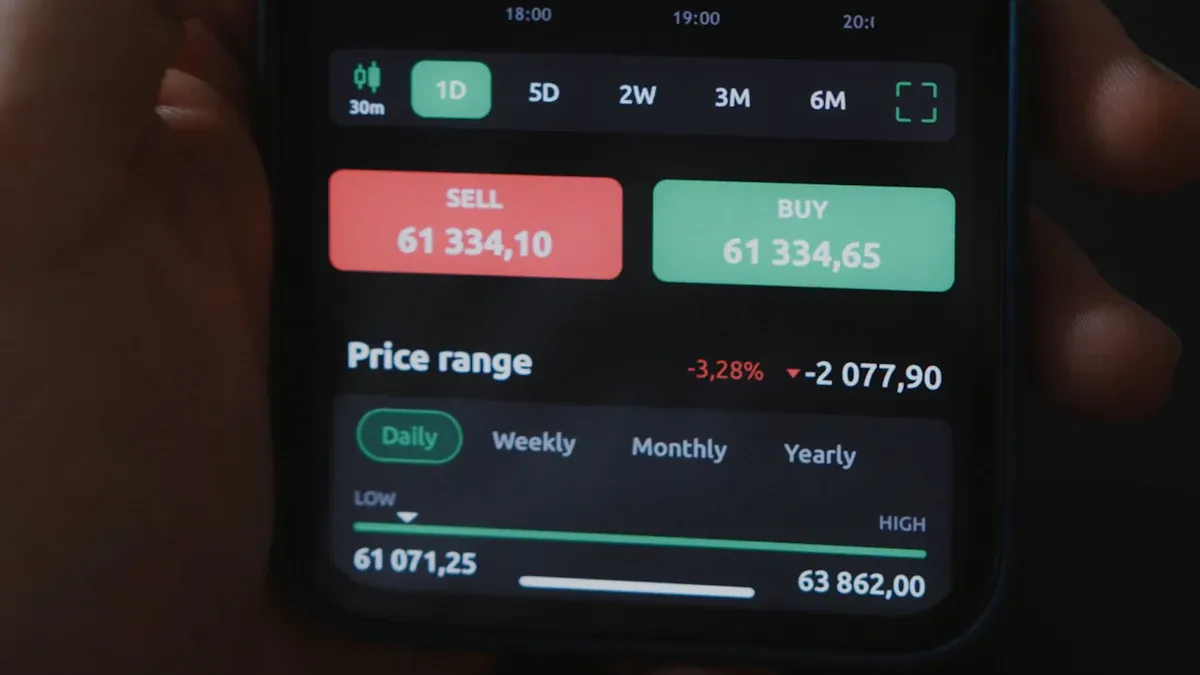
Image Source: pexels
Once funding is complete and your account has money, you reach the most exciting part—executing your first trade. The Sina Finance App designs this process very intuitively. Now, learn how to search for stocks, understand the trading interface, and successfully place orders.
Search for Target Stocks
Everything starts with finding stocks. Before trading, first locate the company you’re interested in.
On the Sina Finance App homepage or “Quotes” page, there’s a search box. Enter the stock code (e.g., Apple’s code is AAPL) or company name (e.g., “Apple”). The system quickly displays related stocks; tap to enter the stock detail page.
Understand the Trading Interface
Entering the stock detail page, you’ll see jumping numbers and charts. Don’t worry; let’s master the most important concepts: Bid Price and Ask Price.
When viewing stock quotes, you’ll always see two core prices:
- Bid Price: The highest price all buyers are currently willing to pay. If you want to sell stock, your price will be close to this.
- Ask Price: The lowest price all sellers are currently willing to accept. If you want to buy stock, your payment will be close to this.
The small difference between bid and ask is called the “spread.” A smaller spread usually indicates more active trading and better liquidity for the stock.
Submit Buy or Sell Orders
After understanding prices, you can place trading instructions. Choosing different order types is like telling the broker how you want the trade executed. The three most common are market orders, limit orders, and stop-loss orders.
| Order Type | Description | Advantages | Risks |
|---|---|---|---|
| Market Order | Execute immediately at the current best market price. | Fast execution, guaranteed fill. | Cannot control execution price; may deviate from expectations. |
| Limit Order | Execute at your specified price or better. | Precise control over cost or profit. | May not fill if price doesn’t reach your level. |
| Stop-Loss Order | Automatically generate a market sell order when price hits your trigger. | Protects profits or limits losses. | After trigger, becomes market order; actual price may be worse than stop. |
1. Market Order This is the most basic order type. If you want immediate execution and don’t mind a few cents difference, market order is best. It prioritizes speed over price.
2. Limit Order If you’re price-sensitive and want a specific buy or sell price, use limit order. For example, to buy at no more than $20.00, place a buy limit order. It only fills at or below $20.00. It prioritizes price but doesn’t guarantee fill.
3. Stop-Loss Order This is a risk management tool. If you buy at $50.00 and worry about drops, set a $45.00 stop-loss. Once price hits $45.00, it automatically submits a market sell to limit losses.
When ordering, select the order type, enter the quantity, and tap “Buy” or “Sell” to submit.
View Positions and Orders
After submitting, where to check status?
- Order Status: Usually in the App’s “Trade” or “Orders” page, see all submitted orders listed as “Pending,” “Filled,” or “Canceled.”
- Trade Confirmation: Once executed, the broker generates a trade confirmation with key details like date, price, and quantity. Carefully verify.
- View Positions: Filled stocks enter your “Positions” list. Here, view held stocks, current market value, and overall portfolio performance, including total P&L and daily returns.
Through this page, clearly track your investment performance for data-supported next decisions.
You’ve learned the four core steps for investing in US stocks: preparation, account opening, funding, and trading. The Sina US Stocks platform simplifies these, with free real-time quotes and simulated trading especially valuable for novices. Now, boldly take your first investment step.
Investing involves risks; enter the market cautiously. Invest only within your tolerable range.
FAQ
How much starting capital is needed to invest in US stocks?
There is no strict minimum for US stocks. You can start with one share; some brokers even support fractional shares. Suggest investing an amount that won’t affect your life even if lost.
Do mainland Chinese investors need to pay US taxes?
As non-US residents, capital gains from selling stocks are usually exempt from US tax. However, stock dividends require 10% withholding tax. Brokers typically handle this deduction automatically.
What are US stock trading hours?
Regular US stock trading hours are Monday to Friday, 9:30 to 16:00 Eastern Time. The Sina Finance App also displays pre-market and after-hours quotes for comprehensive market insight.
Are my funds and stocks safe?
Your funds and stocks are custodied by your chosen broker, strictly regulated by the US Securities and Exchange Commission (SEC). Additionally, your account is usually protected by the Securities Investor Protection Corporation (SIPC).
*This article is provided for general information purposes and does not constitute legal, tax or other professional advice from BiyaPay or its subsidiaries and its affiliates, and it is not intended as a substitute for obtaining advice from a financial advisor or any other professional.
We make no representations, warranties or warranties, express or implied, as to the accuracy, completeness or timeliness of the contents of this publication.
Related Blogs of

A 35-Year Turbulent Journey: Panoramic Review of the Starting and Ending Points of China A-Share Bull Markets

Step-by-Step Guide: Sending Money from China to the US via Bank of China Mobile App


Will AI Drive Taiwan Stock Market to New Highs Again? Analyzing 2026 Index Trends and Investment Strategies


How the Rise of Sovereign AI Will Impact the Future of Taipei Stock Market's Tech Supply Chain
Choose Country or Region to Read Local Blog
 Australia
 Austria
 Belgium
 Canada
 Cyprus
 Czech Republic
 Denmark
 Estonia
 Finland
 France
 Germany
 Greece
 Hong Kong
 India
India Indonesia
 Ireland
 Italy
Italy Japan
Japan Latvia
 Lithuania
 Luxembourg
 Malaysia
 Malta
Malta Morocco
 Nepal
Nepal Netherlands
 New Zealand
 Norway
 Pakistan
 Philippines
 Poland
 Portugal
 Romania
 Singapore
 Slovakia
 Slovenia
 South Africa
 South Korea
 Spain
Spain Sweden
 Thailand
 The United States
 Turkey
 United Arab Emirates
 United Kingdom
 Vietnam
Contact Us




BIYA GLOBAL LLC is a licensed entity registered with the U.S. Securities and Exchange Commission (SEC No.: 802-127417); a certified member of the Financial Industry Regulatory Authority (FINRA) (Central Registration Depository CRD No.: 325027); regulated by the Financial Industry Regulatory Authority (FINRA) and the U.S. Securities and Exchange Commission (SEC).
BIYA GLOBAL LLC is registered with the Financial Crimes Enforcement Network (FinCEN), an agency under the U.S. Department of the Treasury, as a Money Services Business (MSB), with registration number 31000218637349, and regulated by the Financial Crimes Enforcement Network (FinCEN).
BIYA GLOBAL LIMITED is a registered Financial Service Provider (FSP) in New Zealand, with registration number FSP1007221, and is also a registered member of the Financial Services Complaints Limited (FSCL), an independent dispute resolution scheme in New Zealand.