Step-by-Step Guide: Sending Money from China to the US via Bank of China Mobile App



Image Source: unsplash
Do you want to learn how to send money from China to the US? Using the Bank of China mobile app, you only need to complete three core steps:
- Prepare information
- Fill out the application
- Confirm payment
This guide provides detailed illustrated explanations to walk you through each step, eliminating all your doubts about cross-border remittances.
Before starting the operation, let us first review the key information you need to prepare.
Key Takeaways
- Before remitting, prepare the recipient’s full name, address, phone number, and the US bank’s name, SWIFT code, and account number.
- In the Bank of China app, locate the “Cross-Border Remittance” function, then fill in recipient details, remittance amount, and purpose of funds.
- Carefully review the remittance amount, fees, and cable charges; confirm all information is correct before paying.
- After remitting, you can track progress in the app; funds typically arrive in 1 to 5 business days.
- Ensure your remittance stays within the annual $50,000 USD personal quota and do not remit on behalf of others.
Pre-Remittance Preparation: Information and Account

Image Source: pexels
“To do a good job, one must first sharpen one’s tools.” The same applies to cross-border remittances. Accurate information is the foundation of a successful remittance. Before opening the mobile app, take a few minutes to gather the following three categories of information completely.
Prepare Recipient’s Personal Information
First, clearly list the recipient’s personal details. These serve as identification for crediting funds; even a minor spelling error can cause failure.
Please prepare:
- Recipient’s Full Name: Exactly as on the bank account, using uppercase English letters, ensuring correct order of first and last names.
- Recipient’s Full Address: Including street, city, state, and ZIP code.
- Recipient’s Phone Number: Complete US phone number.
Important Tip For the first remittance to a recipient, strongly recommend double-checking information accuracy with them. Requesting written confirmation with bank details (e.g., email or chat screenshot) is a good habit to avoid issues from errors.
Prepare US Recipient Bank Information
Next is the critical bank information for the recipient – the “navigation map” for fund flow.
Obtain these bank details from the recipient:
- Bank Name: The full official bank name.
- SWIFT/BIC Code: This is mandatory for international remittances. It is an 8-11 character international bank code identifying the specific bank. Ask the recipient to check their bank statement or look it up on the US bank’s official website. If unsure of the branch code, using the headquarters SWIFT code is usually acceptable.
- Recipient’s Account Number: Ensure the account number is accurate.
Special Note on ABA Routing Number You may also receive a 9-digit ABA Routing Number. This is the “delivery code” for US domestic clearing. The Bank of China app may not have a dedicated field for it. It is recommended to enter this number in the supplementary section of the “Recipient Address” field or in the “Remarks” field to help the receiving bank process crediting faster.
Activate and Check Your Remittance Account
Finally, check your own remittance account status.
Ensure the Bank of China account used for remittance is a Category I account (e.g., your primary current account passbook) and has foreign exchange functions activated. Also, verify sufficient funds in the account – you can purchase forex with RMB directly or use existing foreign currency remittance in the account.
Remember, under regulations, mainland Chinese residents have an annual equivalent $50,000 USD quota for forex purchase and payment. Before remitting, ensure your quota is sufficient.
Hands-On Guide: Complete Steps for Sending Money from China to the US
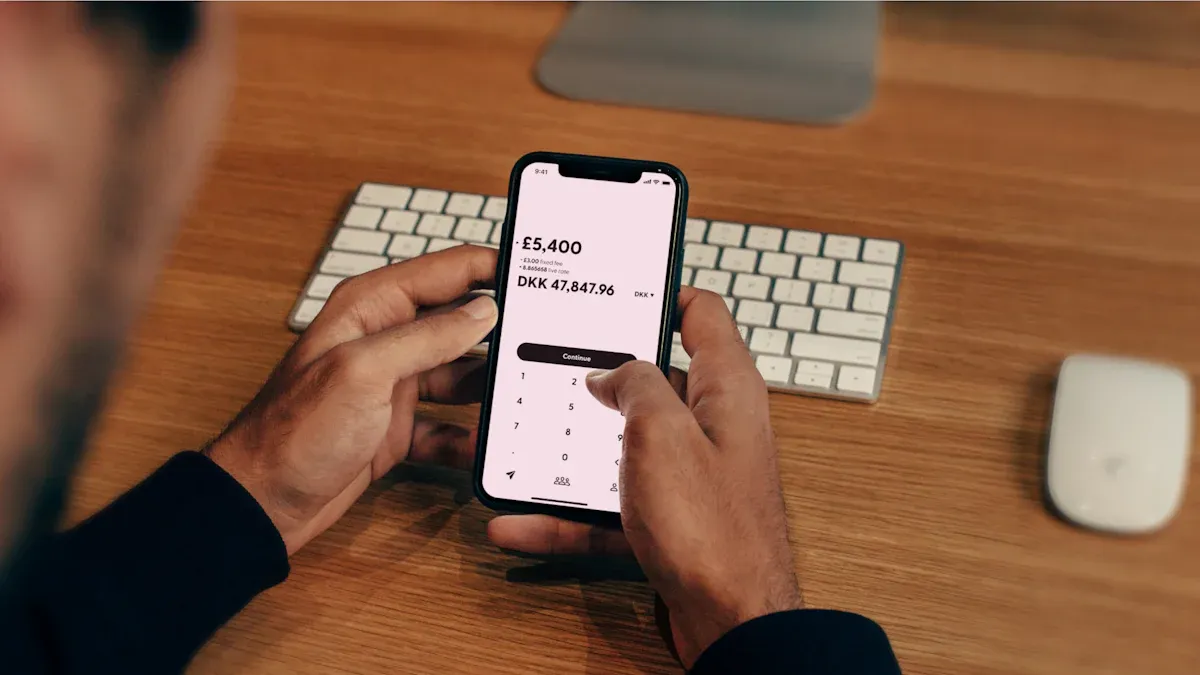
Image Source: unsplash
With information ready, now open the Bank of China mobile app and start the operation. Each step below includes clear instructions – simply follow along to complete it easily.
Locate the “Cross-Border Remittance” Function Entry
First, find the international remittance function in the app. This entry is usually in the main menu.
- Open and log in to your Bank of China mobile app.
- On the homepage, tap the “More” button to expand the full function list.
- Under the “Cross-Border Finance” or “Cross-Border Services” category, find and tap “Cross-Border Remittance.”
This takes you to the main remittance application interface.
Create a New Recipient Profile
If this is your first remittance to this recipient, the system will guide you to create a recipient profile first. This profile can be saved for future use.
Operation Core At this point, use the prepared recipient personal and bank information. Accurately fill these details into the corresponding fields. Carefully verify every letter and number, especially the recipient’s name spelling and SWIFT code.
After filling, save the recipient information, and the system will guide you to the next step.
Fill in Remittance Amount and Purpose
Now, enter the specific details of this remittance.
- Remittance Amount: You can choose to enter the USD amount you want the recipient to receive, and the system will automatically calculate the RMB needed based on the real-time rate; alternatively, enter the RMB amount you want to use, and the system will calculate the USD the recipient receives.
- Purpose of Funds: This is a very important field. Choose based on actual circumstances.
Common “Purpose of Funds” options include:
- Private Travel: For paying accommodation, transportation, etc., during travel.
- Family Support: For supporting family living in the US.
- Study Abroad Tuition/Living Expenses: For education-related payments.
Important Tip Always select the purpose truthfully. Choosing a mismatched purpose may trigger bank review and even cause remittance failure. The annual $50,000 USD quota applies to all personal private forex purchases and payments.
Review Real-Time Rate and Fees
After confirming the amount, the app displays a preview page with all fee details. This is your key step to check costs.
A typical remittance from China to the US usually consists of two parts:
- Handling Fee: A percentage of the remittance amount.
- Cable Charge: A fixed fee for sending the message via the SWIFT network.
Fee Waiver Reminder If the receiving bank is an overseas branch of Bank of China (e.g., Bank of China New York Branch), handling fees and cable charges are usually fully waived.
Here is Bank of China’s standard fee reference (subject to real-time display in the app):
| Fee Item | Reference Standard |
|---|---|
| Handling Fee | 0.1% of remittance amount, min 50 RMB/transaction, max 260 RMB/transaction |
| Cable Charge | 150 RMB/transaction (80 RMB/transaction for Hong Kong, Macao, Taiwan) |
For comparison, some emerging fintech platforms like Biyapay may offer different fee models, sometimes more advantageous in total cost – compare based on your needs.
Confirm Information and Complete Payment
This is the final step. The app shows a complete confirmation page listing all entered information.
The purpose of this confirmation page is to give you a chance to check all details before final authorization, reducing failures due to errors. Carefully verify:
- Recipient name and account number
- Receiving bank’s SWIFT code
- Remittance amount and total fees
Once all information is accurate, proceed with payment authorization. The Bank of China app provides multiple security verifications for fund safety.
- First, the system requires your transaction password.
- Next, it may trigger facial recognition verification – complete the face scan as prompted.
- Finally, your phone receives a one-time SMS password – enter this code to complete authorization.
Once verified, your remittance application from China to the US is successfully submitted. The app generates a transaction receipt – screenshot it for records.
Post-Remittance Follow-Up: Tracking and Common Issues
After successfully submitting the remittance, the work is not fully done. Next, learn how to track status and prepare for potential issues.
How to Track Remittance Progress
Want to know where your money is? The Bank of China mobile app provides convenient tracking.
- Log in again to your Bank of China mobile app.
- In the “Cross-Border Finance” section, find “Remittance Records” or similar transaction query entry.
- Tap the transaction you want to check to view current status, such as “Accepted” or “Remitted.”
Tip Traditional bank progress updates may be general. Some emerging fintech platforms, such as Biyapay, sometimes offer more detailed tracking – compare based on your needs.
Expected Arrival Time Explanation
International remittances take time – please be patient.
Typically, remittances from China to US banks take 1 to 5 business days. Considering time differences and both banks’ processing, it may sometimes take up to 7 business days.
Several factors can affect arrival speed:
- Information Accuracy: Any minor error in recipient name or bank code may require manual verification, causing delays.
- Holidays and Weekends: Processing postpones to the next business day – consider public holidays in both China and the US.
- Compliance Review: To comply with anti-money laundering (AML) regulations, banks may conduct additional reviews on some transactions.
- Intermediary Banks: If the remittance passes through one or more intermediary banks, each adds processing time.
Handling Failed Remittances and Refunds
Though uncommon, remittances can fail. Understanding causes helps resolve issues quickly.
Common Failure Reasons Analysis
- Information Errors: Most common, such as misspelled recipient name or incorrect SWIFT code.
- Quota Exceeded: Remittance amount exceeds your annual $50,000 USD payment quota.
- Recipient Account Issues: The recipient’s bank account may be closed, frozen, or restricted.
- Compliance Issues: Unclear or mismatched purpose of funds fails bank compliance review.
If a remittance fails, funds are usually returned to your account. However, note that incurred handling fees and cable charges are typically not refunded. Upon failure discovery, immediately contact Bank of China customer service to identify the cause, correct information, and re-initiate the remittance.
You now have mastered the complete process of sending money from China to the US via the Bank of China mobile app. To ensure smooth remittance, remember these three core points:
- Information Accuracy is Key: Always carefully verify recipient name spelling and SWIFT code – this is the primary step to avoid failure.
- Watch Handling Fees: If the receiving bank is an overseas Bank of China branch, you can usually save on handling fees and cable charges.
- Mind Annual Quota: Operate within your personal annual equivalent $50,000 USD quota and do not split or use others’ quotas to evade limits, as this may result in fines.
As long as information is fully prepared and you follow the steps in this article, sending money from China to the US is very convenient. For any complex situations, directly consulting bank customer service always provides the most authoritative help.
FAQ
What if I accidentally enter wrong recipient information?
Entering wrong information may cause remittance failure. Funds will be returned to your account, but incurred handling fees and cable charges are usually not refunded. Immediately contact bank customer service, verify the situation, correct information, and re-remit.
Can I use my quota to remit for a friend?
You cannot use your annual quota to remit for others. The personal annual forex purchase/payment quota is for personal use only. This behavior violates mainland China’s foreign exchange regulations – please avoid it.
Why does the recipient receive less than I sent?
The received amount is reduced usually because intermediary banks deduct service fees during processing. These fees are deducted directly from your remittance principal and are not charged by Bank of China.
What is the difference between SWIFT code and ABA code?
The SWIFT code is the bank’s international identifier, used for global remittances and is mandatory. The ABA code is for US domestic clearing. When filling the remittance form, prioritize ensuring the SWIFT code is accurate.
*This article is provided for general information purposes and does not constitute legal, tax or other professional advice from BiyaPay or its subsidiaries and its affiliates, and it is not intended as a substitute for obtaining advice from a financial advisor or any other professional.
We make no representations, warranties or warranties, express or implied, as to the accuracy, completeness or timeliness of the contents of this publication.
Related Blogs of

Is the W-8BEN Form Required for Opening a US Stock Account? Understand How to Save on Taxes in One Article


US Stock Market Holiday Countdown: How Investors Should Position for Next Week's Trading

Annual Review: Best Performing US Stock ETFs in 2026 and the Logic Behind Them

Micro Dow, Micro Nasdaq, Micro S&P Futures Comprehensive Comparison – Helping You Find the Best Trading Choice

Choose Country or Region to Read Local Blog
 Australia
 Austria
 Belgium
 Canada
 Cyprus
 Czech Republic
 Denmark
 Estonia
 Finland
 France
 Germany
 Greece
 Hong Kong
 India
India Indonesia
 Ireland
 Italy
Italy Japan
Japan Latvia
 Lithuania
 Luxembourg
 Malaysia
 Malta
Malta Morocco
 Nepal
Nepal Netherlands
 New Zealand
 Norway
 Pakistan
 Philippines
 Poland
 Portugal
 Romania
 Singapore
 Slovakia
 Slovenia
 South Africa
 South Korea
 Spain
Spain Sweden
 Thailand
 The United States
 Turkey
 United Arab Emirates
 United Kingdom
 Vietnam
Contact Us




BIYA GLOBAL LLC is a licensed entity registered with the U.S. Securities and Exchange Commission (SEC No.: 802-127417); a certified member of the Financial Industry Regulatory Authority (FINRA) (Central Registration Depository CRD No.: 325027); regulated by the Financial Industry Regulatory Authority (FINRA) and the U.S. Securities and Exchange Commission (SEC).
BIYA GLOBAL LLC is registered with the Financial Crimes Enforcement Network (FinCEN), an agency under the U.S. Department of the Treasury, as a Money Services Business (MSB), with registration number 31000218637349, and regulated by the Financial Crimes Enforcement Network (FinCEN).
BIYA GLOBAL LIMITED is a registered Financial Service Provider (FSP) in New Zealand, with registration number FSP1007221, and is also a registered member of the Financial Services Complaints Limited (FSCL), an independent dispute resolution scheme in New Zealand.