登录
注册
汇款
行情
交易
理财
速捷卡
活动
资讯
更多
登录
注册
下载
简体中文
帮助中心
>
股票功能
>
BiyaPay
发布于 更新于
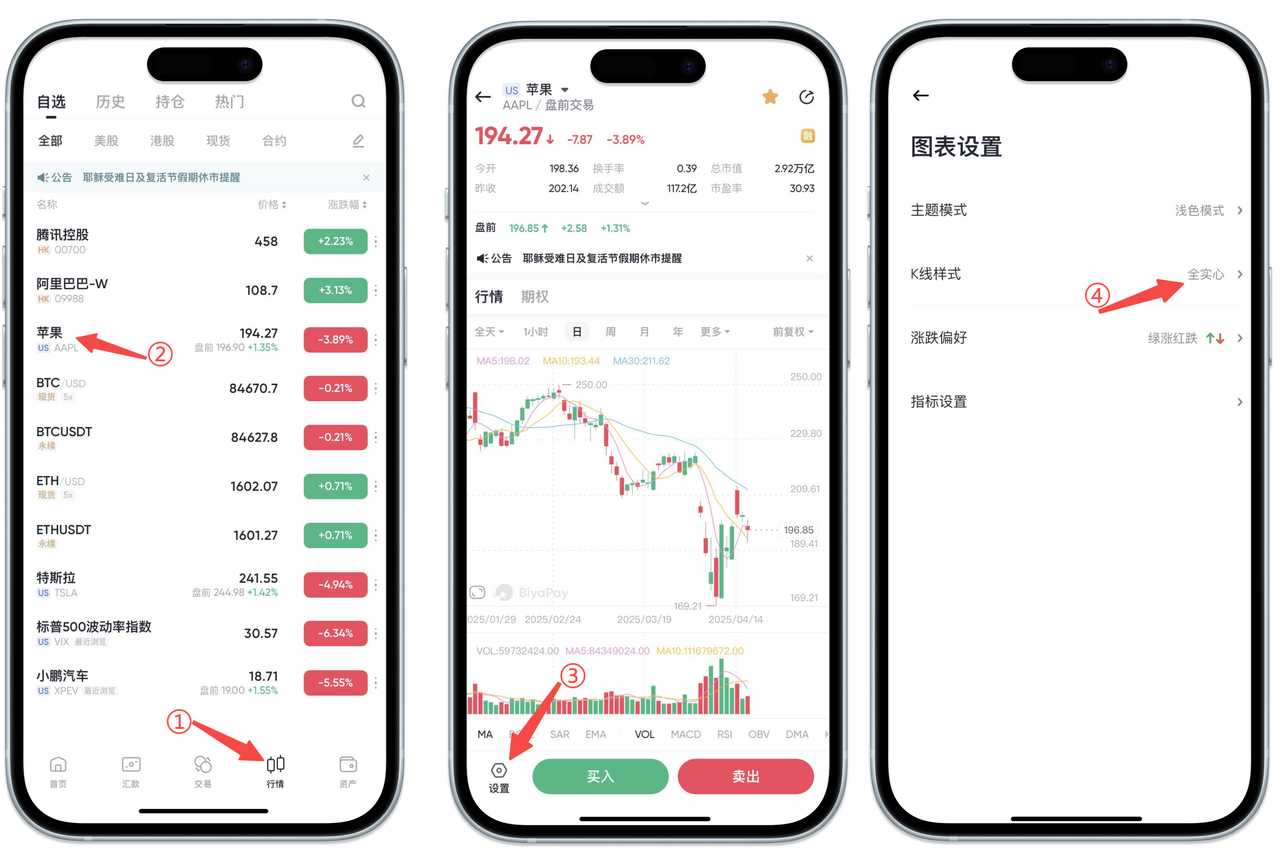
在【行情】页面,点击任意一只股票,进入股票图表页面后,点击图表左下角的【设置】按钮,接着选择【K线样式】选项,您就可以根据个人喜好设置K线样式了。
没有上一篇
没有下一篇