BiyaPay
发布于 更新于

How to bind recipient bank accounts and payer bank accounts

How to bind recipient bank accounts and payer bank accounts on App:

Recipient Bank Account

  1. What is a recipient bank account

A recipient bank account refers to the bank account bound when users withdraw fiat currency from BiyaPay to a bank account. When users perform fiat currency withdrawal operations in BiyaPay, the bank account filled in is the recipient bank account, which will receive the fiat funds withdrawn from BiyaPay.

  1. How to bind recipient bank account

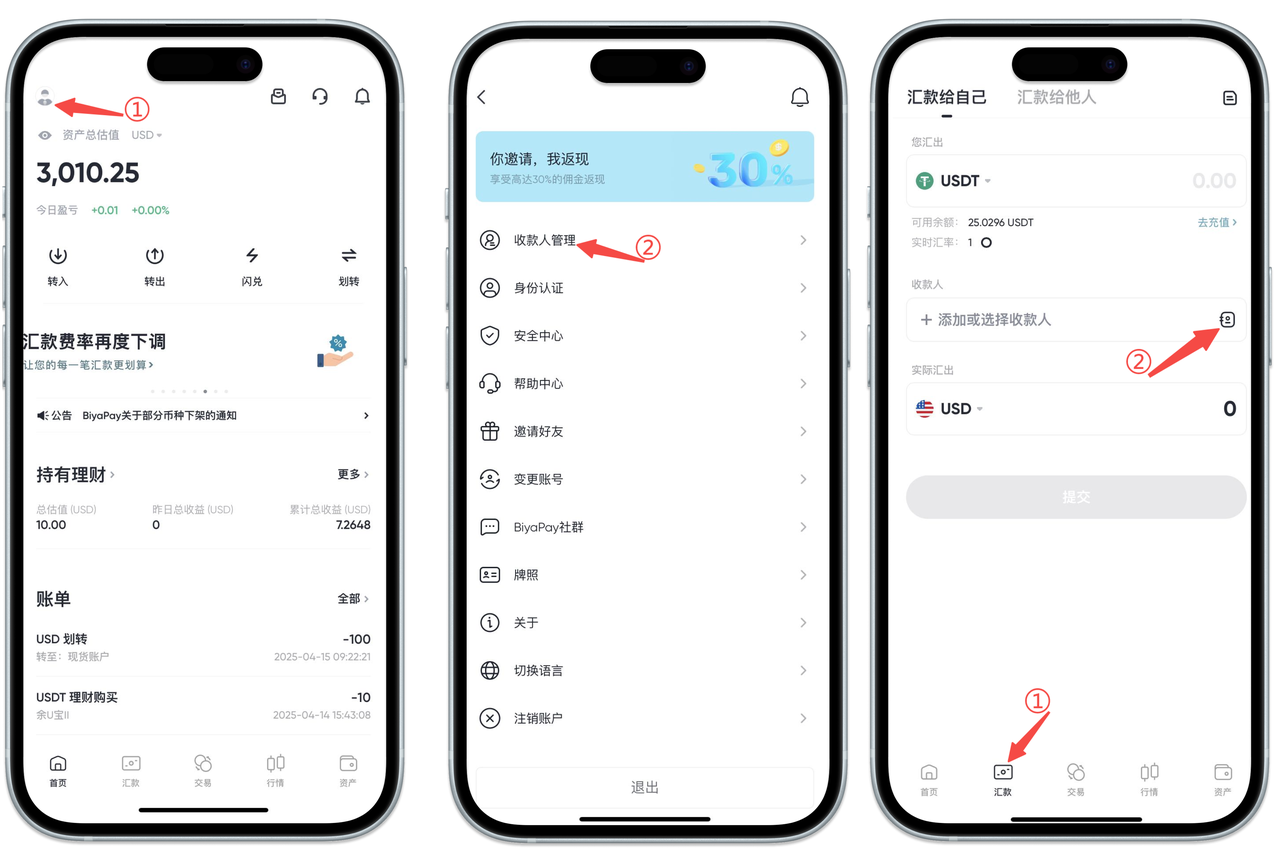
  2. There are two ways to bind recipient bank accounts: [Personal Center] binding and [Remittance Page] binding

Click the avatar in the upper left corner of the APP homepage to enter [Personal Center], select [Recipient Management], and add recipient information

Select the [Remittance] page at the bottom of the App, click [Remit to Self] and [Remit to Others], and add recipient information

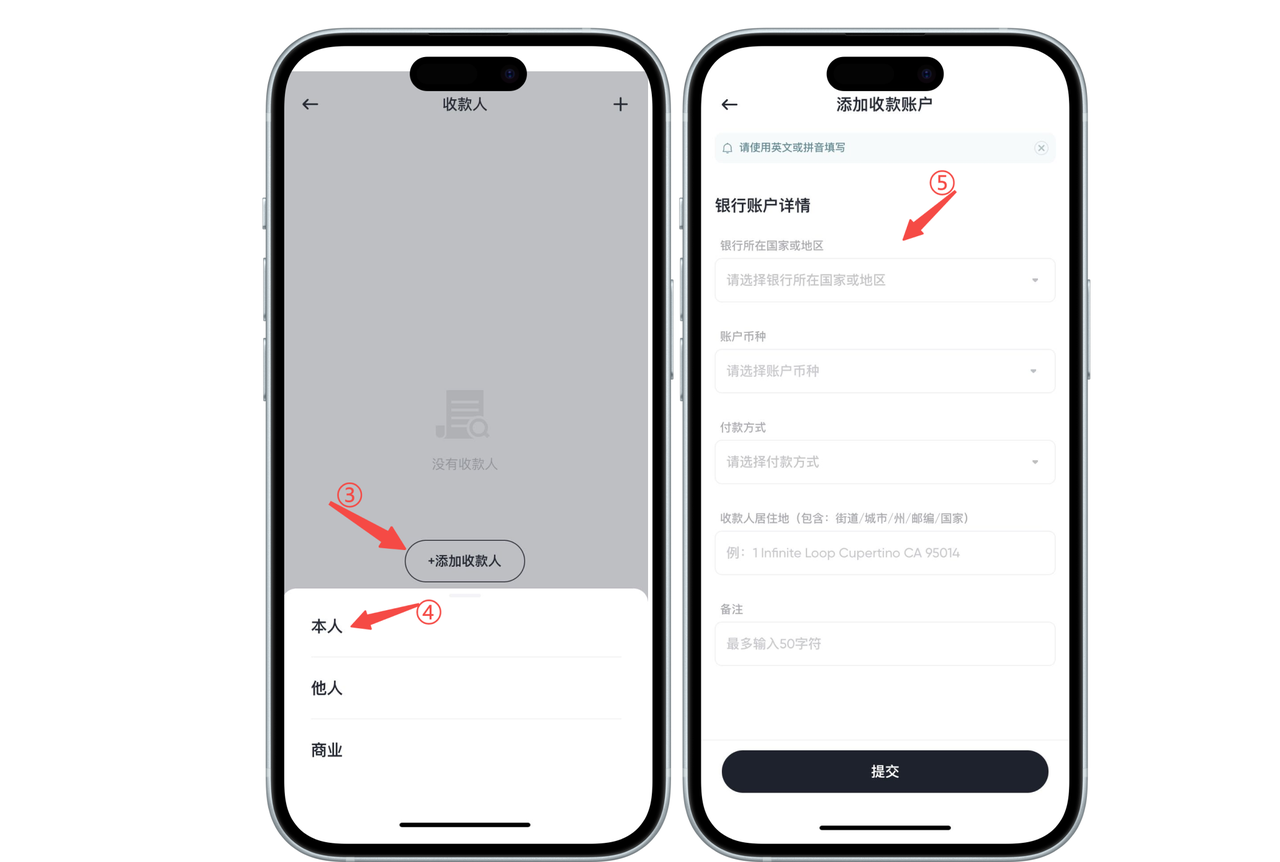
  1. Select [Self], [Others], or [Business] recipient bank account [Self] recipient bank account requires adding bank account information and personal information.

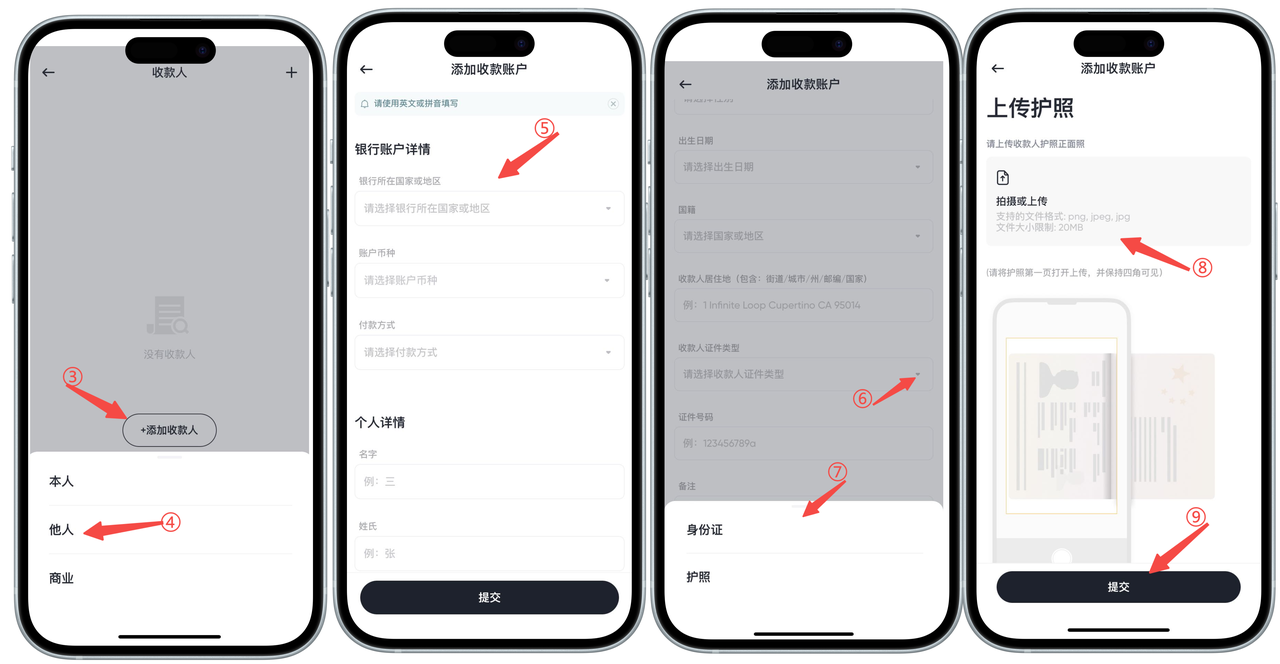
[Others] recipient bank account requires adding the other person's bank account information, personal information, and uploading the recipient's ID card or passport.

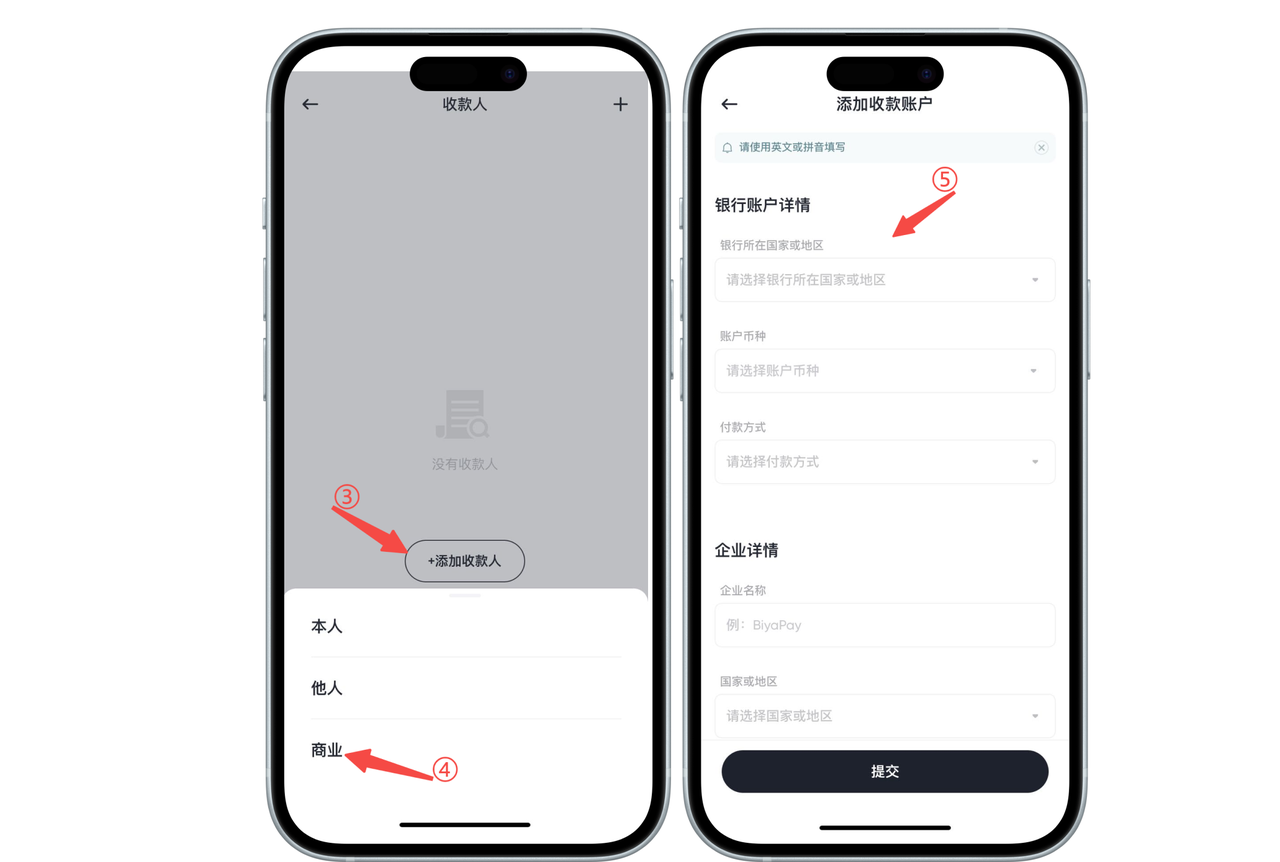
[Business] recipient bank account requires adding bank account information and enterprise information

Payer Bank Account

  1. What is a payer bank account

A payer bank account refers to the bank account used when users remit fiat currency from a bank account to BiyaPay. When users perform remittance operations, the bank account used is the payer bank account, which is used to pay fiat funds to BiyaPay.

  1. How to bind payer bank account

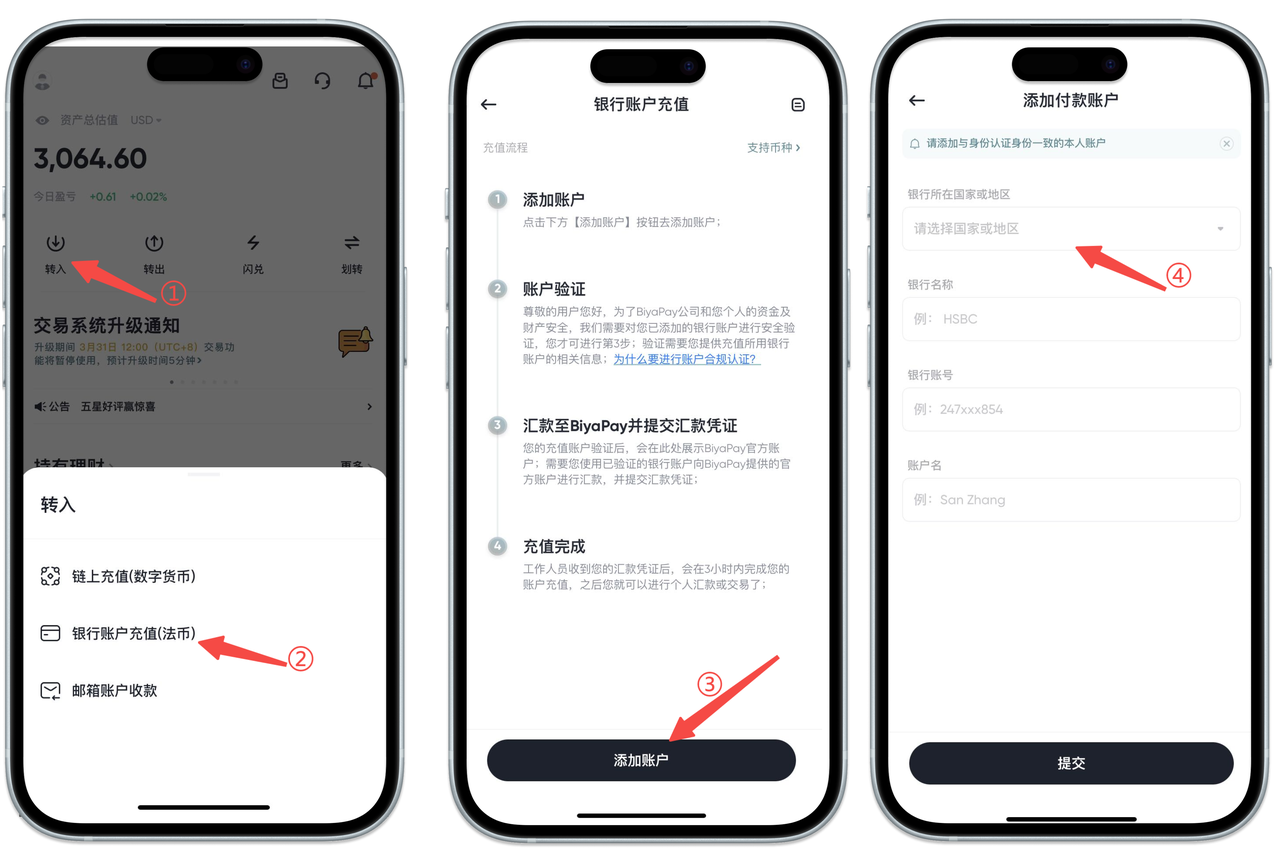
  2. Find and click the [Deposit] button on the homepage, select the [Bank Account Deposit] option;

  3. Click the [Add Account] button;

  4. Enter relevant information to complete the bank account binding operation.

How to bind recipient bank accounts and payer bank accounts on Web:

How to bind recipient bank account?

  1. There are two ways to bind recipient bank accounts:

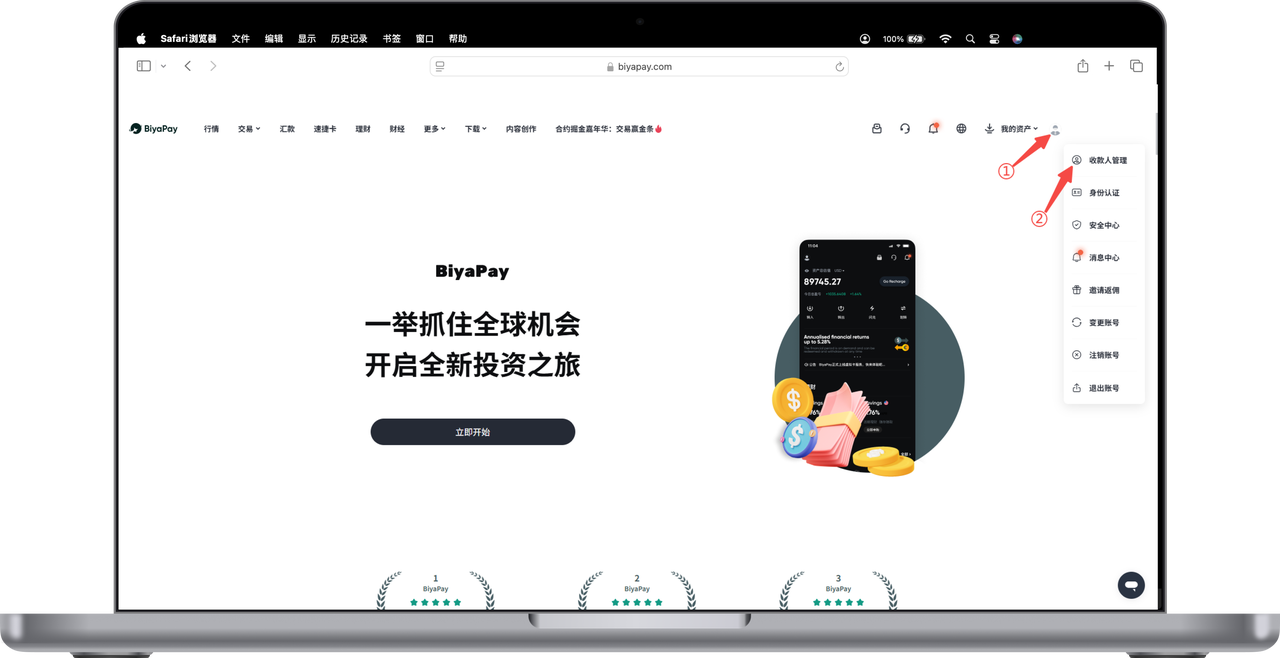
Click the avatar in the upper right corner of the webpage to enter [Personal Center], select [Recipient Management], and add recipient information

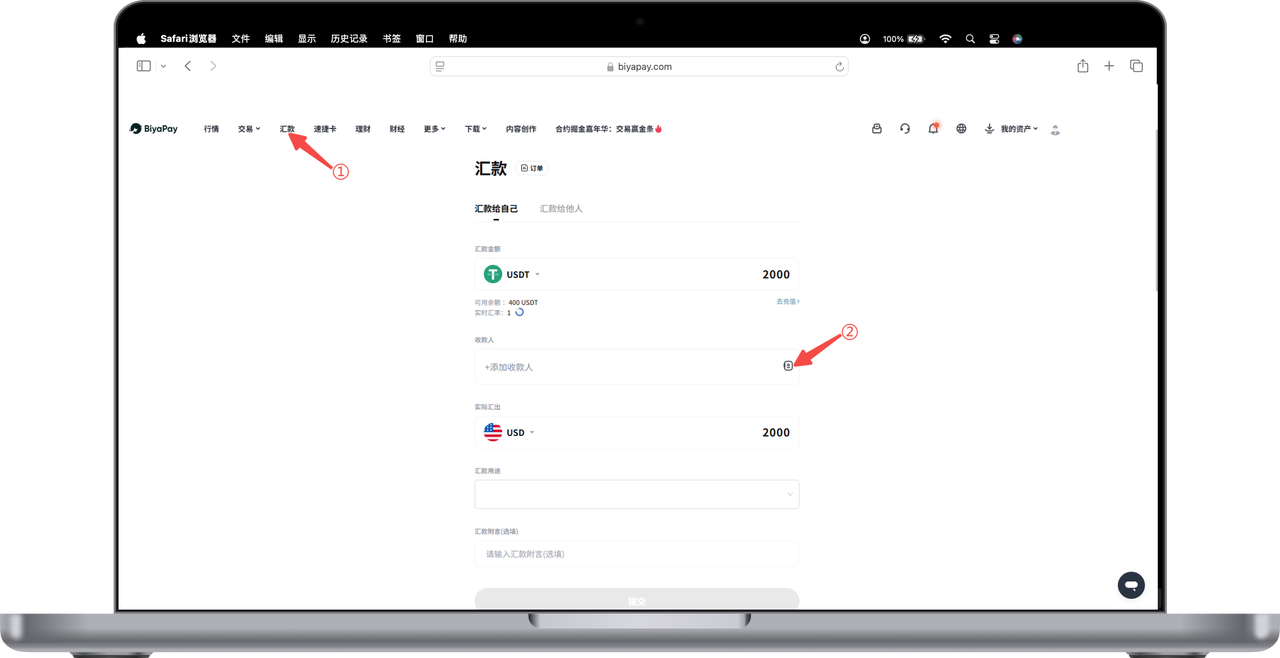
Select the [Remittance] page in the upper left corner of the webpage, click [Remit to Self] and [Remit to Others], and add recipient information

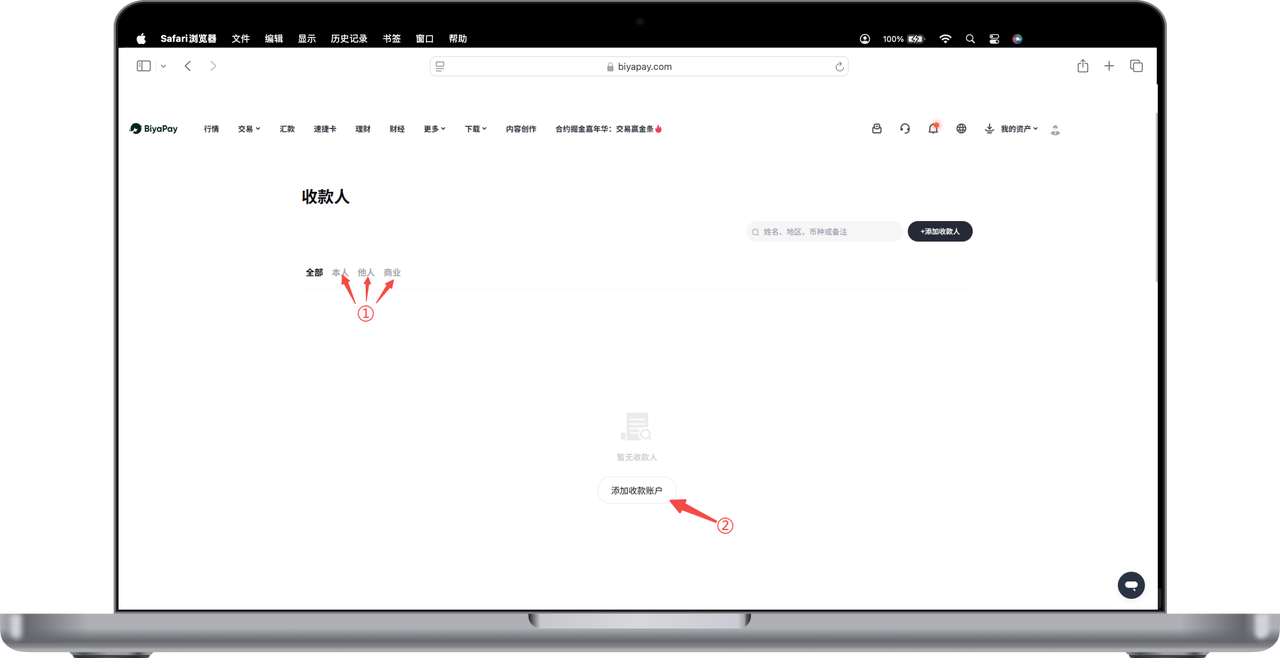
  1. Add recipient, you can choose [Self], [Others], [Business] three modes of recipient bank account:

Select [Remit to Self], please fill in bank account information and personal information according to requirements, then click submit

Select [Remit to Others], please fill in the other person's bank account information, personal information, and upload the recipient's ID card or passport according to requirements, then click submit

Select [Remit to Business], please fill in bank account information and enterprise information according to requirements, then click submit

How to bind payer bank account?

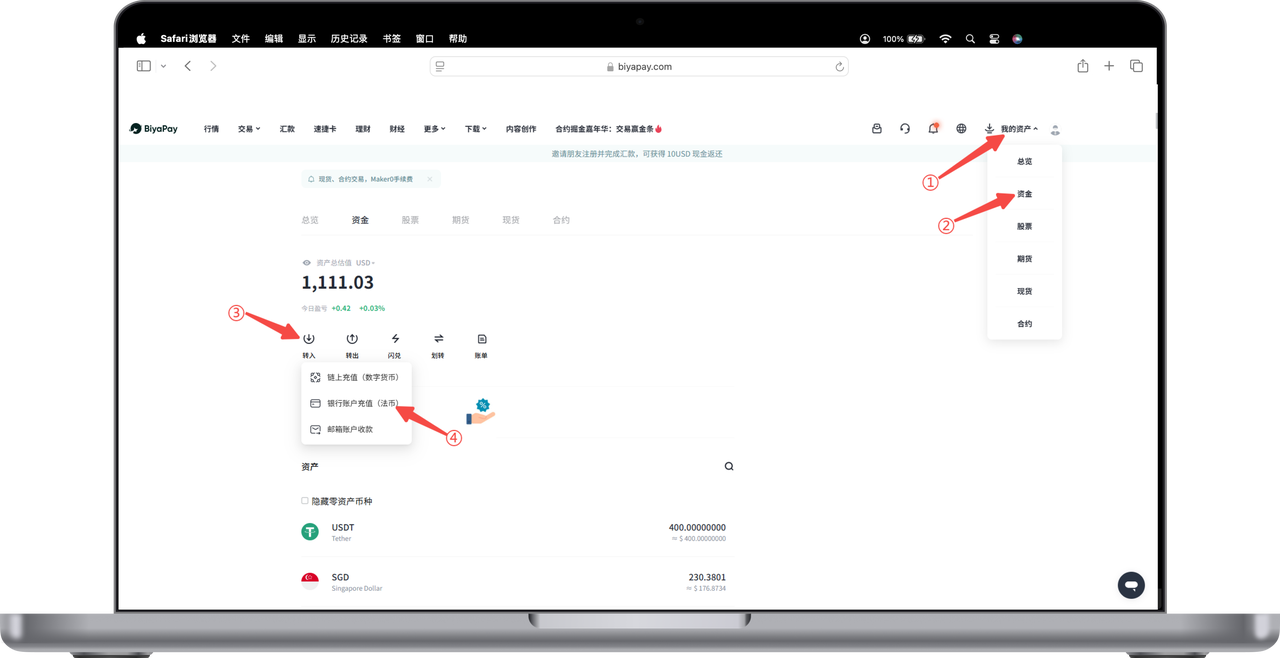
  1. Click [My Assets] - [Funds] in the upper right corner of the webpage, find and click the [Deposit] button on the funds page, select the [Bank Account Deposit] option;

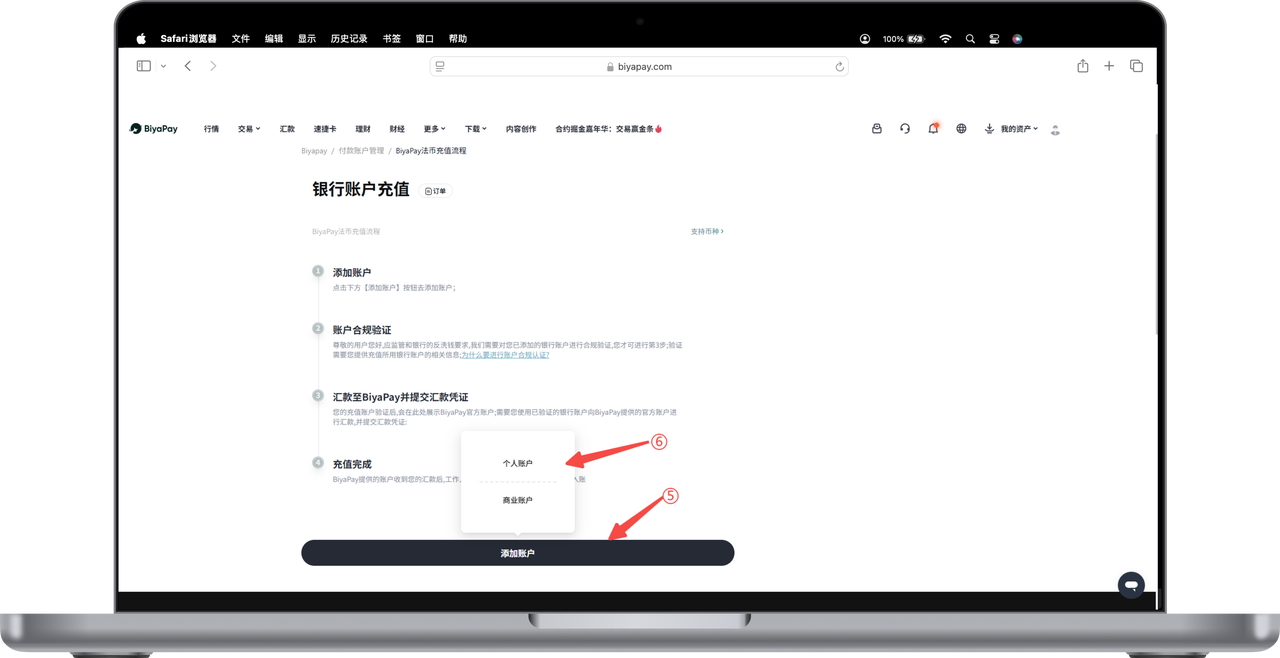
  1. Click the [Add Account] button, select [Personal Account] or [Business Account];

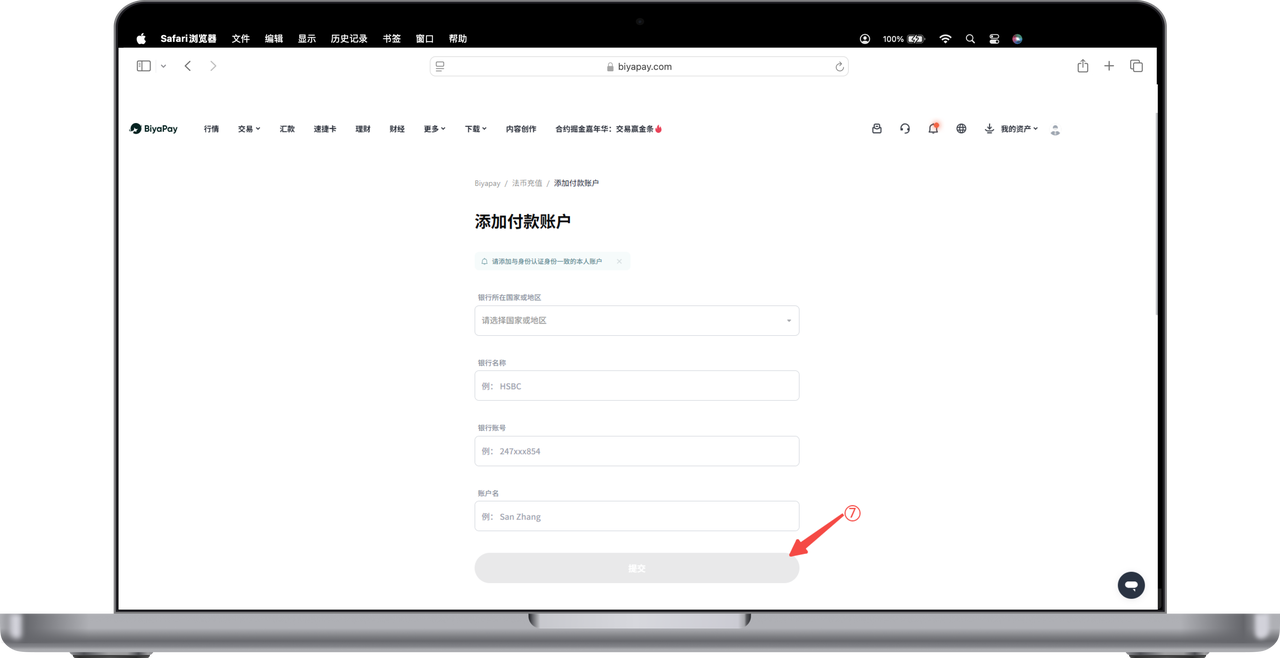
  1. Enter relevant information to complete the bank account binding operation.

BiyaPay
BiyaPay 让数字货币流行起来

联系我们

客服邮箱: service@biyapay.com
客服Telegram: https://t.me/biyapay001
Telegram社群: https://t.me/biyapay_ch
Telegram数字货币社群: https://t.me/BiyaPay666
BiyaPay的电报社区BiyaPay的Discord社区BiyaPay客服邮箱BiyaPay Instagram官方账号BiyaPay Tiktok官方账号BiyaPay LinkedIn官方账号
合规主体
Biya Global LLC 为美国注册有限责任公司,已依据《银行保密法》向 FinCEN 完成 MSB 联邦登记,(注册号:31000218637349)受 FinCEN 监管;
Biya Global Limited 为新西兰注册企业,已依据《2008 金融服务提供商(注册与纠纷解决)法案》在 FSPR 完成 FSP 登记,(注册编号FSP1007221)受新西兰 FMA 监管;
©2019 - 2026 BIYA GLOBAL LIMITED