BiyaPay
发布于 更新于

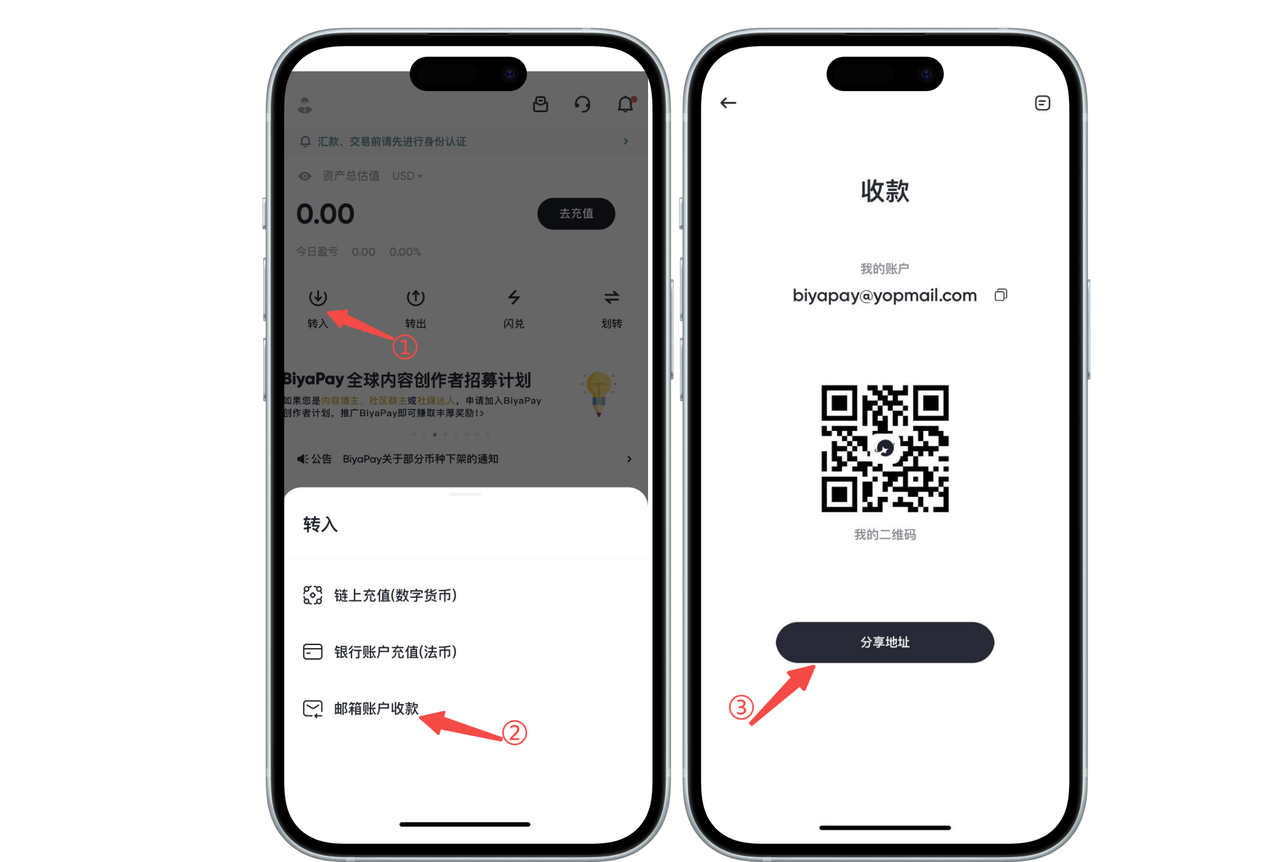
How to receive assets via email account on App:

Open the App homepage, click [Deposit] - [Email Account Receipt], copy or share the address with the other party. The other party can transfer assets to your BiyaPay account through [Withdraw] - [Email Account Transfer]. After the other party transfers to you through [Email Account Transfer], your BiyaPay account can receive the assets transferred by the other party in real time.

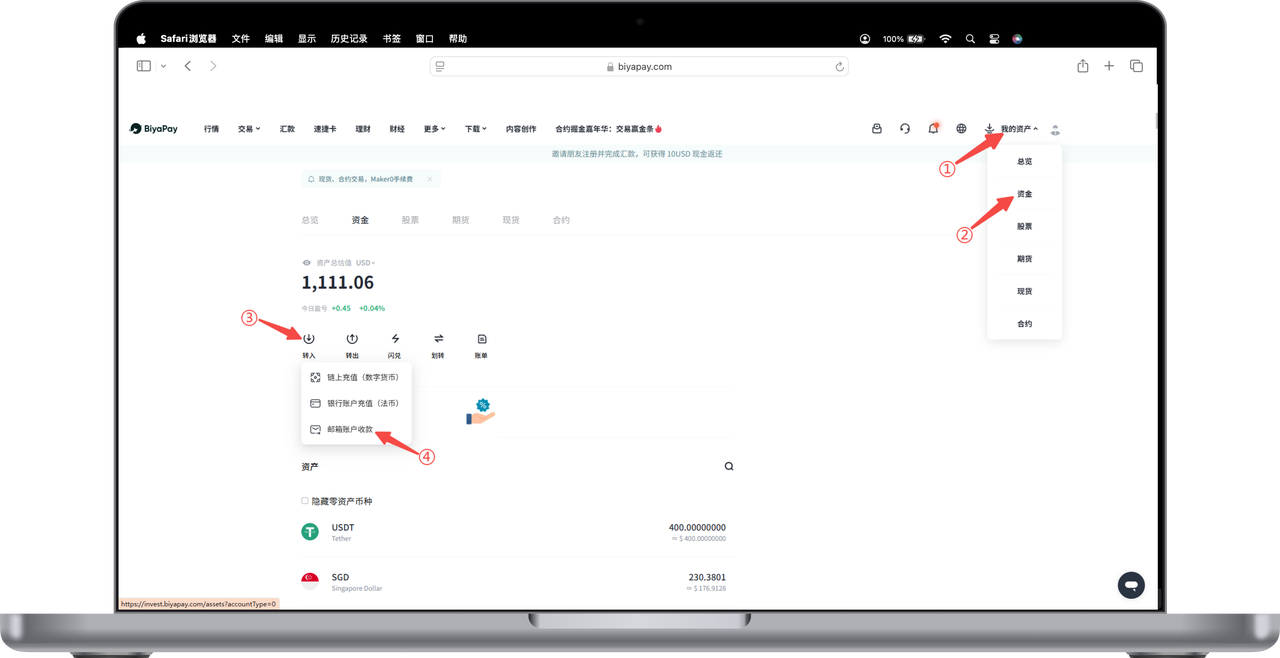
How to receive assets via email account on Web:

Click [My Assets] - [Funds] in the upper right corner of the webpage, click [Deposit] - [Email Account Receipt] on the funds page, copy or share the address with the other party. The other party can transfer assets to your BiyaPay account through [Withdraw] - [Email Account Transfer]. After the other party transfers to you through [Email Account Transfer], your BiyaPay account can receive the assets transferred by the other party in real time.

BiyaPay
BiyaPay 让数字货币流行起来

联系我们

客服邮箱: service@biyapay.com
客服Telegram: https://t.me/biyapay001
Telegram社群: https://t.me/biyapay_ch
Telegram数字货币社群: https://t.me/BiyaPay666
BiyaPay的电报社区BiyaPay的Discord社区BiyaPay客服邮箱BiyaPay Instagram官方账号BiyaPay Tiktok官方账号BiyaPay LinkedIn官方账号
合规主体
Biya Global LLC 为美国注册有限责任公司,已依据《银行保密法》向 FinCEN 完成 MSB 联邦登记,(注册号:31000218637349)受 FinCEN 监管;
Biya Global Limited 为新西兰注册企业,已依据《2008 金融服务提供商(注册与纠纷解决)法案》在 FSPR 完成 FSP 登记,(注册编号FSP1007221)受新西兰 FMA 监管;
©2019 - 2026 BIYA GLOBAL LIMITED