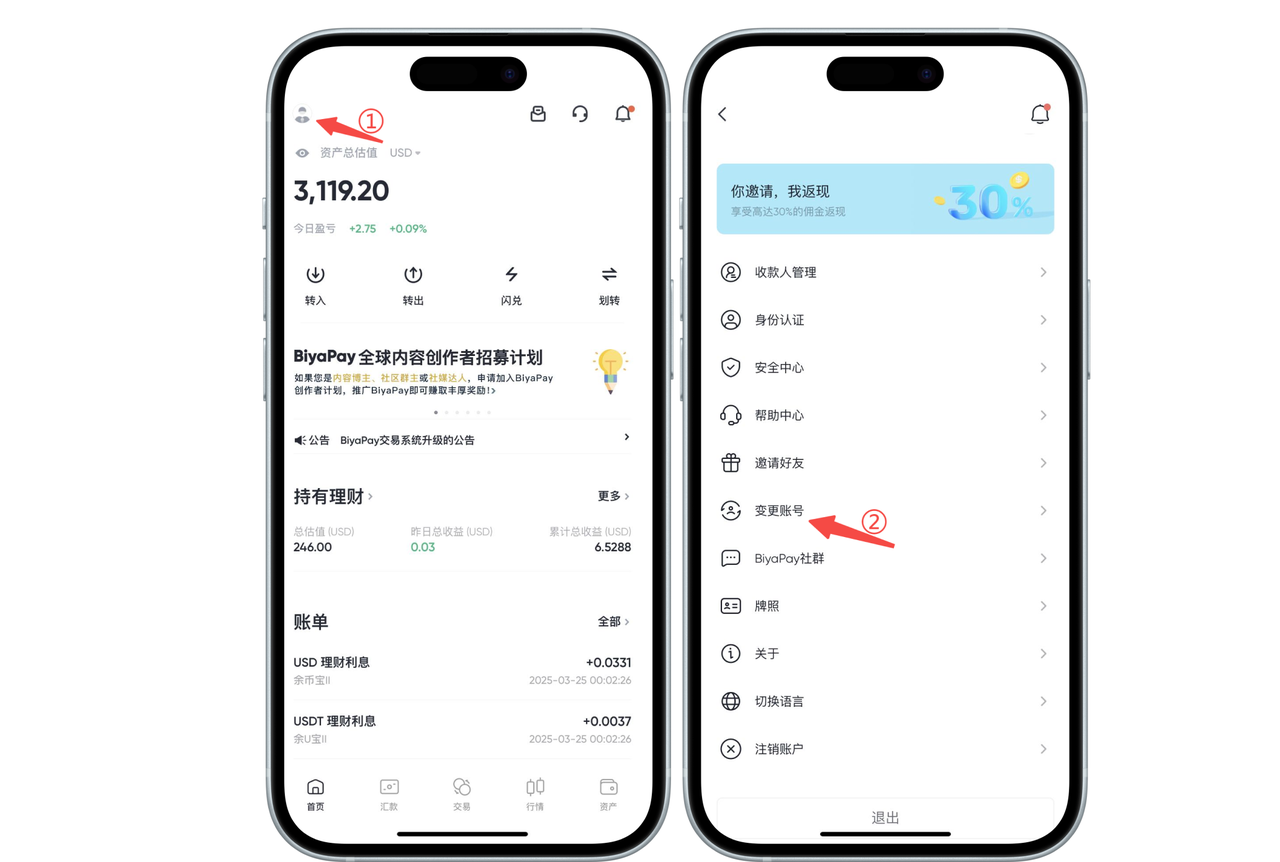
Click the avatar in the upper left corner of the app homepage, enter [Personal Center], and then click [Change Account]
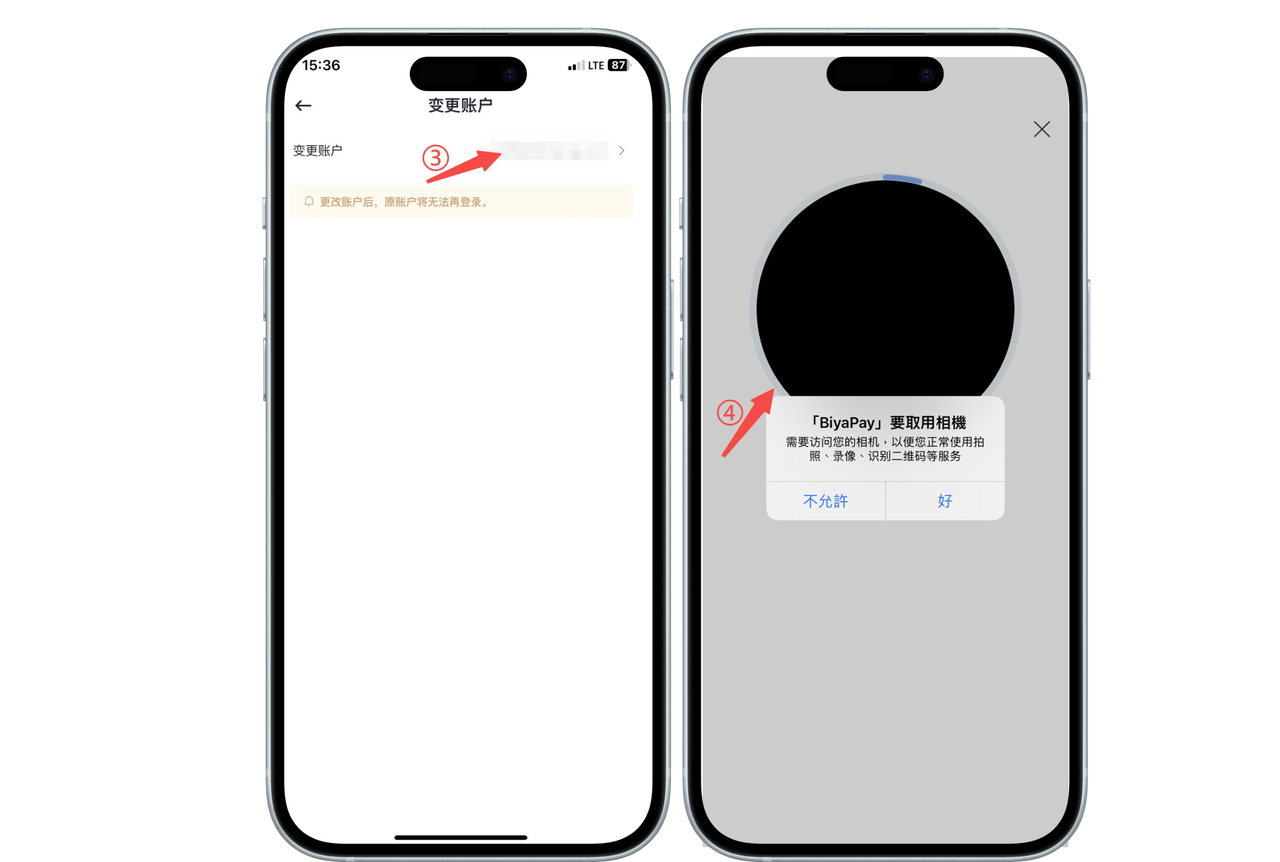
Click [Change Account] and perform face recognition authentication
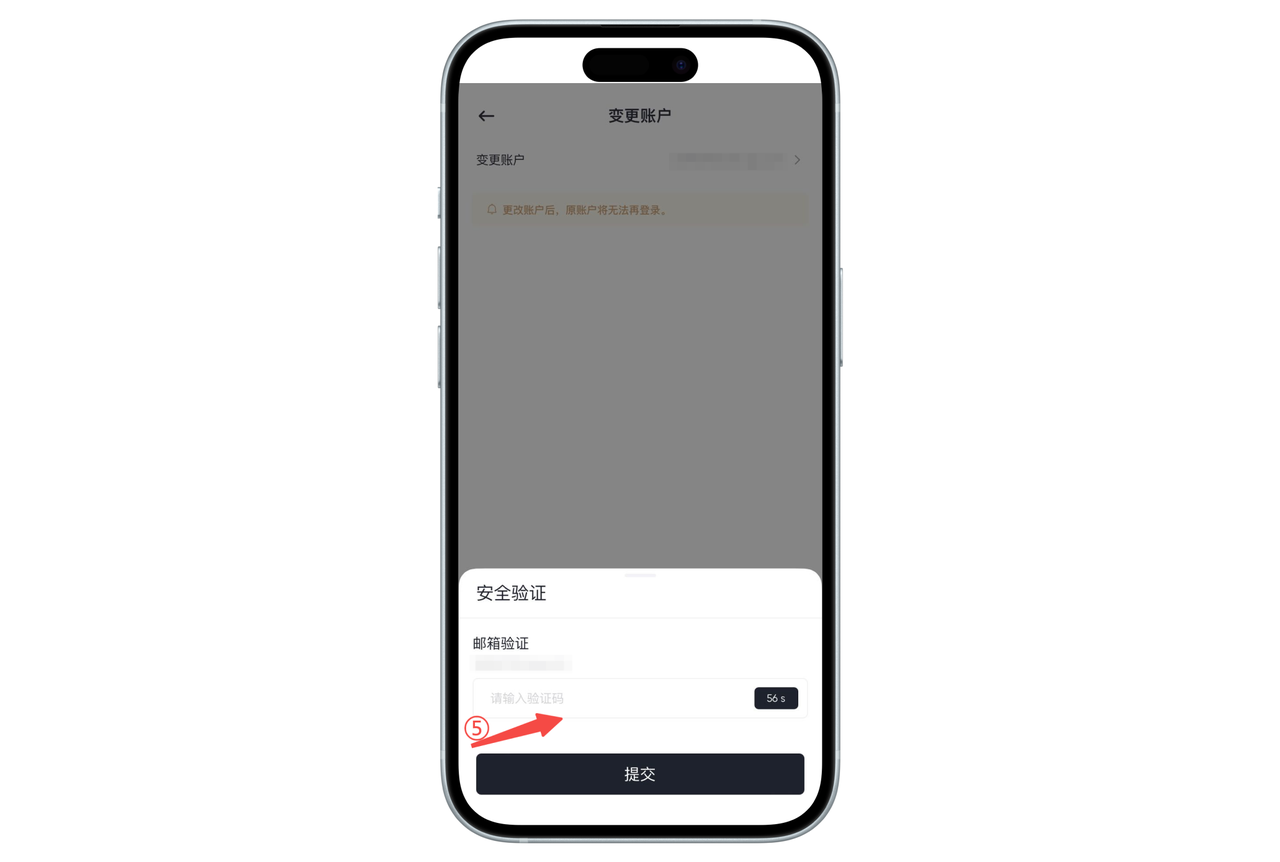
Enter the email verification code, submit to the next page, verify the new email, and the change is complete.
How to change email address on the Web:
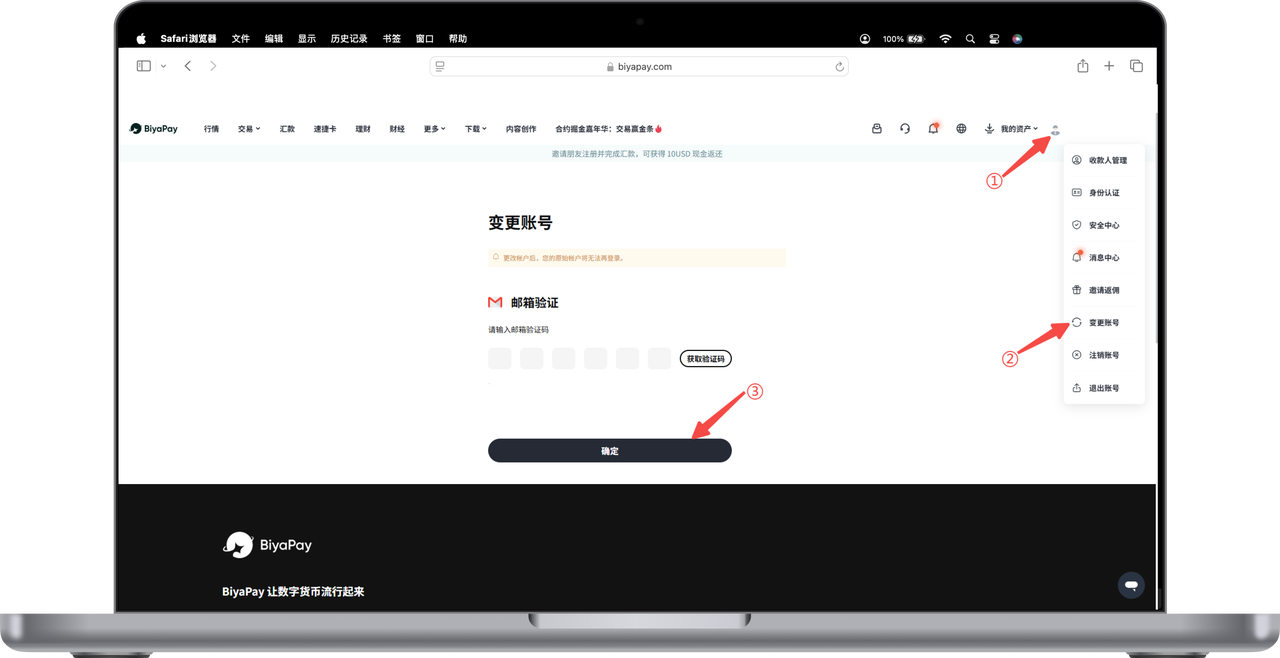
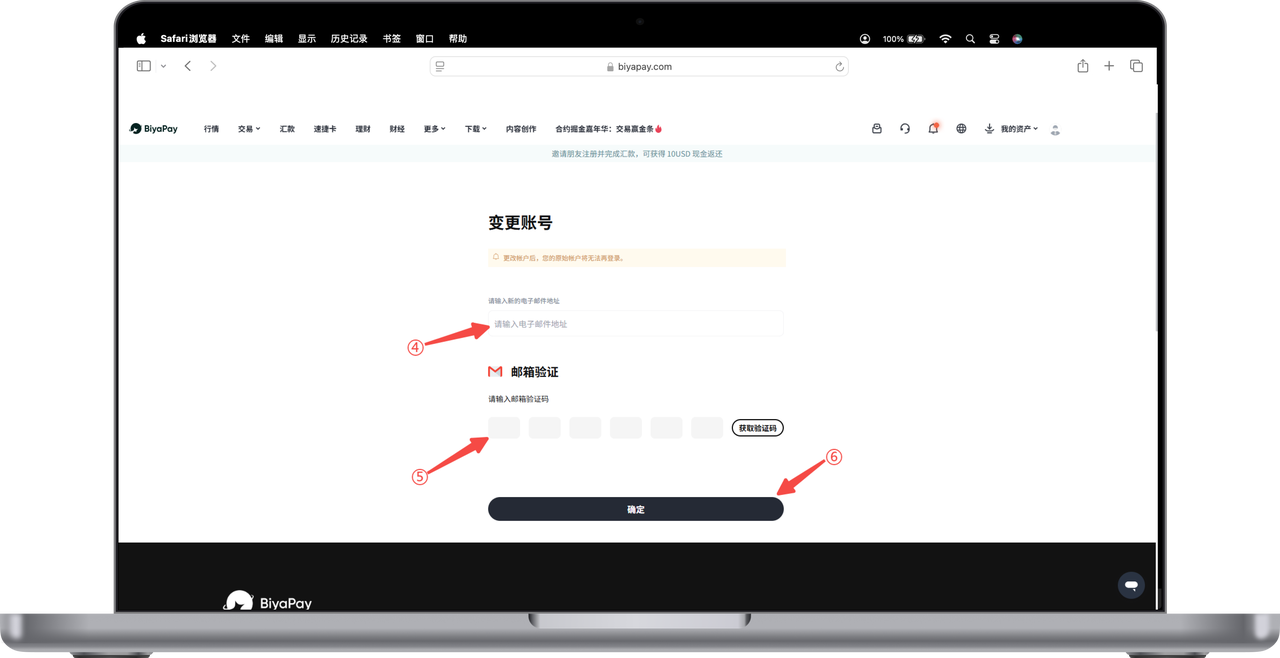
Click the avatar in the upper right corner of the webpage, enter [Personal Center], and then click [Change Account]. In the change account page, enter the email verification code or perform face recognition, and click [Confirm]
Enter the new registered email and the verification code of the new email, click [Confirm], and the change is complete.