How to Open a Cryptocurrency Contract Trading Account on the App:
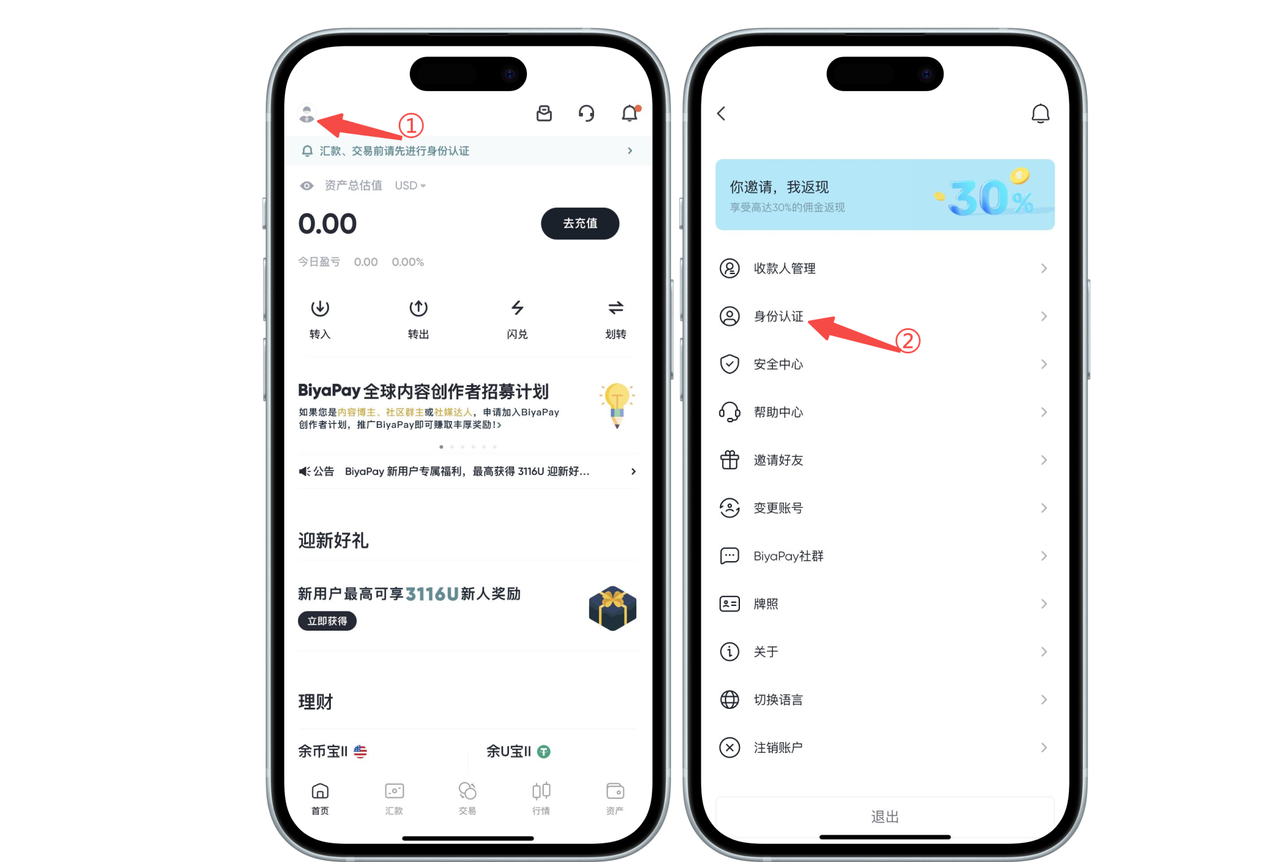
Click the avatar icon in the top left corner of the app homepage, enter Personal Center, select [Identity Verification] to complete identity verification
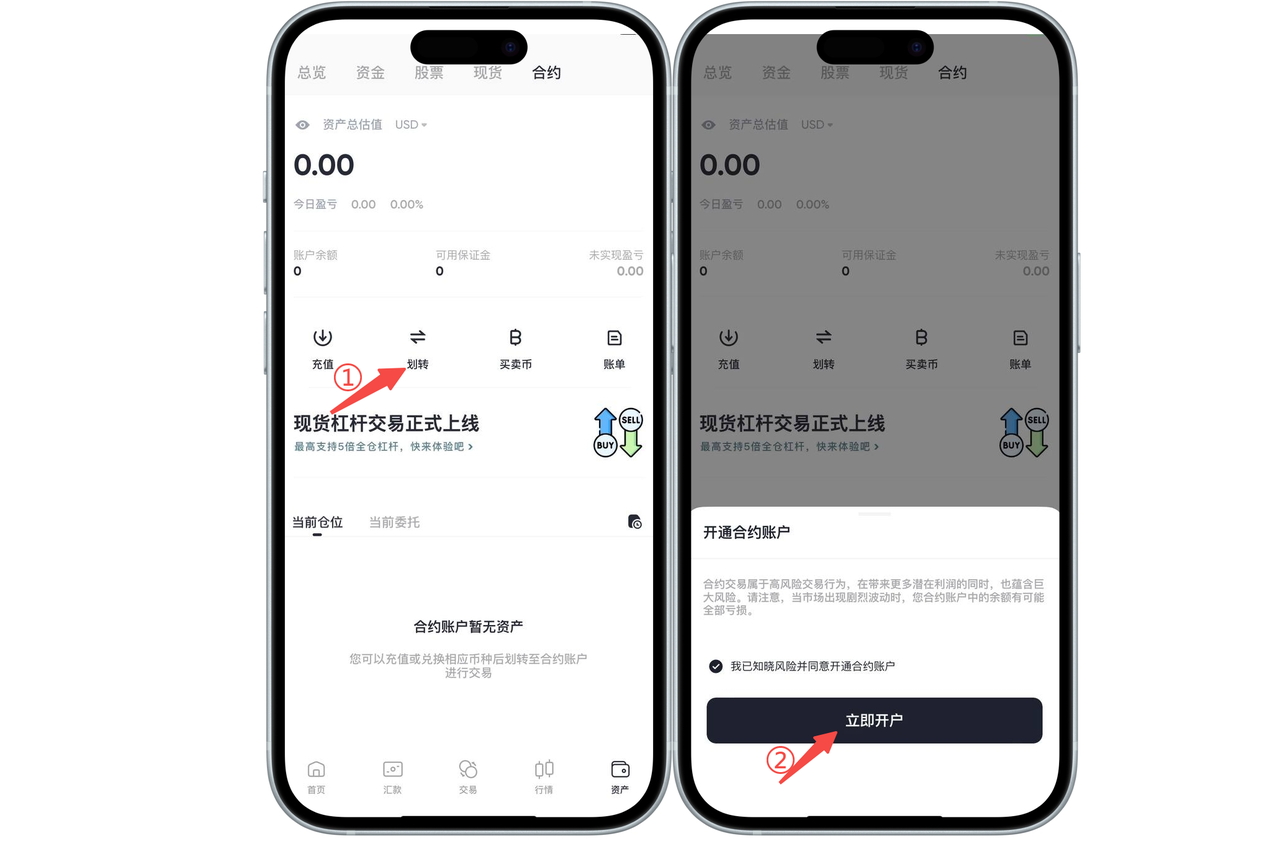
On the [Assets] - [Contract] page, click [Transfer], and the [Open Contract Account] page will pop up. Click [Open Account Now], and you will have opened a BiyaPay cryptocurrency contract trading account.
How to Open a Cryptocurrency Contract Trading Account on the Web:
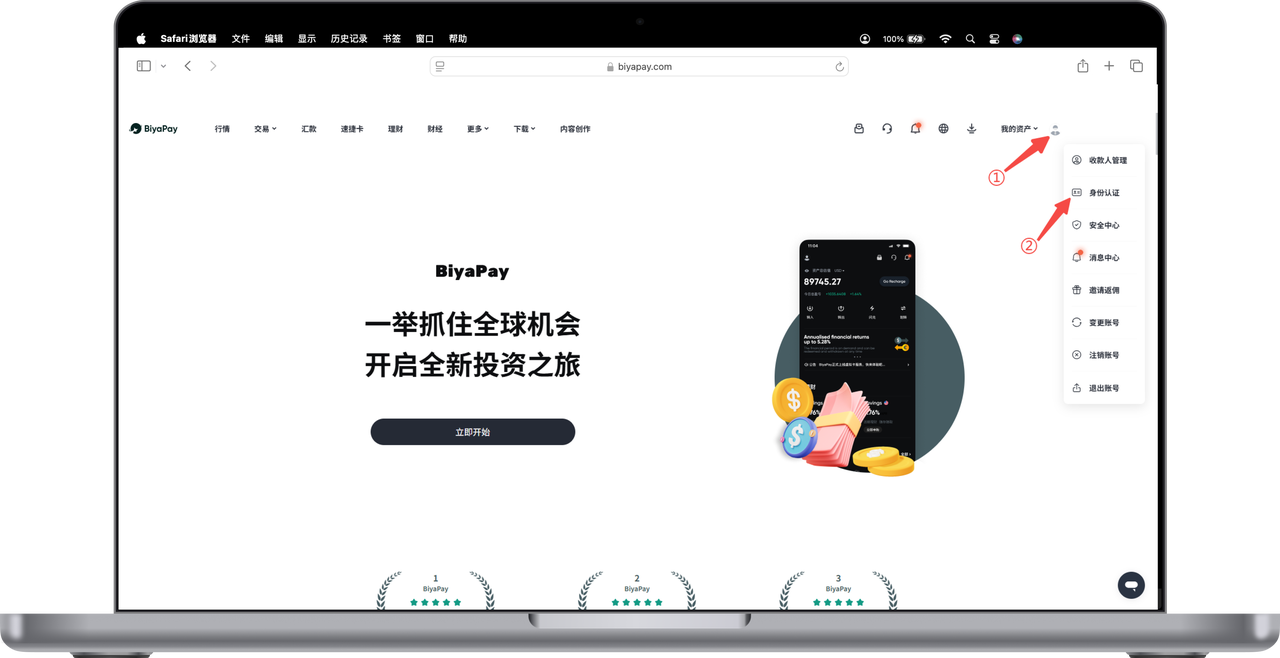
Click the avatar icon in the top right corner of the webpage, select [Identity Verification] to complete identity verification
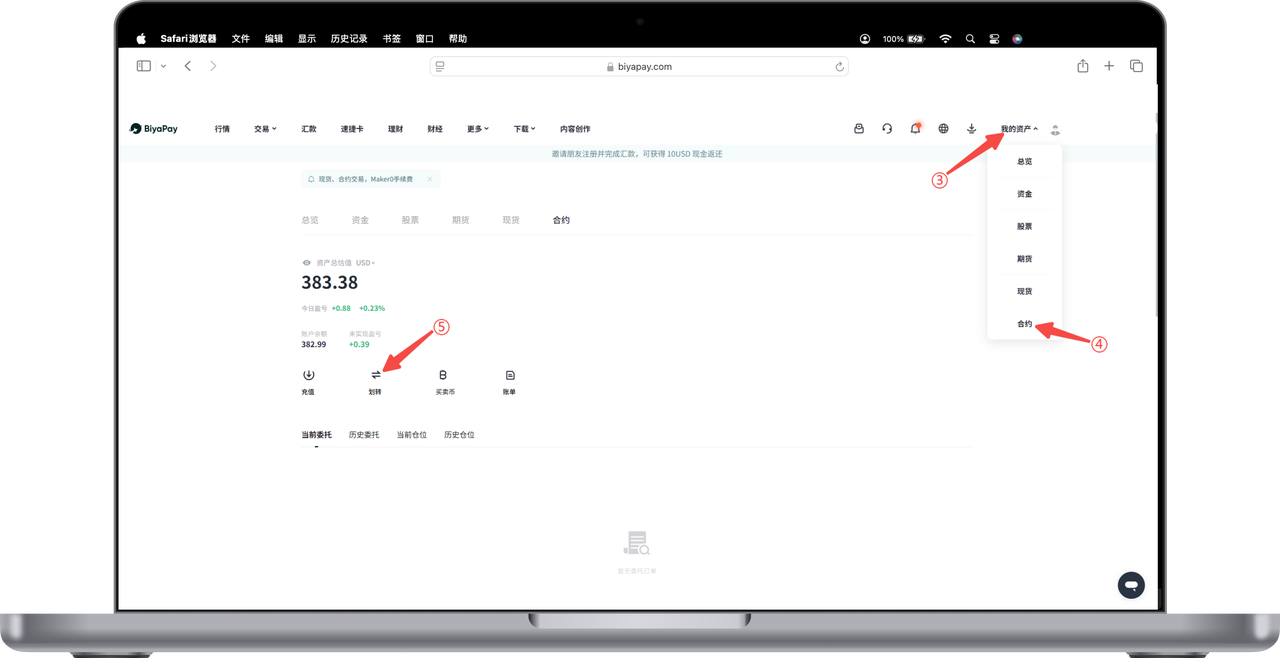
Click [My Assets] - [Contract] in the top right corner of the webpage. On the contract page, click [Transfer], and the [Open Contract Account] page will pop up. Click [Open Account Now], and you will have opened a BiyaPay cryptocurrency contract trading account.