BiyaPay
发布于 更新于

How to check cryptocurrency trading order history on the App:

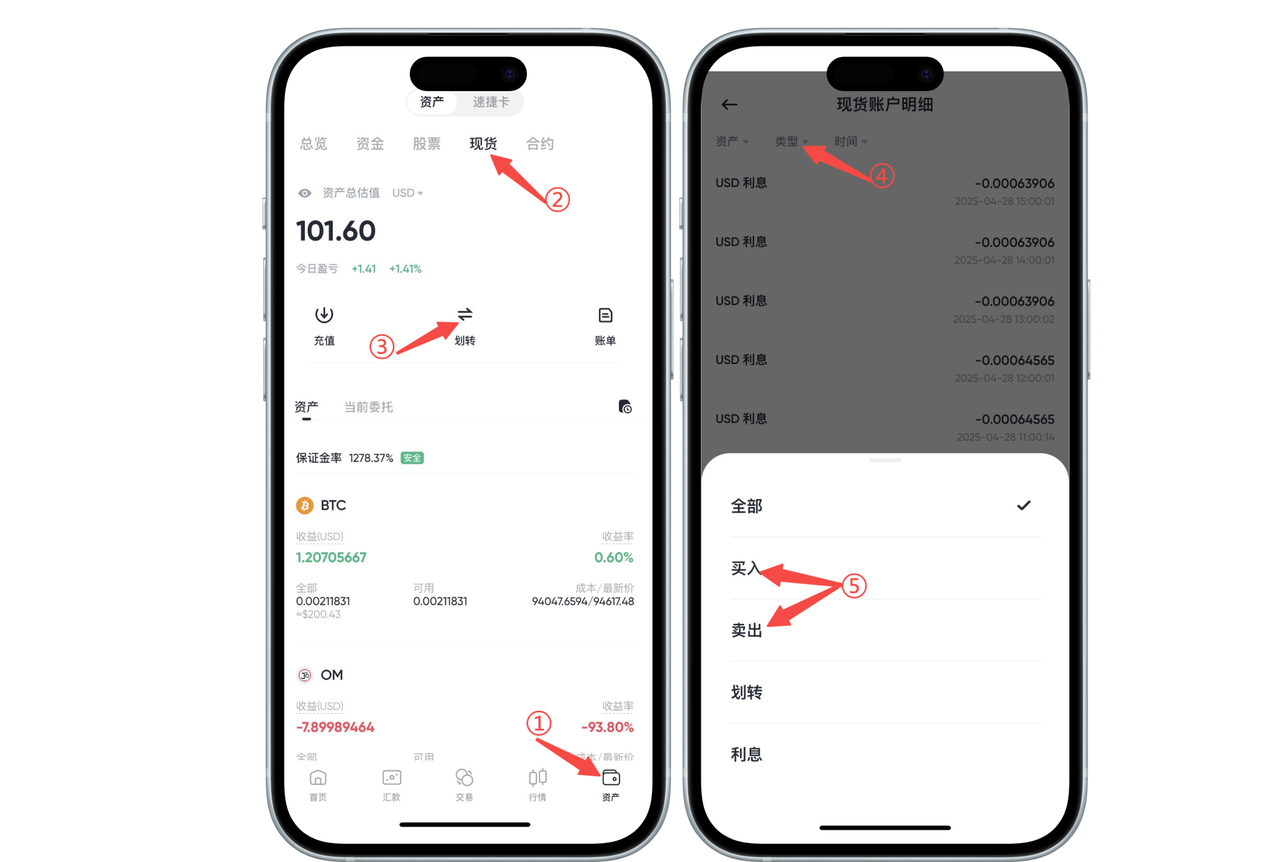
On the [Assets] - [Spot] page, find and click the [Bill] button to enter the [Spot Account Details]. Select [Buy] and [Sell] under [Type] to view cryptocurrency trading records.

image

How to check cryptocurrency trading order history on the Web:

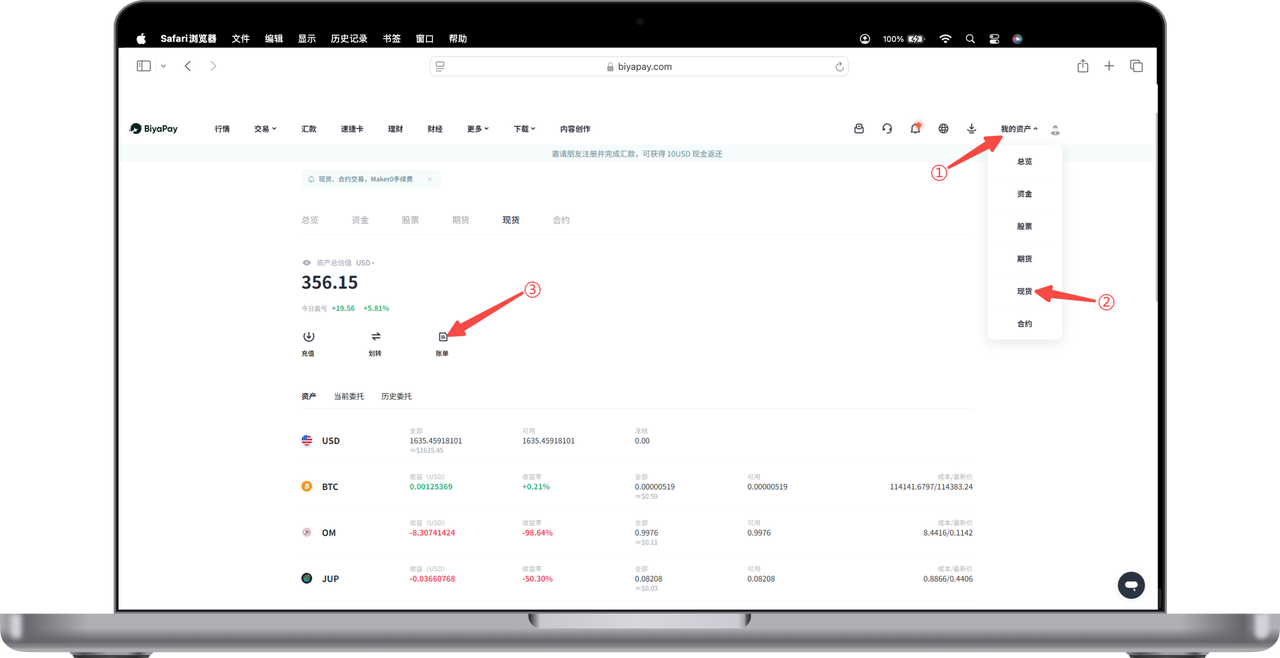
  1. On the official website, at the top right corner, go to [My Assets] - [Spot] page, find and click the [Bill] button.

image

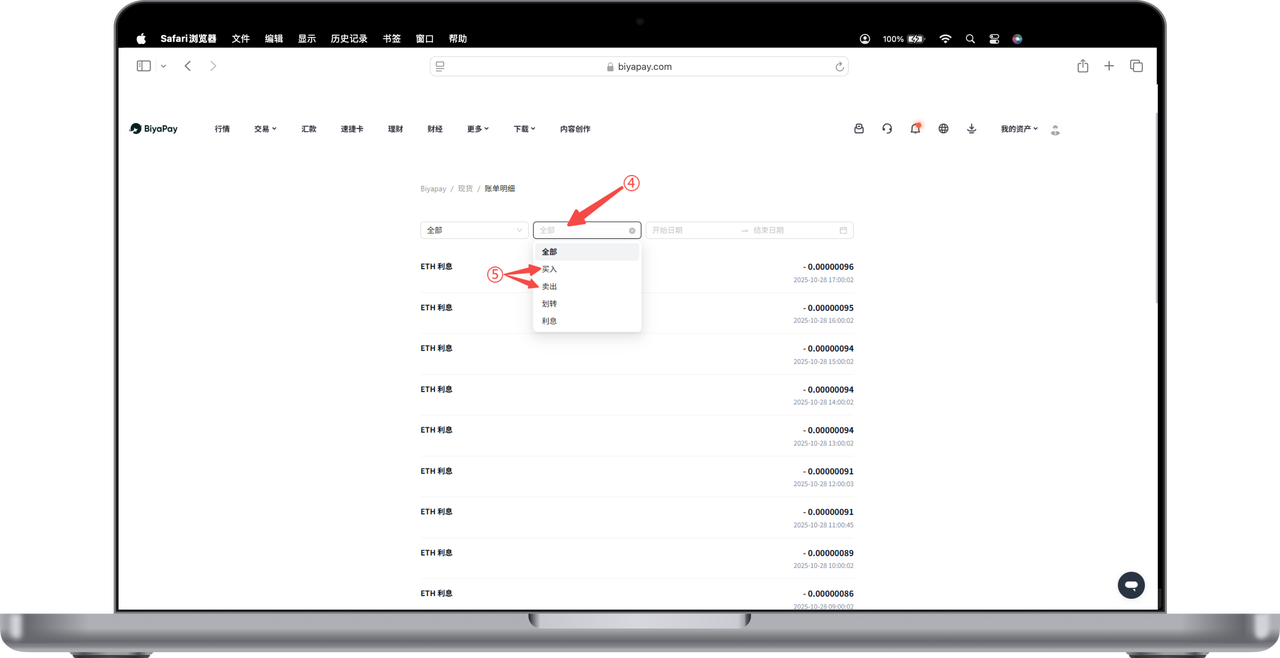
  1. Select [All] - [Buy] or [Sell] on the [Bill] page to view the cryptocurrency spot account trading order history.

image

BiyaPay
BiyaPay 让全球资产自由流动

联系我们

客服邮箱: service@biyapay.com
客服Telegram: https://t.me/biyapay001
Telegram社群: https://t.me/biyapay_ch
Telegram数字货币社群: https://t.me/BiyaPay666
BiyaPay的电报社区BiyaPay的Discord社区BiyaPay客服邮箱BiyaPay Instagram官方账号BiyaPay Tiktok官方账号BiyaPay LinkedIn官方账号
合规主体
Biya Global LLC 为美国注册有限责任公司,已依据《银行保密法》向 FinCEN 完成 MSB 联邦登记,(注册号:31000218637349)受 FinCEN 监管;
Biya Global Limited 为新西兰注册企业,已依据《2008 金融服务提供商(注册与纠纷解决)法案》在 FSPR 完成 FSP 登记,(注册编号FSP1007221)受新西兰 FMA 监管;
本公司已完成新西兰 FSP(FSPR)法定金融服务商备案登记,依据备案经营范围及新西兰金融、反洗钱法规运营技术服务平台,为客户提供开户协助等技术配套服务,并对接全球合规持牌券商,开放全球证券投资渠道。需专项金融牌照方可经营的证券交易、资产托管、资金清算交收业务,统一由各属地持牌合作金融机构独立办理,相关业务受对应地区监管机构完整监管。
©2019 - 2026 BIYA GLOBAL LIMITED