BiyaPay
发布于 更新于

Multi-device login refers to the ability to log into the same BiyaPay account on multiple mobile or computer devices simultaneously, making it convenient to view and operate on different devices. The supporting rules are as follows:

  1. A maximum of 5 devices can be online at the same time: You can log in and remain active on up to 5 devices simultaneously.
  2. Device status differentiation:
  • Highlighted devices indicate they are currently online;
  • Gray devices indicate that the device is offline or has been logged out.

You can check the logged-in devices in the 'Security Center' and manually log out of any device to ensure account security if needed. Here is the specific process for multi-end login:

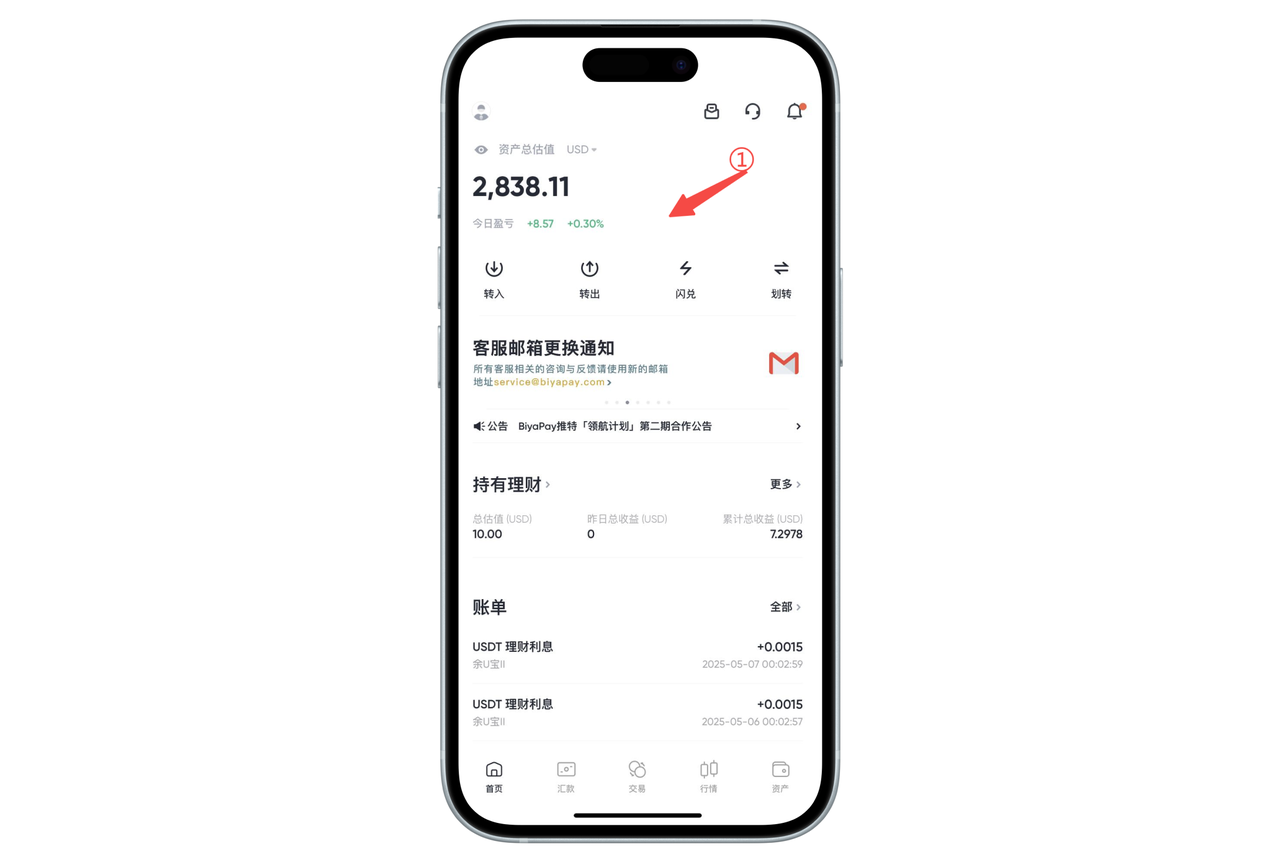
  1. Open the app or webpage on any logged-in device (as an authorized device);

image.png

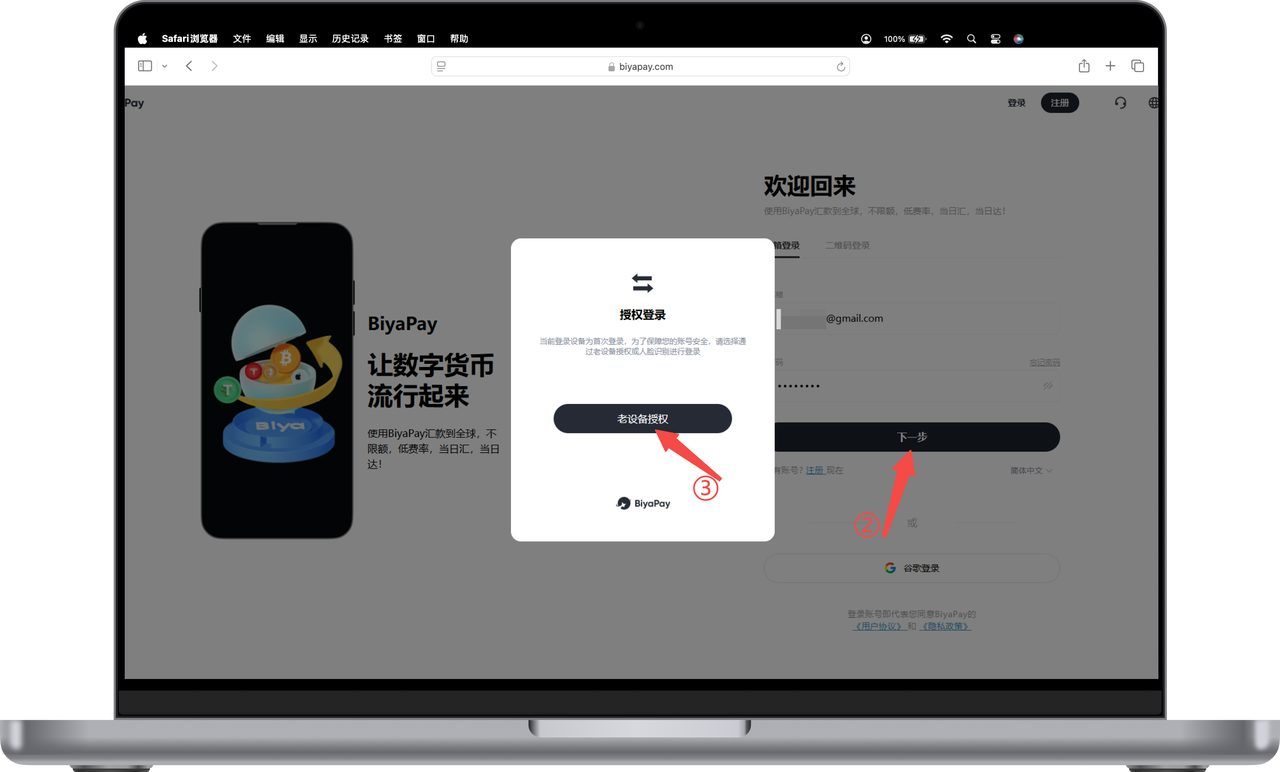
  1. Enter your email and password on the new device, click [Next] to go to the authorization login page, and then click [Authorize Old Device];

image.png

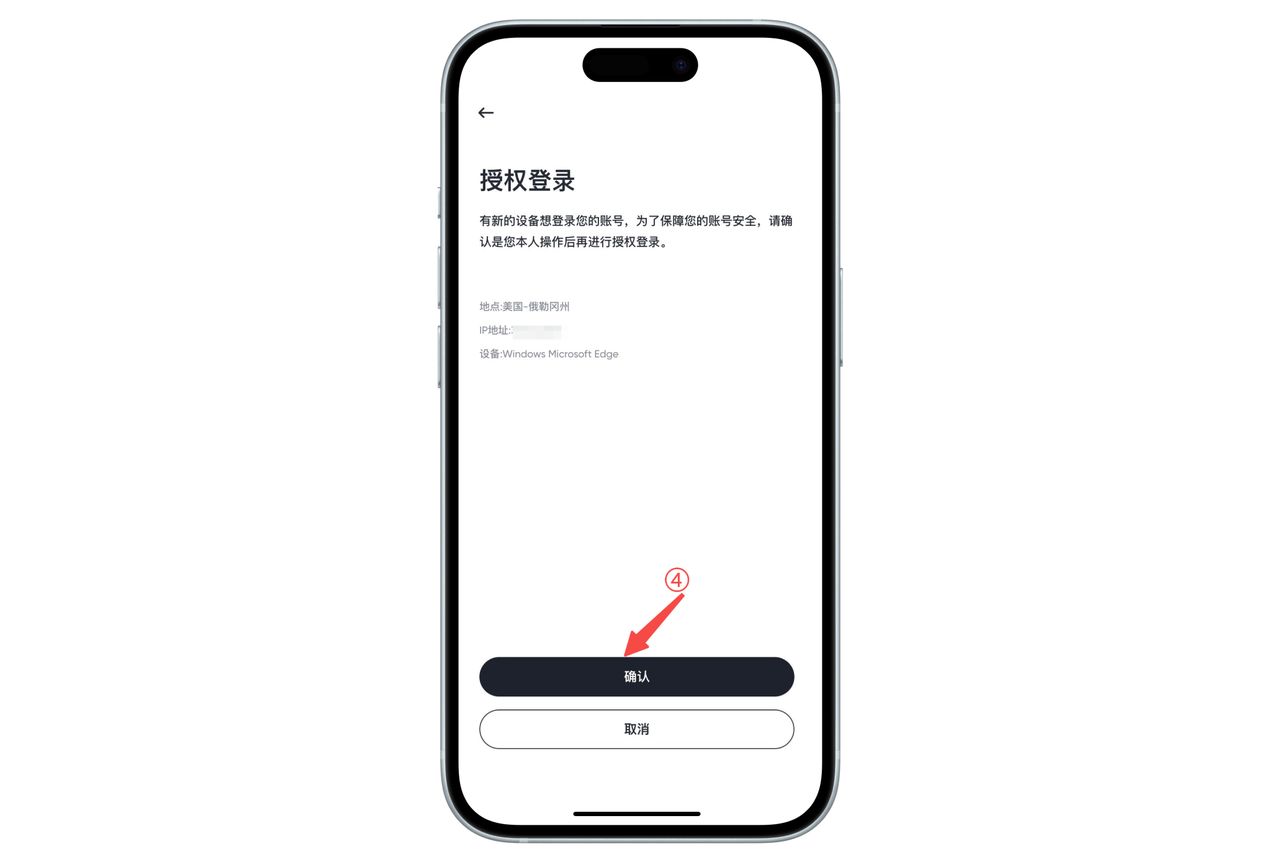
  1. At this time, the logged-in old devices will automatically pop up the authorization request page. Click [Confirm] to authorize.

image.png

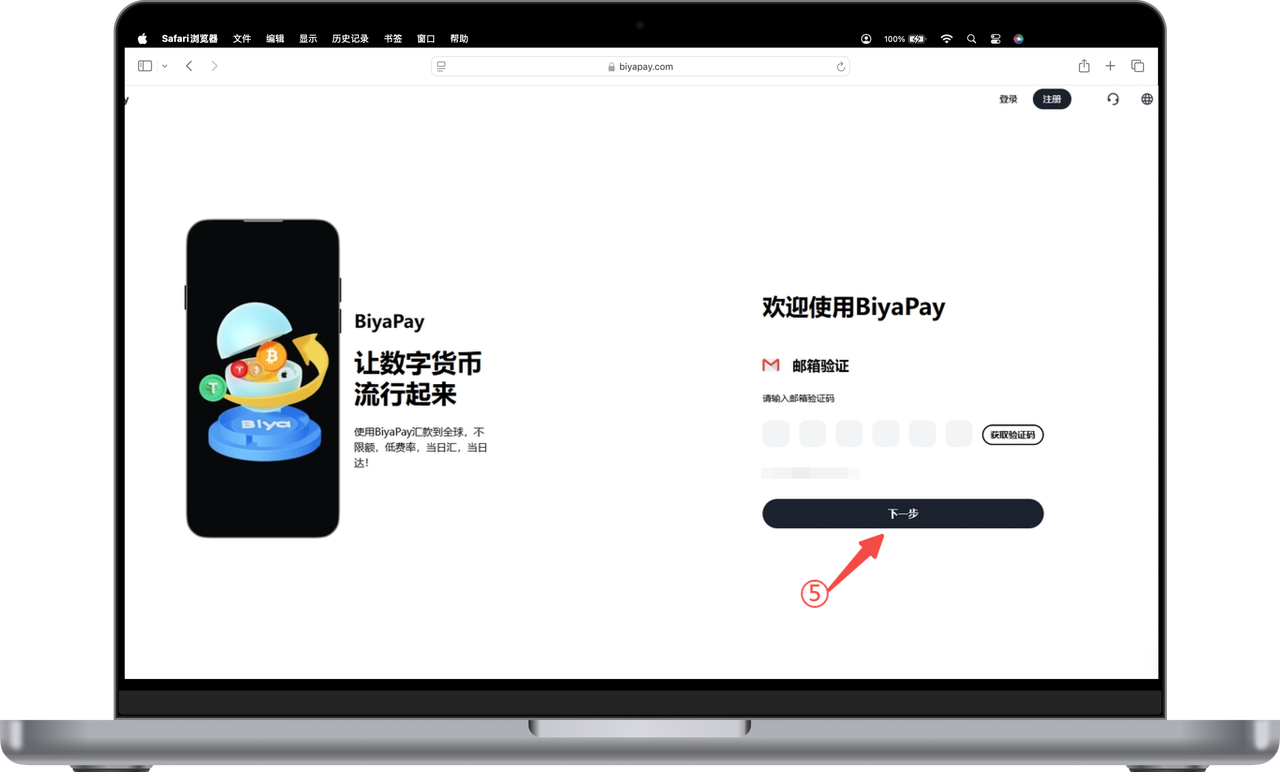
  1. Return to the new device, click on [Get Verification Code], enter the code received in your email, and you will successfully log in.

image.png

✅ Friendly reminder:

  • BiyaPay supports simultaneous login on up to 5 devices;
  • If you find any unusual login devices, you can manage and manually log out in the 'Security Center.'
BiyaPay
BiyaPay 让数字货币流行起来

联系我们

客服邮箱: service@biyapay.com
客服Telegram: https://t.me/biyapay001
Telegram社群: https://t.me/biyapay_ch
Telegram数字货币社群: https://t.me/BiyaPay666
BiyaPay的电报社区BiyaPay的Discord社区BiyaPay客服邮箱BiyaPay Instagram官方账号BiyaPay Tiktok官方账号BiyaPay LinkedIn官方账号
合规主体
Biya Global LLC 为美国注册有限责任公司,已依据《银行保密法》向 FinCEN 完成 MSB 联邦登记,(注册号:31000218637349)受 FinCEN 监管;
Biya Global Limited 为新西兰注册企业,已依据《2008 金融服务提供商(注册与纠纷解决)法案》在 FSPR 完成 FSP 登记,(注册编号FSP1007221)受新西兰 FMA 监管;
©2019 - 2026 BIYA GLOBAL LIMITED