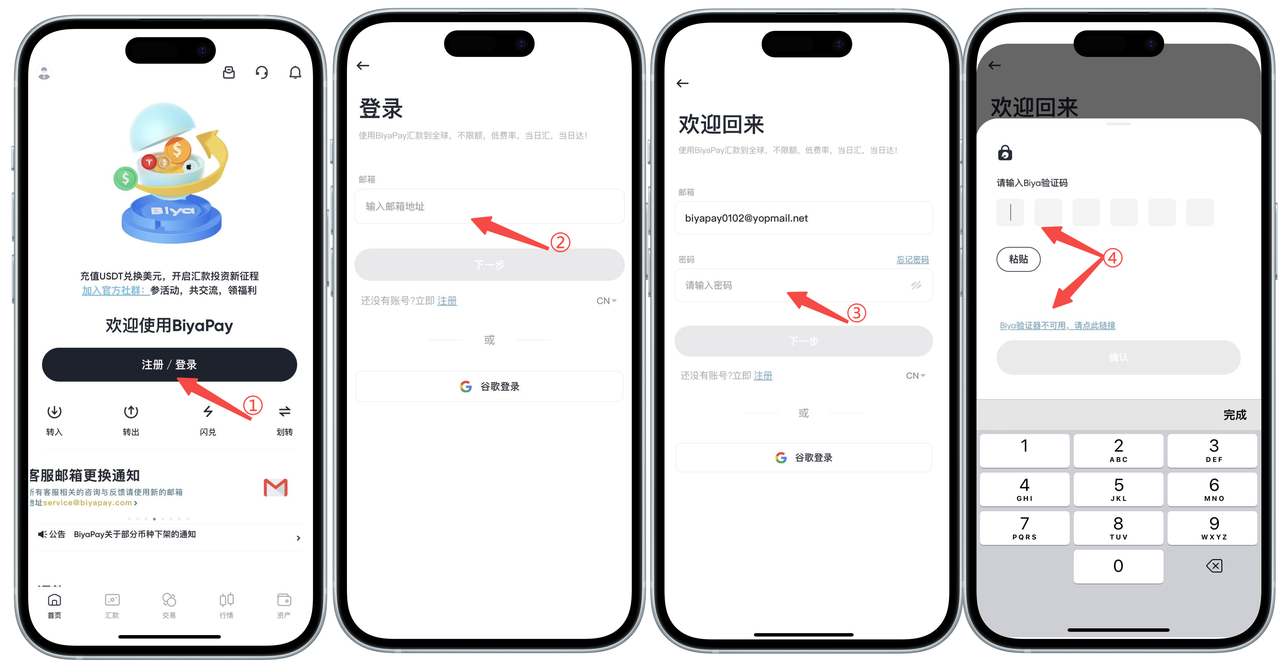
How to Unbind the Second-Level Verification on the App Side:
Unbind Biya Authenticator After Logging In
Click on the avatar in the upper left corner, find and enter the Security Center, then click on Biya Verification to unbind;
1. If the Biya authenticator is available, enter the verification code into the input box and unbind it.
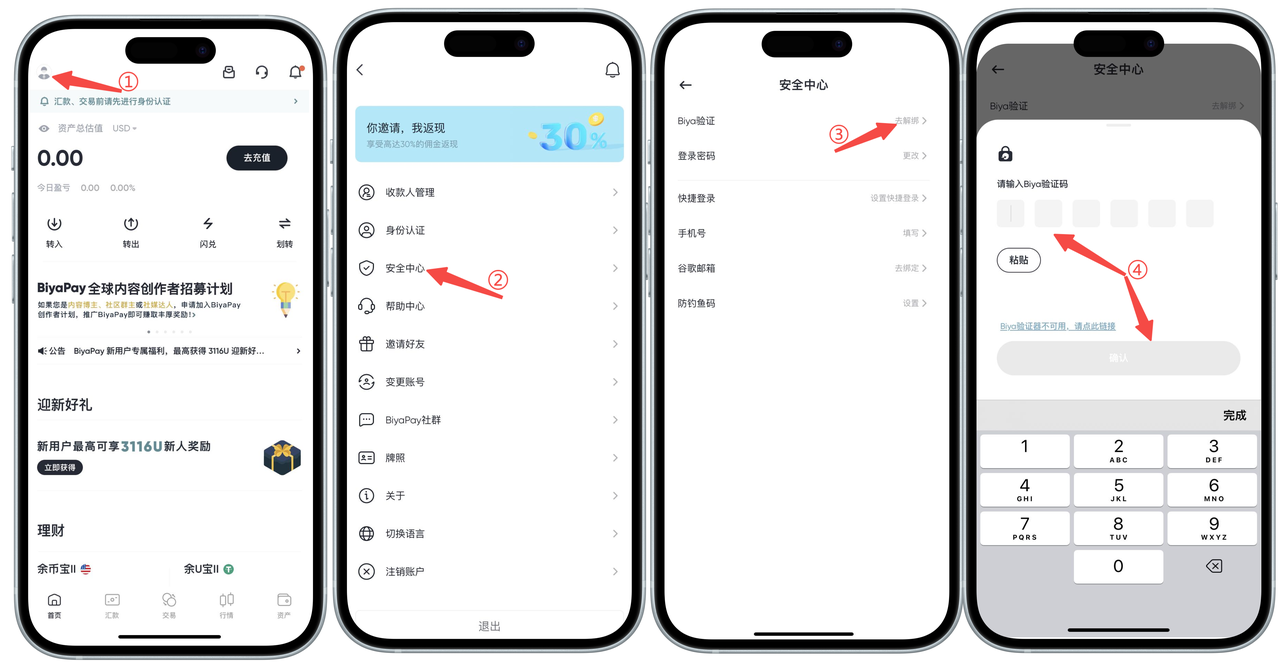
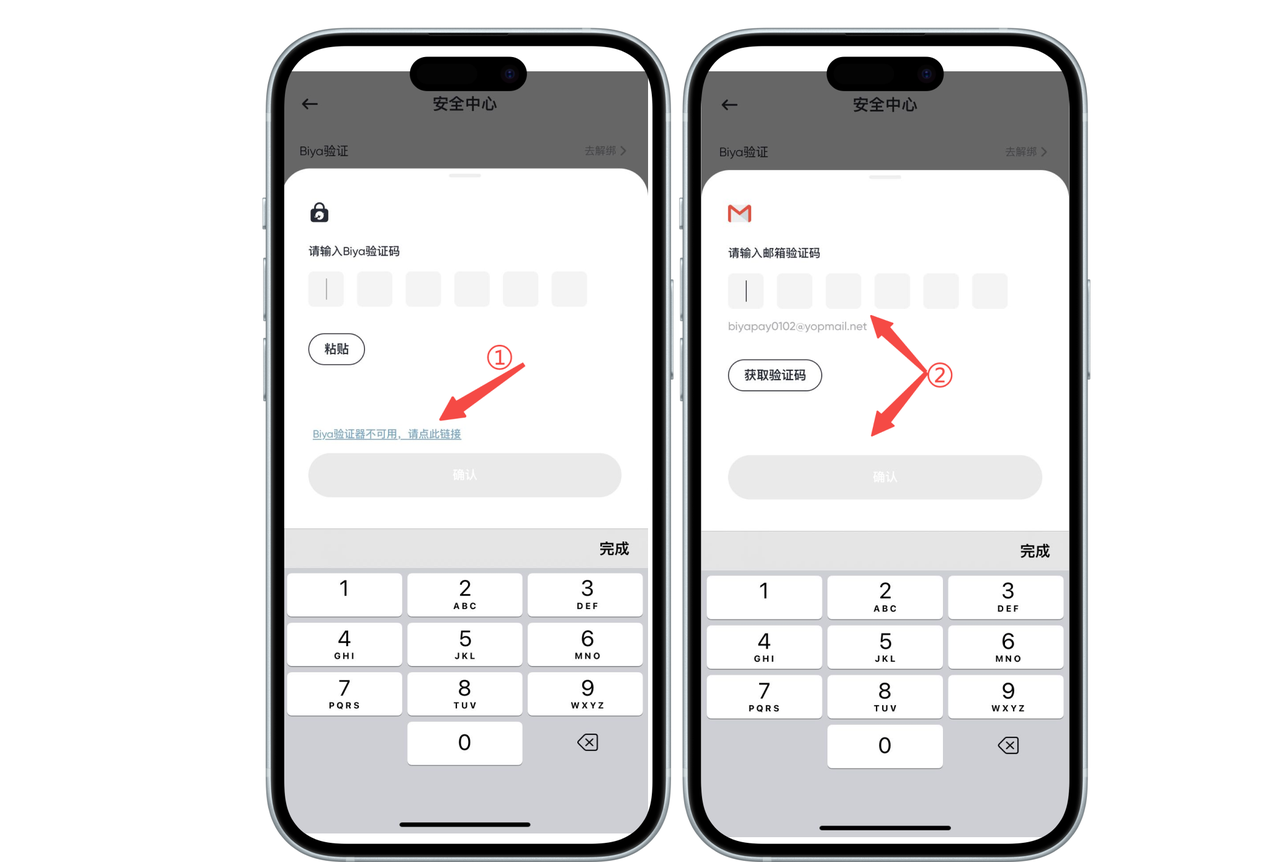
2. If the Biya authenticator is not available, click [Biya authenticator is not available, please click this link] to unbind.
Unbind Biya Authenticator Without Logging In
On the login page, Biya verification page, go to unbind;
1. If the Biya authenticator is available, enter the verification code into the input box and unbind it.
2. If the Biya authenticator is not available, click [Biya authenticator is not available, please click this link] to unbind.