BiyaPay
게시일 업데이트 날짜



How to bind secondary verification on the App:
Binding secondary verification requires three steps: first download the Biya Authenticator, then get the verification code, and finally bind the authenticator to complete.
Step 1, Download Biya Authenticator
First download method
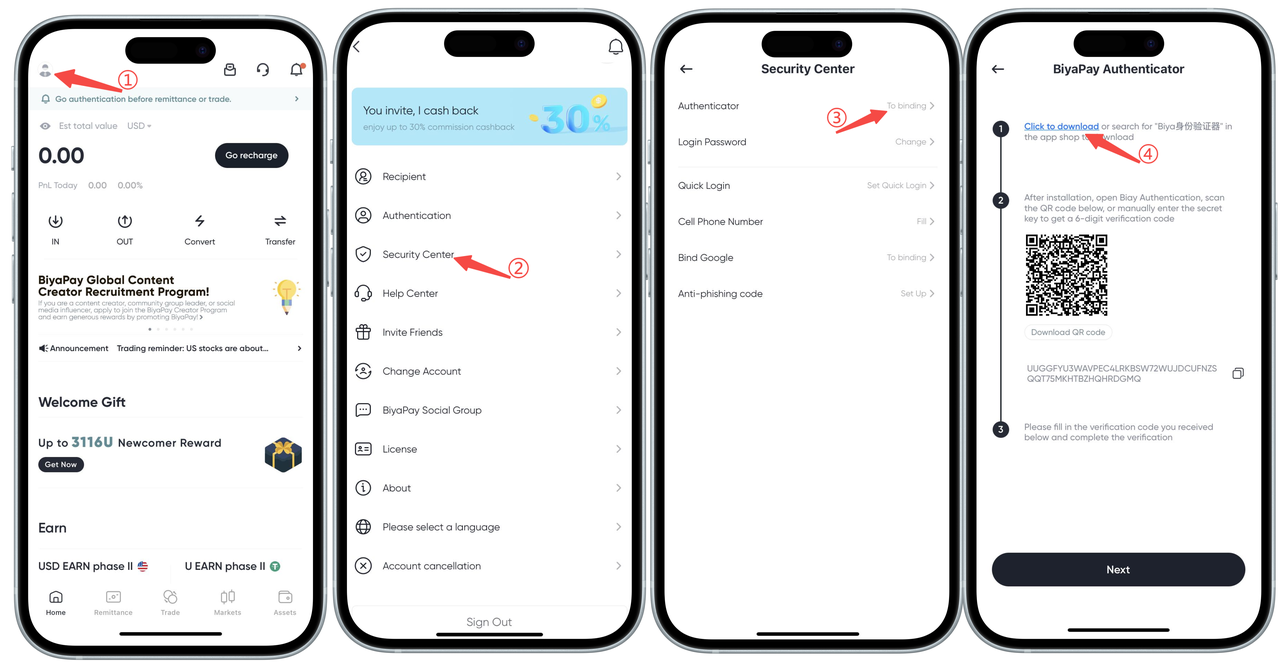
- Click the avatar in the upper left corner, find and enter Security Center;
- Click Biya Verification, go to bind;
- Click Download. Note: iOS: Go directly to the app store and download (no overseas ID required); Android: A installation package will be downloaded directly, and you can install it after downloading.
Second download method: Link download
Download link: Click the link: https://id-authenticator.biyapay.io/?language=cn, enter the download page: iOS click App Store download, directly jump to App Store, click Get; Android click installation package download, the phone will automatically download the installation package, click Install.
Step 2, Get verification code
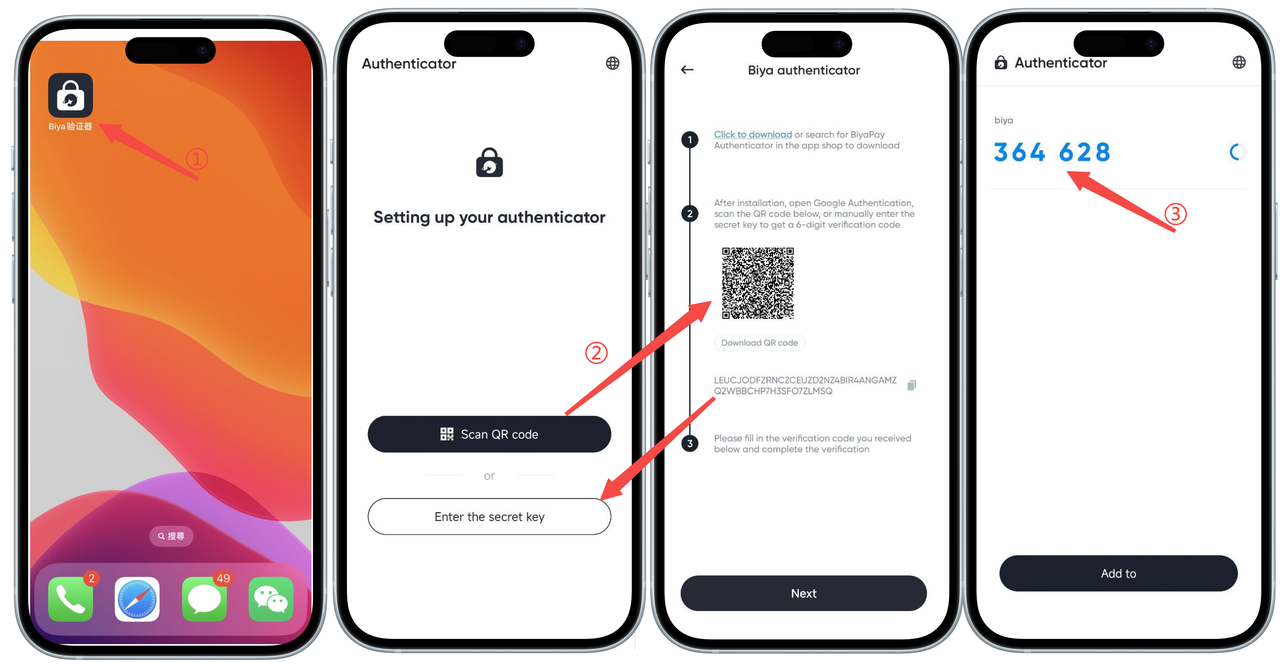
- Open the Biya Authenticator on your phone;
- Open the BiyaPay Security Center authenticator page, scan the QR code with the Biya Authenticator (or copy the key and enter it into the authenticator);
- Get the Biya verification code.
Step 3, Bind authenticator
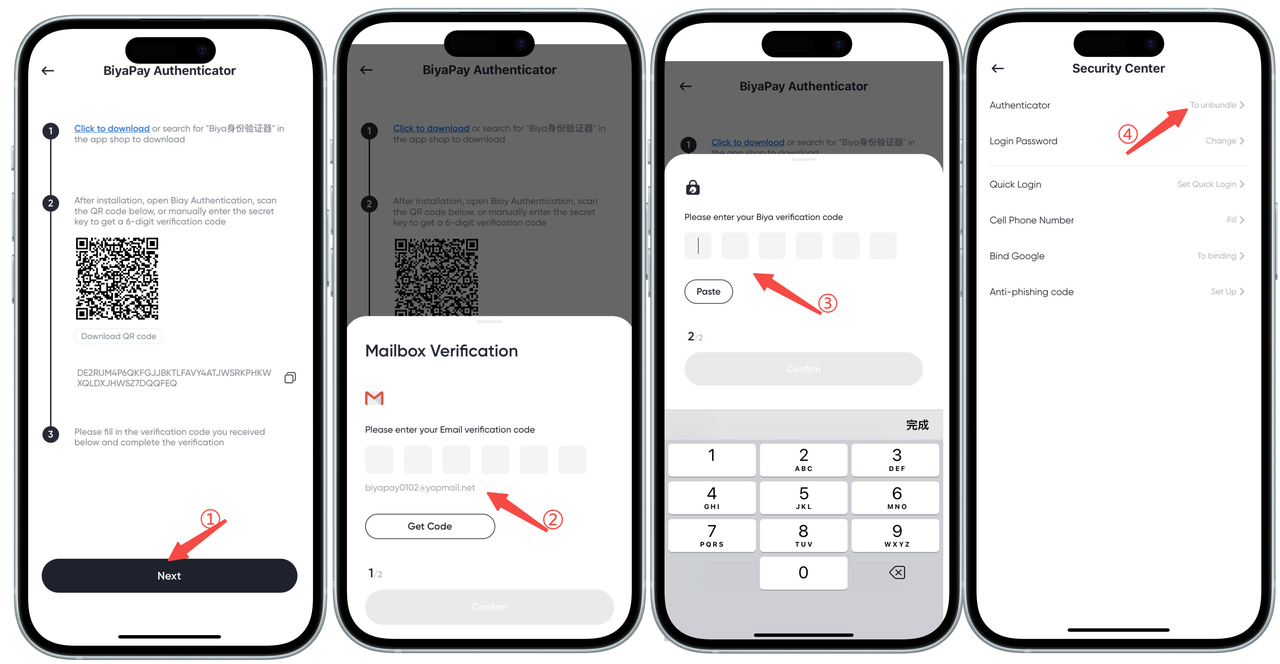
- Open the BiyaPay Security Center authenticator page, click Next;
- Get the email verification code, enter the email verification code, click Confirm;
- Enter the Biya verification code you just obtained, click Confirm;
- Binding successful, complete the Biya Authenticator binding.