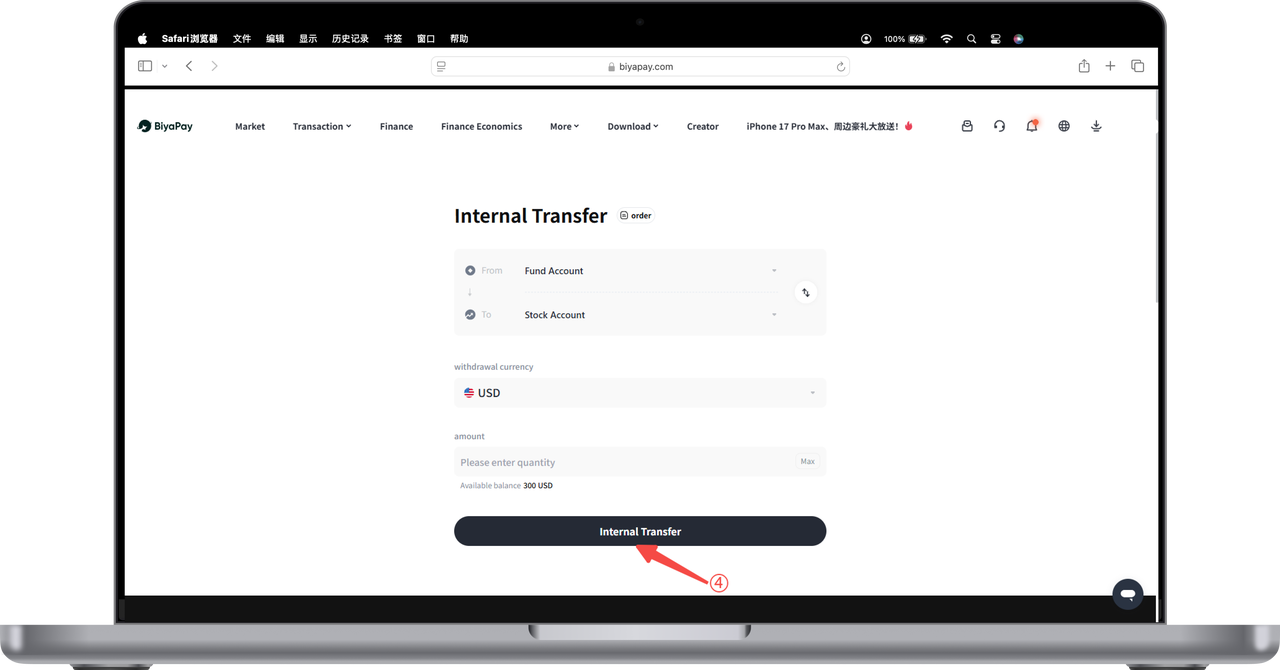
앱에서 주식 입금 프로세스 확인 방법:
BiyaPay에 충전된 법정화폐와 암호화폐를 BiyaPay 미국 및 홍콩 주식 계좌로 이체하는 방법?
1. 자금 계좌의 법정화폐를 미국 및 홍콩 주식 계좌로 이체
법정화폐가 계좌에 충전된 후, [자산] - [주식] 페이지에서 [이체]를 클릭할 수 있습니다. [이체] 페이지에서 자금 계좌의 미국 달러 또는 홍콩 달러를 주식 계좌로 직접 이체할 수 있습니다.
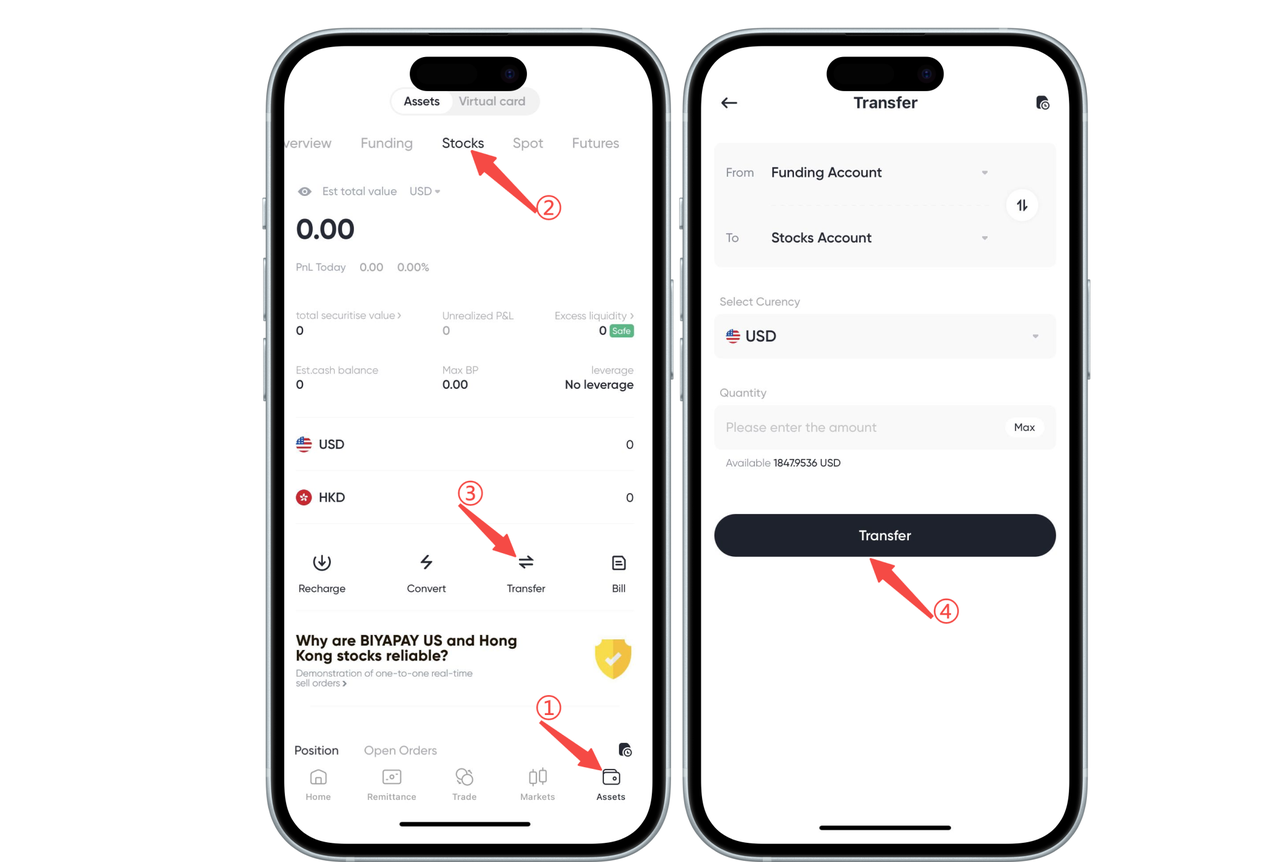
2. 자금 계좌의 암호화폐를 미국 및 홍콩 주식 계좌로 이체
암호화폐가 계정에 충전된 후, 먼저 암호화폐를 법정화폐인 미국 달러 또는 홍콩 달러로 교환한 다음, 펀드 계정에서 주식 계정으로 법정화폐를 이체해야 합니다(다음 그림은 암호화폐 USDT를 법정화폐 USD로 교환한 후 펀드 계정에서 주식 계정으로 USD를 이체하는 예시를 보여줍니다).
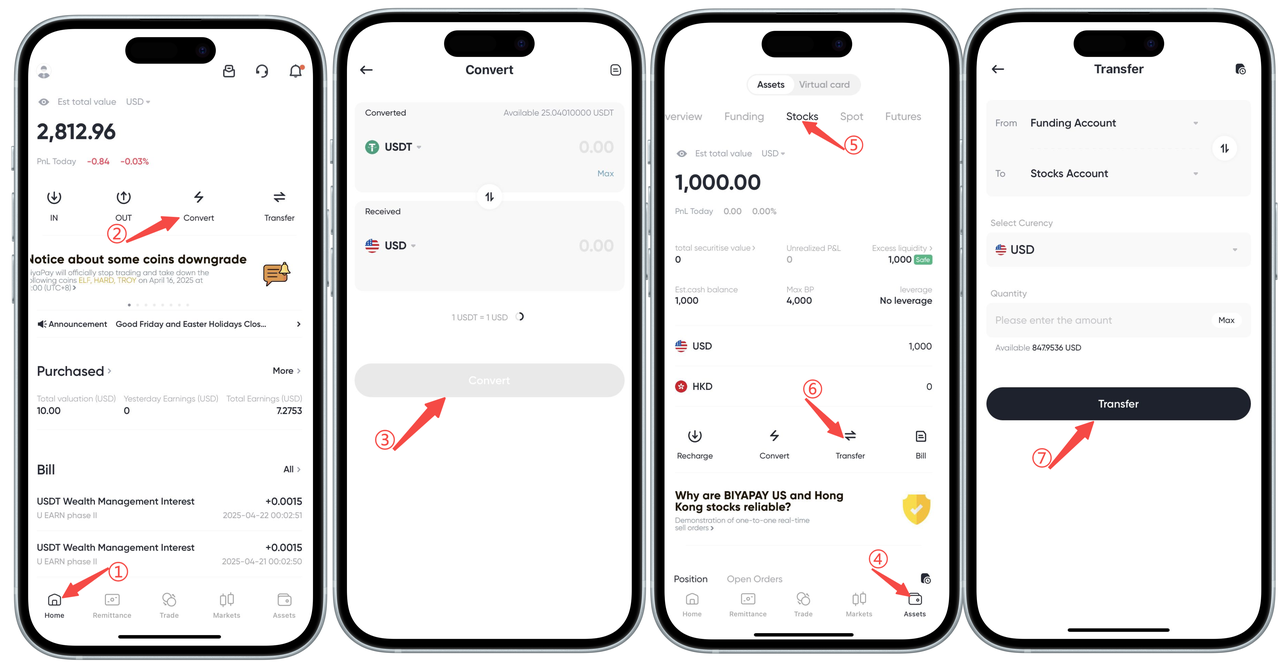
웹에서 주식 입금 프로세스를 확인하는 방법: BiyaPay에 충전된 법정화폐와 암호화폐를 BiyaPay 미국 및 홍콩 주식 계정으로 이체하는 방법?
1. 펀드 계정의 법정화폐를 미국 및 홍콩 주식 계정으로 이체
법정화폐가 계정에 충전된 후, 웹페이지 오른쪽 상단의 [My Assets] - [Stocks]를 클릭하세요. 주식 페이지에서 [Transfer]를 클릭하세요.
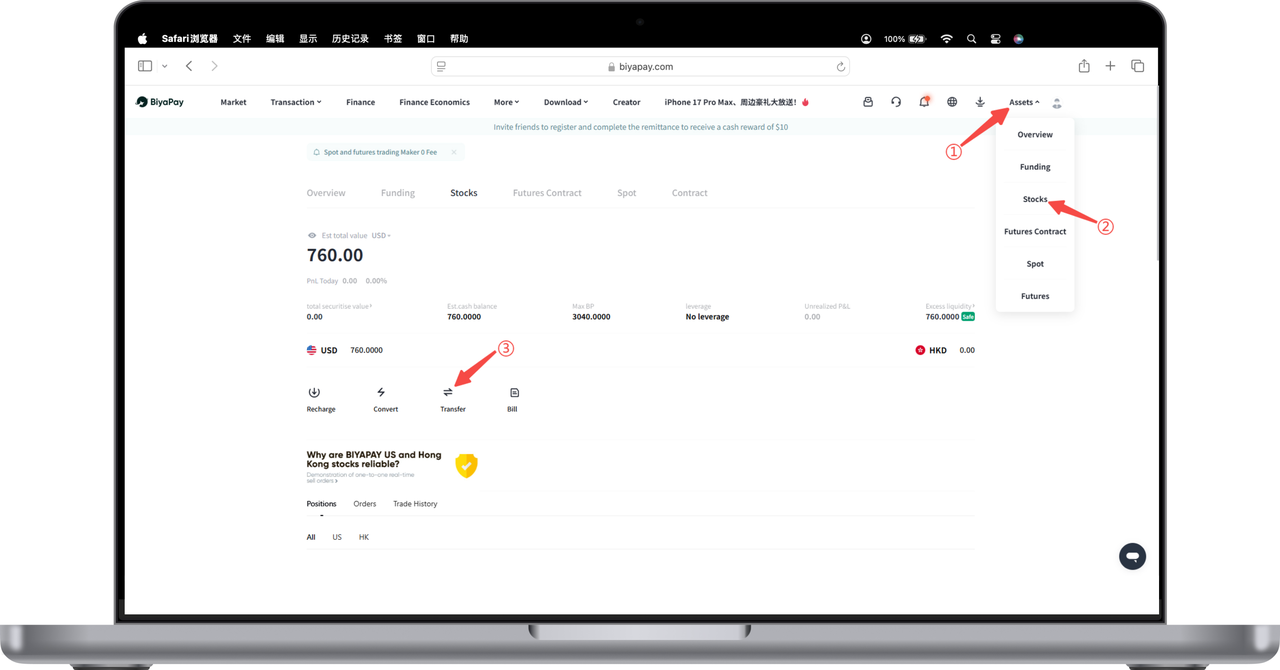
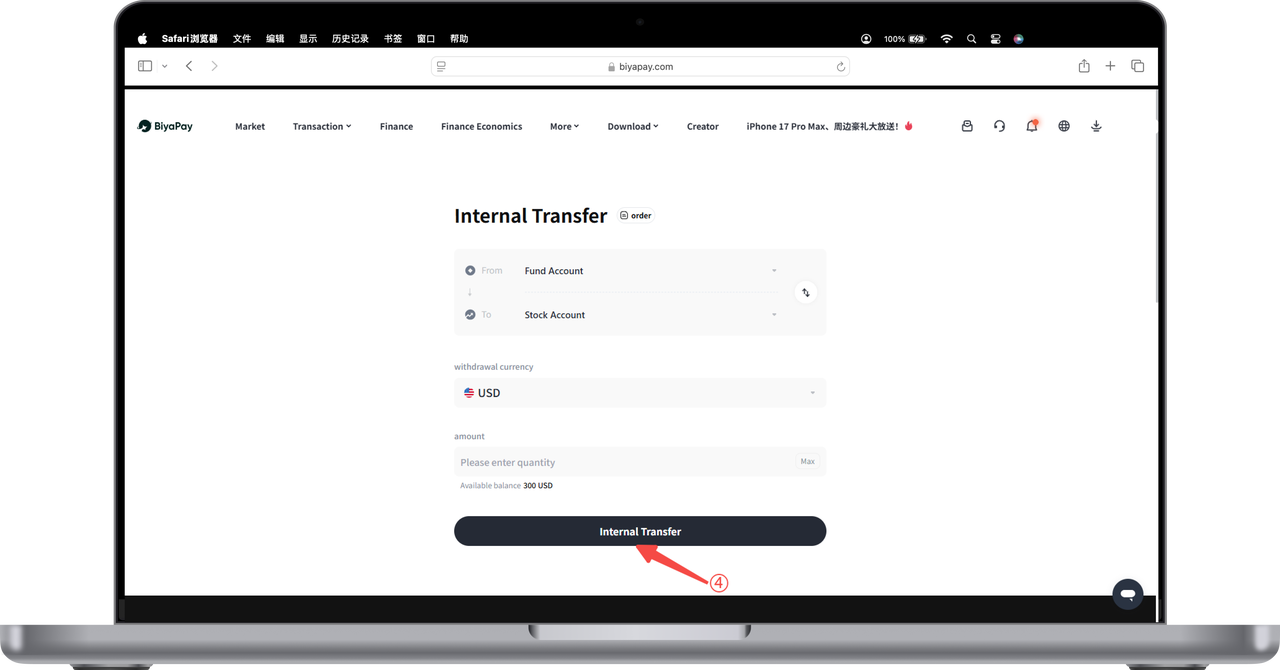
[Transfer] 페이지에서 금액을 입력하면 펀드 계정에서 주식 계정으로 미국 달러 또는 홍콩 달러를 직접 이체할 수 있습니다.
2. 펀드 계정의 암호화폐를 미국 및 홍콩 주식 계정으로 이체
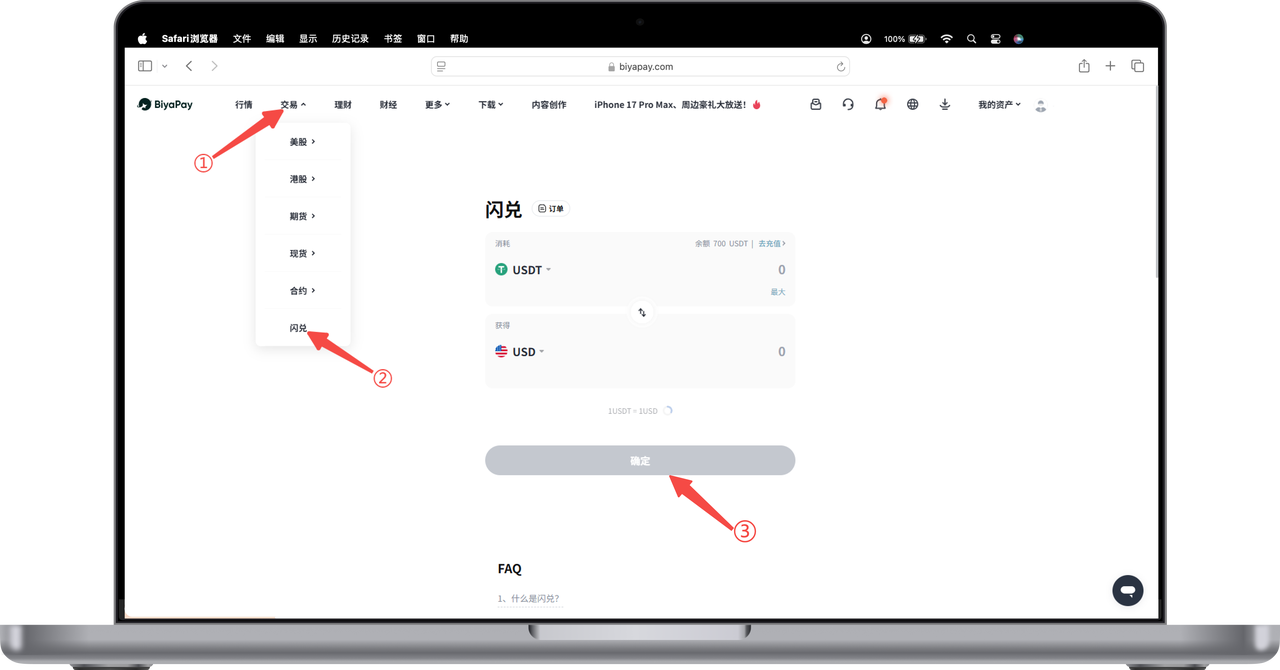
After the cryptocurrency is recharged to the account, you need to first exchange the cryptocurrency for fiat currency US dollars or Hong Kong dollars (the following figure shows an example of exchanging cryptocurrency USDT for fiat currency USD, and then transferring USD from the fund account to the stock account). Click [Trade] - [Flash Exchange] in the upper left corner of the webpage to exchange USDT for USD on the flash exchange page.
On the [Transfer] page, enter the amount, and you can directly transfer US dollars or Hong Kong dollars from the fund account to the stock account.