BiyaPay
게시일 업데이트 날짜



Unbind the Biya authenticator after logging in
-
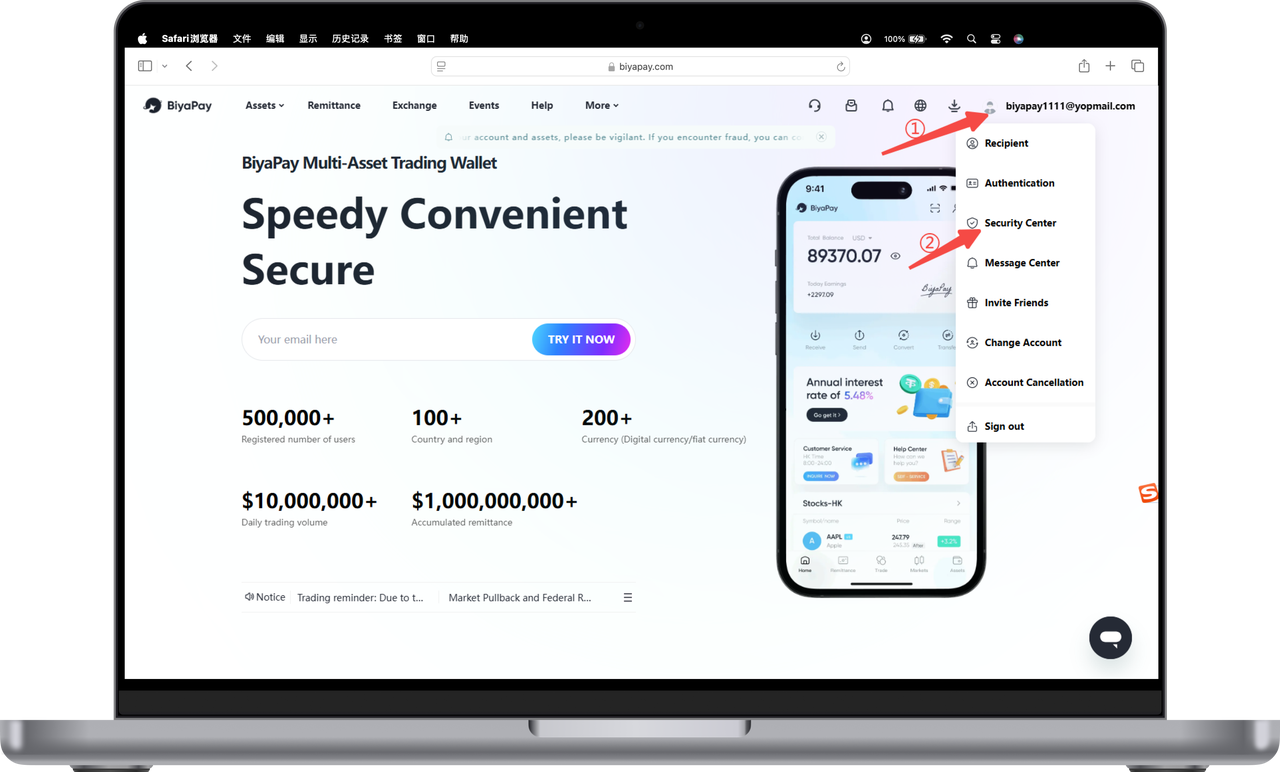
Click the avatar in the upper right corner of the official website, then click [Security Center];
-
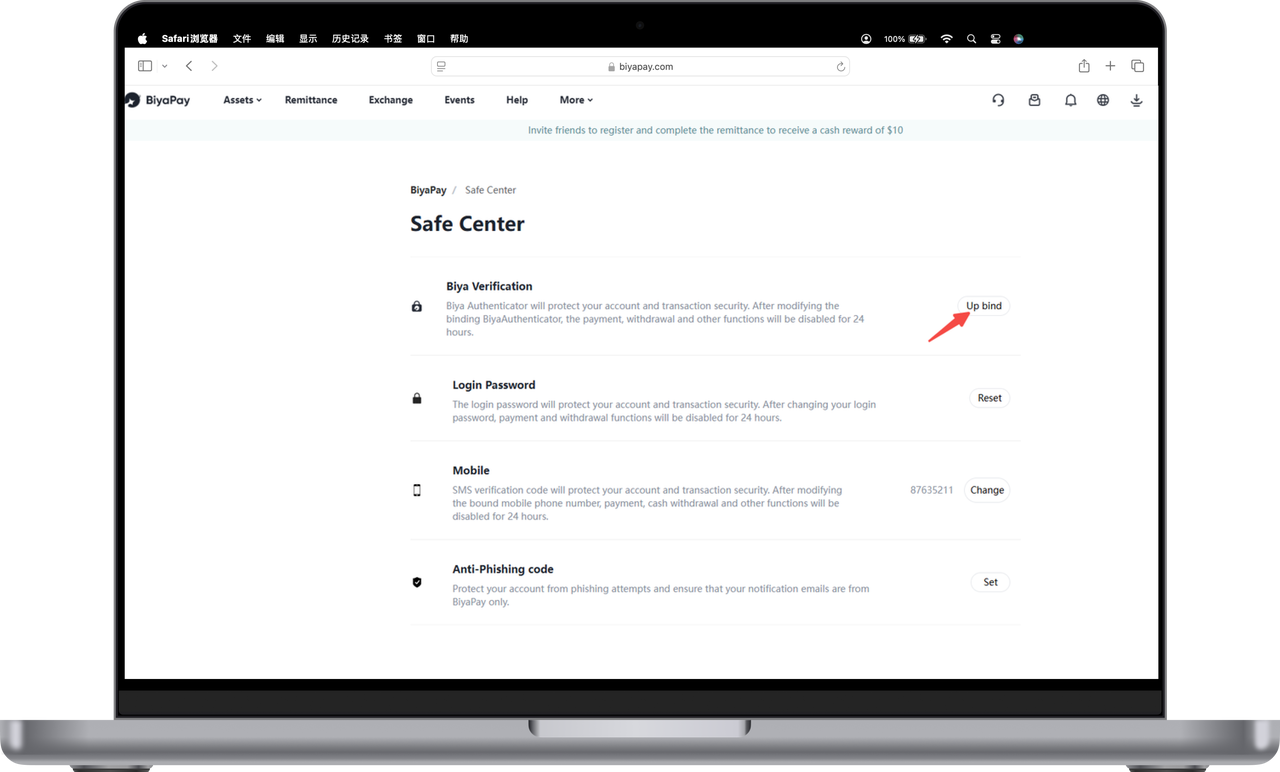
Click [Unbind] on the right side of the Biya Authenticator;
-
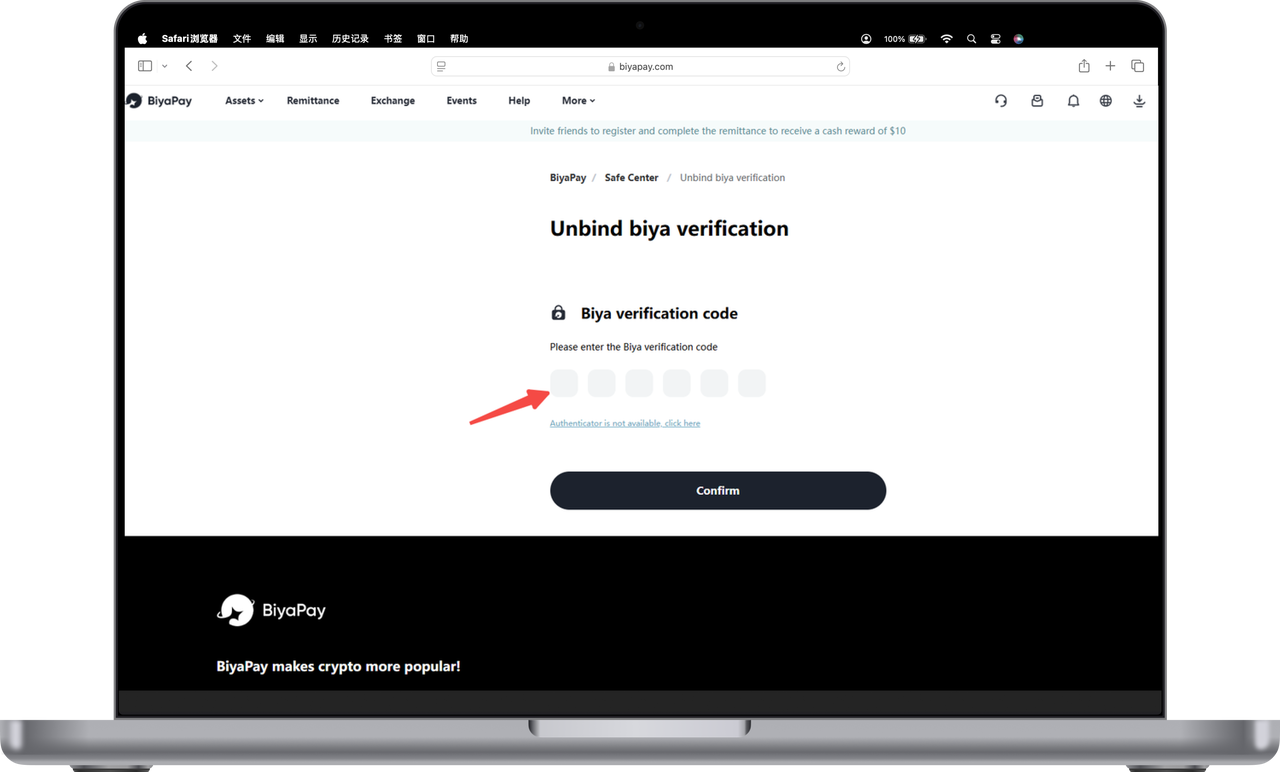
If the Biya authenticator is available, copy the verification code into the input box to unbind;
-
If the Biya Authenticator is not available, click [Biya Authenticator is not available, please click here];
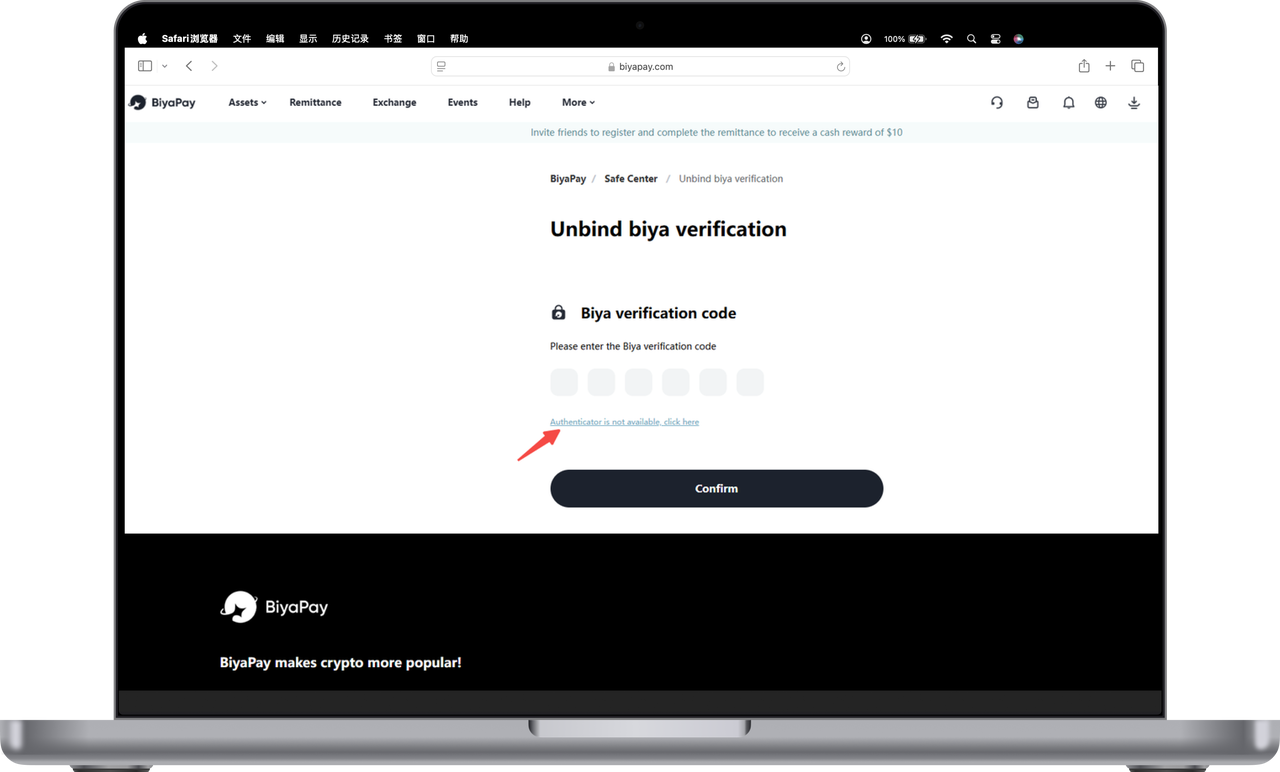
5.Finally, enter the email verification code to unbind.

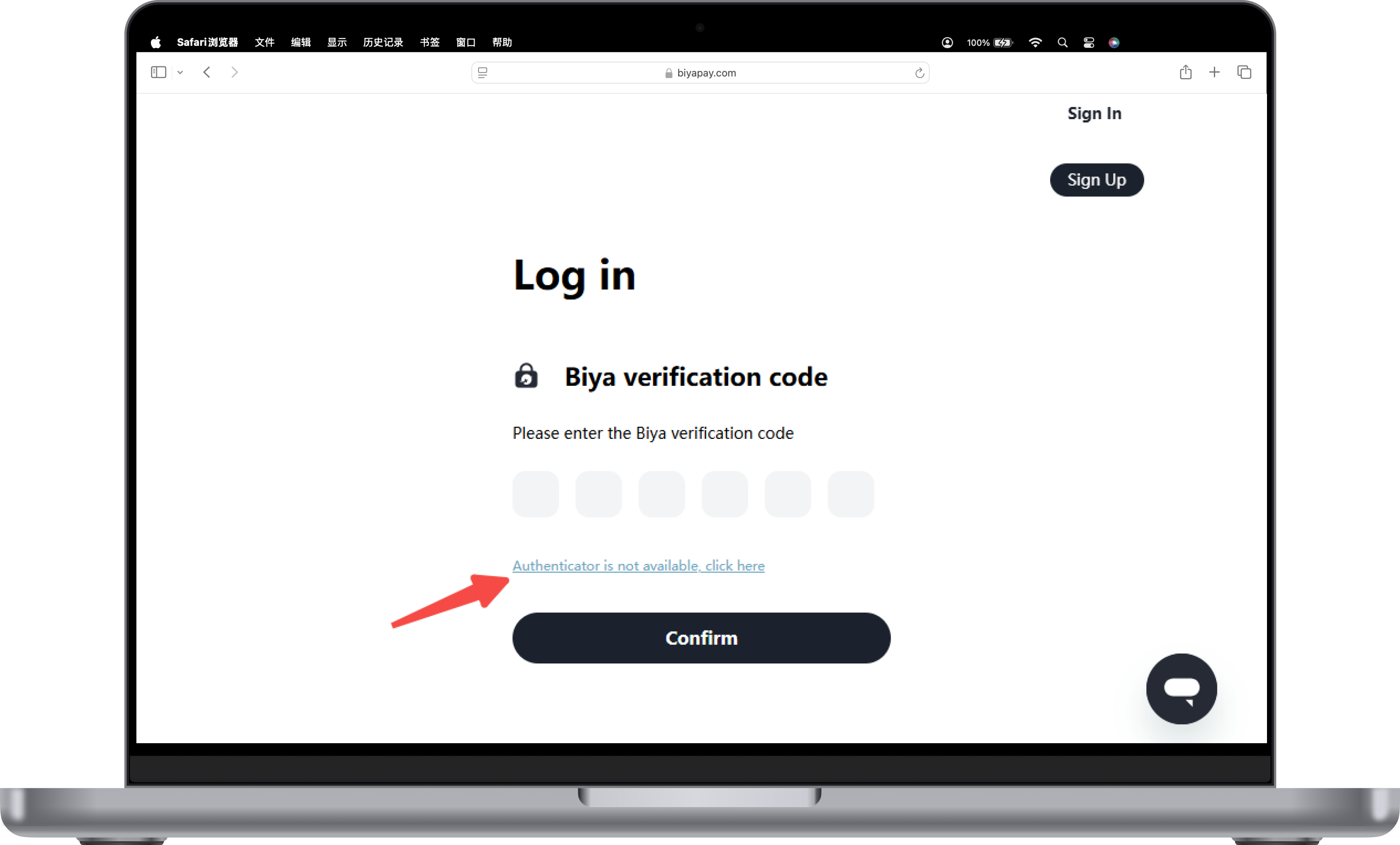
Unbinding Biya Authenticator when not logged in
When logged in, if Biya Authenticator is not available, click [Authenticator is not available, please click here] to unbind.