How to Use a Prepaid Visa Gift Card for Payments and Remittances on Cash App




Image Source: unsplash
The answer is yes, you can use most prepaid Visa gift cards on Cash App.
This feature provides great convenience for handling daily payments and remittances. Many users may not be clear on how to get started. This guide will help you complete each step smoothly, allowing you to easily use the funds in the card.
Key Takeaways
- You can use a prepaid Visa gift card on Cash App for payments and remittances.
- Before use, please activate the gift card and register a billing address.
- Transferring money to others with a prepaid card incurs a 3% fee.
- Prepaid cards cannot directly add funds to your Cash App account.
- If direct use is difficult, you can indirectly transfer funds through platforms like PayPal.
Adding a Prepaid Card to Cash App
Image Source: unsplash
Adding a prepaid Visa gift card to your Cash App account is a simple process. You need to complete some preparatory work first, then follow the in-app instructions.
Card Linking Process
You can link the prepaid card to your account in a few simple steps. This process is very similar to adding a regular bank card.
- Open Cash App: Launch the app on your phone.
- Go to Profile: Tap the profile icon in the top-left corner of the screen.
- Select Payment Methods: Find and select “Payment Methods” or “Linked Banks” in the menu.
- Add Bank Card: Click the “Add Card” option.
- Enter Card Information: Accurately input your prepaid Visa gift card number, expiration date, CVV security code, and ZIP code.
After completing the above steps, Cash App will attempt to verify and link your card.
Preparatory Work Before Linking
Important Tip: To ensure the card can be successfully added to Cash App, be sure to complete the following two key steps before attempting to link. Skipping them is the most common cause of linking failure.
First, activate your gift card. Most prepaid cards need to be activated after purchase before they can be used. You can follow the instructions on the back of the card or on the packaging, either by phone or by visiting the designated website to complete activation.
Second, register a billing address for your card. Cash App requires a valid billing address to verify card ownership. Generally, rechargeable Visa cards and virtual prepaid cards are easier to complete this step and have better compatibility. You can follow this general process to set up an address for your card:
- Visit the Issuing Institution’s Website: Find the official URL printed on the back of the card and visit it.
- Find Registration Options: Look for links like “Register Your Card” or “Manage My Card” on the website.
- Enter Card Information: Input the card number, expiration date, and CVV code as required.
- Provide Personal Information: Fill in your name and accurate billing address (usually your home address).
- Save and Confirm: After submitting the information, your address will be associated with the card. Now, you can use this information to add the card in Cash App.
Using a Prepaid Card for Payments and Remittances
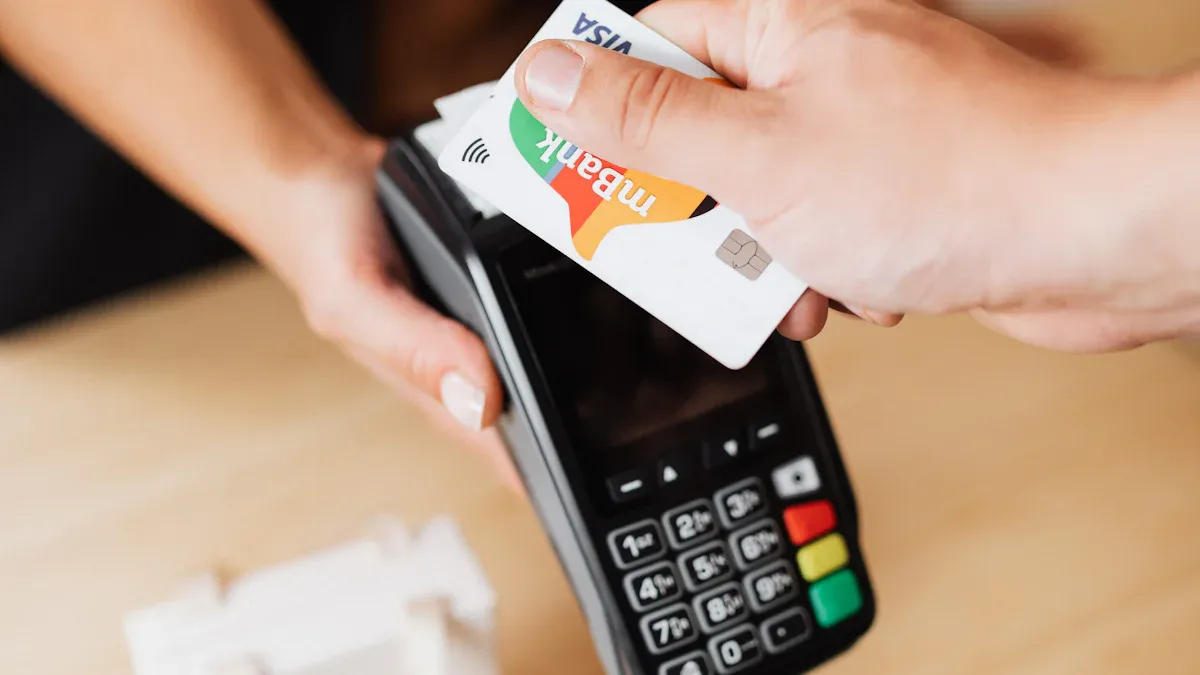
Image Source: pexels
Once the card is successfully added, you can use it to complete daily payments and remittances. Whether paying merchants or transferring money to friends, this prepaid card will come in handy.
For Merchant Purchases
Your prepaid card is now a payment option in Cash App. When using Cash App to pay online or offline merchants that support it, you can easily select this card as the funding source.
The operation steps are very intuitive:
- In the payment section, enter the amount you want to pay.
- Click the funding source button at the top of the payment interface (it usually defaults to your Cash App balance or linked bank account).
- From the pop-up list, select the prepaid Visa gift card you have added.
- Confirm your selection, then click “Pay” to complete the transaction.
Operation Tip: Before making a purchase, it’s best to visit the gift card issuer’s official website to check the balance. This ensures there are sufficient funds in the card to avoid transaction failure due to insufficient balance.
Transferring Money to Others
You can also use the prepaid card to transfer money to other Cash App users. This operation is known as P2P (peer-to-peer) remittance. The process is almost identical to paying a merchant; you just need to manually switch the funding source to your prepaid card during payment.
However, there is a very important difference to note here.
When you use a prepaid card (which Cash App treats as a credit card) for personal payments and remittances, the platform will charge you a fee.
This fee is the cost of using non-bank account funds for P2P transfers. We will detail this core fee structure in the next section to help you better plan your fund usage.
Fees, Restrictions, and Notes
Understanding the fees and restrictions associated with using a prepaid card can help you manage funds more effectively and avoid unexpected expenses. You need to pay attention to two aspects: the fees charged by Cash App and the usage rules set by the platform.
Core Fee Structure
When using a prepaid card, the main fee comes from personal transfers. Cash App treats prepaid cards as credit cards for processing. Therefore, using a prepaid card to remit money to others will incur a 3% fee. For frequent small transfers, this fee can accumulate.
Additional Reminder: Some prepaid card issuers may charge additional “cash advance fees” for operations on platforms like Cash App. This fee is charged by the issuer and is unrelated to Cash App. It is recommended to review the card’s terms of service before use.
Additionally, when withdrawing Cash App balance to a bank account, you will also face fee options.
| Deposit Type | Fee | Arrival Time |
|---|---|---|
| Standard Deposit | Free | 1-3 business days |
| Instant Deposit | 0.5% – 1.75% (minimum $0.25) | Almost immediate |
Standard deposits are completely free but require waiting. If you need funds immediately, instant deposits will charge a small fee.
Main Usage Restrictions
The biggest restriction when using a prepaid card is that you cannot use it to add funds to your Cash App account. Cash App’s official policy clearly states that prepaid cards can only be used as a one-time funding source for payments and remittances, and cannot increase your account balance through the “Add Cash” function.
Additionally, your transaction amounts are also limited by your account verification status.
- Cannot add funds to Cash App balance: This is the most critical restriction.
- Funds cannot be transferred back to the prepaid card: You cannot withdraw Cash App balance to a prepaid card.
- Account Transaction Limits: Your sending and receiving amounts are limited by whether your account is unverified or verified.
The following image clearly shows the limit differences for different account types:
To obtain higher transaction limits and more complete features, it is recommended to complete account verification.
Alternative Solutions: Indirectly Using Card Funds
If you find that you cannot directly use the prepaid card, or want to integrate the card balance into your bank account, you can try some indirect methods. These advanced techniques require transferring funds through third-party platforms but can effectively unlock the card balance.
Transfer via PayPal
PayPal is a very popular transfer platform. You can use it to move funds out of the prepaid card.
You generally cannot directly add the prepaid card balance to your PayPal account. You need to first link the prepaid card as a payment method.
This process is divided into two steps: linking the card and transferring funds.
- Link Your Visa Gift Card:
- Open your PayPal app or website.
- Go to the “Wallet” section.
- Select “Link a debit or credit card”.
- Manually enter your Visa gift card number, expiration date, and CVV code.
- Transfer Funds: After successful linking, you can send money to a trusted family member or friend’s PayPal account. When paying, select this prepaid card as the funding source. After the recipient receives the money, they can withdraw it to their bank account or transfer it back to you.
When withdrawing from PayPal to a bank account, you will face fee options:
| Transfer Type | Fees and Processing Time |
|---|---|
| Instant Transfer | 1.75% of the withdrawal amount (minimum $0.25, maximum $25), usually arrives within minutes |
| Standard Transfer | Free, takes 1-3 business days to process |
Via Platforms Like DraftKings
Some online platforms (such as the sports entertainment site DraftKings) also support depositing with Visa gift cards. You can use this channel to deposit funds first, then withdraw them to your bank account.
This method is very straightforward. First, you need to deposit with the gift card on DraftKings, the minimum deposit is usually $5.
- Log in to your DraftKings account and select “Deposit”.
- Enter the amount you want to deposit.
- Choose the gift card as the payment method.
- Enter the card number, expiration date, and CVV code, then submit.
After the deposit is successful, you can apply for withdrawal. When withdrawing, you can choose to transfer the funds to your linked bank account or PayPal. Different withdrawal methods have different processing times.
Once the funds reach your bank account, you can freely use them on Cash App.
If you often move funds across platforms or borders, BiyaPay can serve as a complementary tool. BiyaPay is a multi-asset wallet supporting flexible conversions between multiple fiat and digital currencies, with a free rate comparison tool to estimate prices and costs. For subscriptions or small online payments, you can apply for a Virtual Card; when a cross-border transfer is needed, the Remittance page lists available rails, fees, and expected arrival times so you can choose based on speed and cost.
BiyaPay operates under regulatory registrations in multiple jurisdictions, making it suitable for users who value transparent fund flows and stable settlement. For broader investing and money-management needs, see the official site.
In summary, using a prepaid Visa gift card on Cash App is completely feasible. You can mainly use it to complete direct payments and remittances, but cannot add funds to the account balance.
Remember two key points: First, be sure to activate the card and register a billing address before use. Second, using it to transfer money to others will incur a 3% fee.
Making good use of a prepaid card can help you control your budget and protect your bank information. If direct use is difficult, don’t forget there are alternative solutions for indirectly transferring funds.
FAQ
Why is my prepaid card being rejected by Cash App?
Your card is usually rejected for two reasons. First, you must activate the card first. Second, you need to register an accurate billing address for the card on the issuer’s website. Completing these two steps usually resolves the issue.
Can I view the prepaid card balance in Cash App?
No. Cash App cannot display your prepaid card balance. You need to visit the card issuer’s official website or call the customer service number on the back of the card to check the remaining amount.
What happens if a transaction paid with a prepaid card is refunded?
The refund will not be returned to your prepaid card. The money will be directly deposited into your Cash App account balance. Afterward, you can use this balance for other purchases or withdraw it to your bank account.
*This article is provided for general information purposes and does not constitute legal, tax or other professional advice from BiyaPay or its subsidiaries and its affiliates, and it is not intended as a substitute for obtaining advice from a financial advisor or any other professional.
We make no representations, warranties or warranties, express or implied, as to the accuracy, completeness or timeliness of the contents of this publication.
Related Blogs of
Virtual Card Binding to AWS/GCP for AI Agent Deployment Frequently Flagged by Risk Control? Compliance Card Opening Guide to Avoid Pitfalls


Pay for Perplexity Pro Subscription with USDT: Bypass Regional Payment Restrictions


Capital Preparation in Early Stages of Cross-Border M&A: How Enterprises Safely Transfer Millions in USD Deposits to Overseas Trust Escrow Accounts?

How to Write Remittance Notes to Avoid Bank Risk Control Interception? 2026 Cross-Border Remittance Compliance Guide & Sensitive Words Avoidance
Choose Country or Region to Read Local Blog
 Australia
 Austria
 Belgium
 Canada
 Cyprus
 Czech Republic
 Denmark
 Estonia
 Finland
 France
 Germany
 Greece
 Hong Kong
 India
India Indonesia
 Ireland
 Italy
Italy Japan
Japan Latvia
 Lithuania
 Luxembourg
 Malaysia
 Malta
Malta Morocco
 Nepal
Nepal Netherlands
 New Zealand
 Norway
 Pakistan
 Philippines
 Poland
 Portugal
 Romania
 Singapore
 Slovakia
 Slovenia
 South Africa
 South Korea
 Spain
Spain Sweden
 Thailand
 The United States
 Turkey
 United Arab Emirates
 United Kingdom
 Vietnam
Contact Us




BIYA GLOBAL LLC is registered with the Financial Crimes Enforcement Network (FinCEN), an agency under the U.S. Department of the Treasury, as a Money Services Business (MSB), with registration number 31000218637349, and regulated by the Financial Crimes Enforcement Network (FinCEN).
BIYA GLOBAL LIMITED is a registered Financial Service Provider (FSP) in New Zealand, with registration number FSP1007221, and is also a registered member of the Financial Services Complaints Limited (FSCL), an independent dispute resolution scheme in New Zealand.