How to Add a Prepaid Debit Card to Your Cash App Account? A Complete Guide





Image Source: unsplash
Yes, you can add and use most prepaid cards with mainstream network logos (like Visa or Mastercard) to your Cash App account.
Are you wondering how to link a prepaid card to your Cash App account? The process is simpler than you might think. Follow this guide, and you’ll learn how to smoothly add a prepaid debit card, enabling more flexible management of your digital funds.
Key Points
- You can add a prepaid debit card to Cash App, but it must be a mainstream card like Visa or Mastercard.
- To add a prepaid card, you need to enter the card number, expiration date, CVV code, and billing ZIP code.
- Cash App will make a small verification charge, which will be refunded to you.
- Prepaid cards are mainly used for payments to others, not for directly funding your Cash App balance.
- If adding fails, check card details, balance, and activation status, or contact customer support.
Adding a Prepaid Debit Card to Cash App
Image Source: pexels
Linking a prepaid card to your Cash App account is a straightforward process. By following a few clear steps, you can successfully add a prepaid debit card and start using it to manage your funds. Let’s go through it step by step.
Navigate to “My Cash” and Select Add
First, you need to locate the section in Cash App where you can add a card. This entry point is typically found in your profile or bank linking page.
- Open the Cash App application on your phone.
- Tap the profile icon in the top-left corner of the screen to access your account settings.
- In the menu, find and select “Linked Banks” or a similar option.
- Here, you’ll see options to add a bank account or card. Select “Add Debit Card.”
Tip: In some versions of the app interface, you can also tap the “Cash Card” tab on the home screen and select your Cash Card image to find the relevant menu. Regardless of the path, the goal is to locate the option to add a new debit card.
Enter Prepaid Card Details
After accessing the add card page, the app will prompt you to enter the specific details of your prepaid card. To ensure smooth verification, have your physical card ready and accurately enter the following information:
- Card Number: The 16-digit number on the front of the card.
- Expiration Date: Usually displayed in the “MM/YY” format.
- CVV Code: The 3- or 4-digit security code on the back of the card.
- Billing ZIP Code: The postal code associated with the address used to register the prepaid card.
Accurately entering this information is key to successfully adding a prepaid debit card.
Review and Confirm Card Information
Before clicking submit, take a moment to carefully review all the entered digits. A single typo, such as an incorrect card number or expiration date, could lead to a failed addition. Ensure all details match your prepaid card exactly before proceeding.
Complete Addition and Verification
After submitting the information, Cash App will attempt to verify your card. This process is usually instant.
To confirm the card is valid and belongs to you, Cash App may place a very small temporary authorization charge (typically under $1.00 USD) on your prepaid card. This charge will be automatically refunded to your card shortly. It’s solely for verification purposes. Once verified, your prepaid card will appear in the “Linked Banks” list, indicating the operation was successful.
Prepaid Card Compatibility and Selection
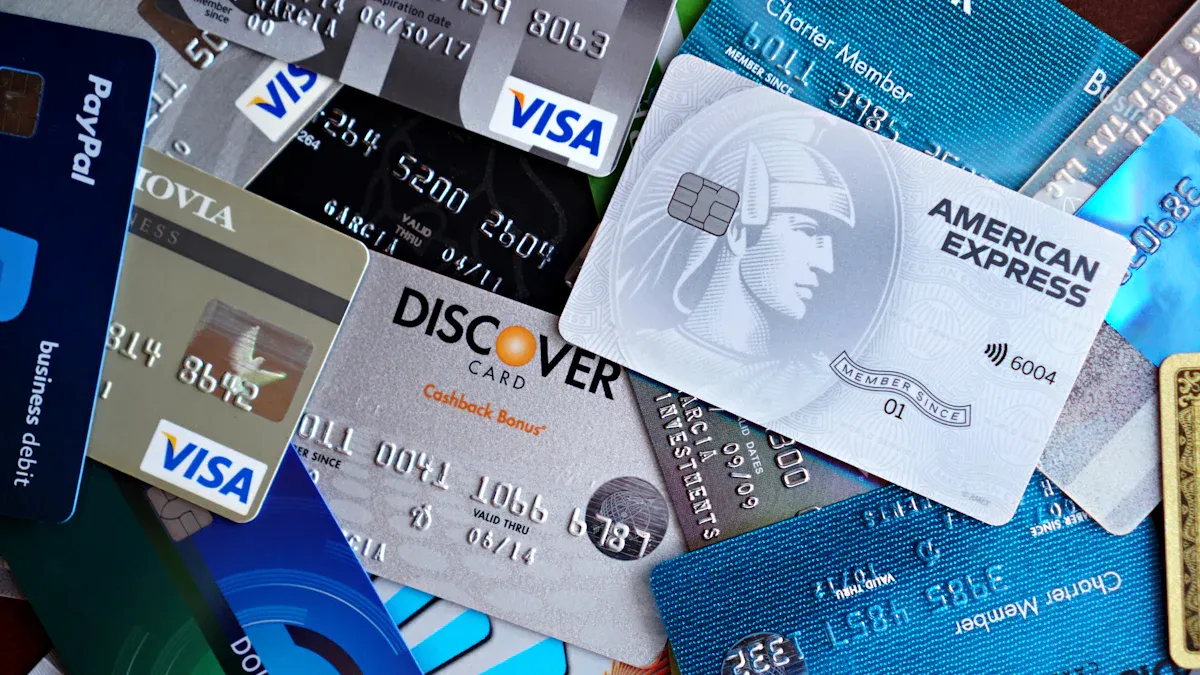
Image Source: pexels
While Cash App supports many prepaid cards, not all cards can be successfully linked. Understanding which cards are compatible and which are not can save you significant time and effort. The key lies in the card’s network and its specific type.
If your physical prepaid card isn’t compatible or has tight limits, a compliant virtual card can be a practical fallback.
BiyaPay offers a virtual payment card for cross-border use, letting you segment budgets and manage risk for subscription/payment platforms. Before checkout, use Exchange Rate & Comparison to gauge top-up/settlement costs; to get a card, start the Virtual Card Application and retrieve your card number/expiry/CVV; for business payouts or a backup funding route, Remittance helps with transfers and reconciliations.
BiyaPay operates under multi-jurisdictional compliance with KYC/AML controls, aligning with this guide’s emphasis on accurate card data and limit management to reduce declines and chargebacks.
Supported Card Networks
First, check if your prepaid card carries a mainstream payment network logo. Cash App typically supports prepaid cards from the following four networks:
- Visa
- Mastercard
- American Express
- Discover
If your prepaid card has one of these logos, it’s highly likely to be addable to your Cash App account.
Commonly Supported Brands
Many prepaid card brands are compatible with Cash App. Some common examples include:
- Netspend Prepaid Visa
- Green Dot Prepaid Visa
- Brink’s Prepaid Mastercard
- PayPal Prepaid Mastercard
- American Express Serve
Important Note: You need to know that even if these cards can be successfully added, their functionality may be limited. Per Cash App’s policy, you can typically only use these prepaid cards to make payments to others, not to fund your Cash App balance directly. Before attempting to add a prepaid debit card, clarify your intended use.
Unsupported Card Types
Certain card types, due to their specific nature, are typically not usable on Cash App.
The primary category is government-issued benefit cards, such as Electronic Benefit Transfer (EBT) cards. These cards’ funds are strictly regulated for specific uses like purchasing food, and legal restrictions prohibit transferring them to digital payment platforms like Cash App.
Additionally, most retail gift cards and non-linked prepaid cards cannot be used to fund Cash App transactions. If you’re unsure about your card’s compatibility, the safest approach is to contact the prepaid card issuer for confirmation.
Core Features and Fees of Prepaid Cards
After successfully adding a prepaid card, understanding its specific uses, associated fees, and restrictions in Cash App is crucial. This helps you plan your funds better and avoid unexpected expenses.
Account Funding and Money Management
A prepaid card is a convenient tool for funding your Cash App account. You can transfer money from the prepaid card to your Cash App balance. This process is simple, making your money management more flexible. Once the funds are in your Cash App balance, you can use them for various operations.
P2P Transfers and Payments
You might wonder if you can directly use a prepaid card to send money to friends. In reality, this requires two steps. You cannot pay others directly from a prepaid card, but you can use it to fund your Cash App balance and then make transfers.
Process: First, transfer funds from your prepaid card to your Cash App balance. Then, you can use this balance to pay other Cash App users, shop, or pay bills.
Withdrawing to a Prepaid Card
When you need to transfer money from Cash App back to your prepaid card, you have two options. Choose the one that best suits your needs.
- Standard Withdrawal: This option typically takes 1-3 business days to process but is free.
- Instant Withdrawal: If you need funds urgently, you can choose instant withdrawal. Funds usually arrive within minutes, but you’ll pay a fee of 0.5% to 1.75% of the withdrawal amount.
Understanding Associated Fees and Limits
To ensure account security, Cash App imposes transaction limits on prepaid cards. Knowing these limits can help you avoid transaction failures. Specific limits depend on your account verification status and transaction type.
As shown in the chart, transactions using prepaid cards are typically subject to single, daily, weekly, and monthly limits. Additionally, your overall account spending limits depend on verification status. For example, an unverified account may have a daily spending limit of only $250 USD, while verified accounts have significantly higher limits.
Common Issues and Solutions for Failed Additions
When attempting to add a prepaid debit card to Cash App, you may sometimes encounter failures. Don’t worry—these issues are usually easy to resolve. Below are the most common reasons and their solutions, which you can troubleshoot step by step.
Check Card Information and Activation Status
The most common issue stems from minor input errors. Take out your physical card and carefully verify every detail. A single digit error could cause verification to fail.
Ensure the following information is completely correct:
- Incorrect Card Number: Verify the 16-digit number matches exactly.
- Incorrect Expiration Date: Ensure the month and year are not reversed.
- Invalid CVV Code: Double-check the 3- or 4-digit security code on the back of the card.
- Incorrect ZIP Code: This must match the address used to register the prepaid card. If you recently changed your address, the bank’s system may not have updated, causing a mismatch.
Additionally, ensure your prepaid card is activated. A new, unactivated card cannot pass any online verification. Follow the issuer’s instructions to complete the activation process.
Confirm Sufficient Verification Balance
When adding a card, Cash App attempts to deduct a small amount (typically under $1.00 USD) to verify the card’s validity. If your prepaid card has a zero balance, this verification will fail.
Solution: Before adding the card, ensure it has at least a few dollars in balance. This verification charge will be refunded shortly.
Confirm the Correct Card Type
Have you received an error like “This is a debit card, not a credit card”?
This error typically occurs if you mistakenly selected the option to add a credit card. Cash App has separate entry points for debit and credit cards. Go back and ensure you select “Add Debit Card” instead of “Add Credit Card.”
Contact Prepaid Card Customer Support
If you’ve checked all the above steps and the issue persists, contacting customer support is the final option. However, it’s critical to contact the right support team.
For linking errors or functionality issues within the Cash App, you should contact Cash App Support. The prepaid card issuer (e.g., Sutton Bank) manages the funds in your card but cannot assist with third-party app account issues. They do not maintain or support Cash App accounts and cannot help link cards to other apps.
Adding a prepaid card to Cash App is a simple and straightforward process that significantly enhances your flexibility in managing funds. By mastering a few key points, you can complete the process smoothly.
Keys to Successful Addition:
- Follow the correct steps for adding.
- Confirm card compatibility and understand associated fees.
- Use it as a budgeting tool to control spending.
- Easily make P2P transfers even without a traditional bank account.
Now, you can confidently use this feature to enjoy a more convenient digital financial life.
FAQ
Why Should I Add a Prepaid Card?
Adding a prepaid card allows you to manage funds more flexibly. You can use it as a budgeting tool to control spending or easily send money to friends and make payments without a traditional bank account.
Why Can’t I Use a Prepaid Card to Fund My Cash App?
Per Cash App’s policy, most prepaid cards can only be used for payments to others, not for funding your Cash App balance directly. Funding is primarily limited to linked bank accounts and standard debit cards.
Why Is There a Small Charge on My Card?
This is a temporary authorization charge for verifying the card’s validity, typically under $1.00 USD. This fee will be refunded to you shortly and is not actually charged.
Can I Add Multiple Prepaid Cards?
No. Cash App currently allows only one debit card (including prepaid cards) to be linked to an account. To add a new prepaid card, you must first remove the currently linked card.
*This article is provided for general information purposes and does not constitute legal, tax or other professional advice from BiyaPay or its subsidiaries and its affiliates, and it is not intended as a substitute for obtaining advice from a financial advisor or any other professional.
We make no representations, warranties or warranties, express or implied, as to the accuracy, completeness or timeliness of the contents of this publication.
Related Blogs of

Run Local Large Models or Call APIs? 2026 AI Development Cost and Payment Method Comparison


How to Write Remittance Notes to Avoid Bank Risk Control Interception? 2026 Cross-Border Remittance Compliance Guide & Sensitive Words Avoidance

Virtual Card Binding to AWS/GCP for AI Agent Deployment Frequently Flagged by Risk Control? Compliance Card Opening Guide to Avoid Pitfalls


How Do European International Students Pay the Final Installment for a Used Car? Digital Payment Methods to Avoid SEPA Transfer Delays Caused by Weekend Bank Closures

Choose Country or Region to Read Local Blog
 Australia
 Austria
 Belgium
 Canada
 Cyprus
 Czech Republic
 Denmark
 Estonia
 Finland
 France
 Germany
 Greece
 Hong Kong
 India
India Indonesia
 Ireland
 Italy
Italy Japan
Japan Latvia
 Lithuania
 Luxembourg
 Malaysia
 Malta
Malta Morocco
 Nepal
Nepal Netherlands
 New Zealand
 Norway
 Pakistan
 Philippines
 Poland
 Portugal
 Romania
 Singapore
 Slovakia
 Slovenia
 South Africa
 South Korea
 Spain
Spain Sweden
 Thailand
 The United States
 Turkey
 United Arab Emirates
 United Kingdom
 Vietnam
Contact Us




BIYA GLOBAL LLC is registered with the Financial Crimes Enforcement Network (FinCEN), an agency under the U.S. Department of the Treasury, as a Money Services Business (MSB), with registration number 31000218637349, and regulated by the Financial Crimes Enforcement Network (FinCEN).
BIYA GLOBAL LIMITED is a registered Financial Service Provider (FSP) in New Zealand, with registration number FSP1007221, and is also a registered member of the Financial Services Complaints Limited (FSCL), an independent dispute resolution scheme in New Zealand.