Understanding How Much Can Be Transferred at Once via PayPal? A Comprehensive Analysis of Remittance Limits, Fees and Incentives





Image Source: unsplash
Are you wondering about PayPal’s transfer limits? For verified personal accounts, you can typically send $10,000 per transaction, and in certain cases, up to $60,000.
Tip: If your account isn’t verified, the limit per payment drops to $4,000.
Additionally, you need to be aware of specific rules for different countries, such as additional withdrawal restrictions for users in mainland China. Understanding these differences can help you complete global payments more smoothly.
Key Points
- Completing PayPal account verification significantly increases transfer limits, up to $60,000.
- PayPal’s fee structure is complex, with cross-border transactions and currency conversions incurring additional costs that require careful review.
- Choosing the correct payment type (friends and family or goods and services) can save fees and provide buyer protection.
- For large cross-border transfers, comparing different remittance services (e.g., Wise or OFX) can find more cost-effective options.
- Enabling two-factor authentication, setting strong passwords, and staying vigilant against phishing emails can effectively protect your PayPal account’s security.
PayPal Transfer Limits: Personal vs. Business
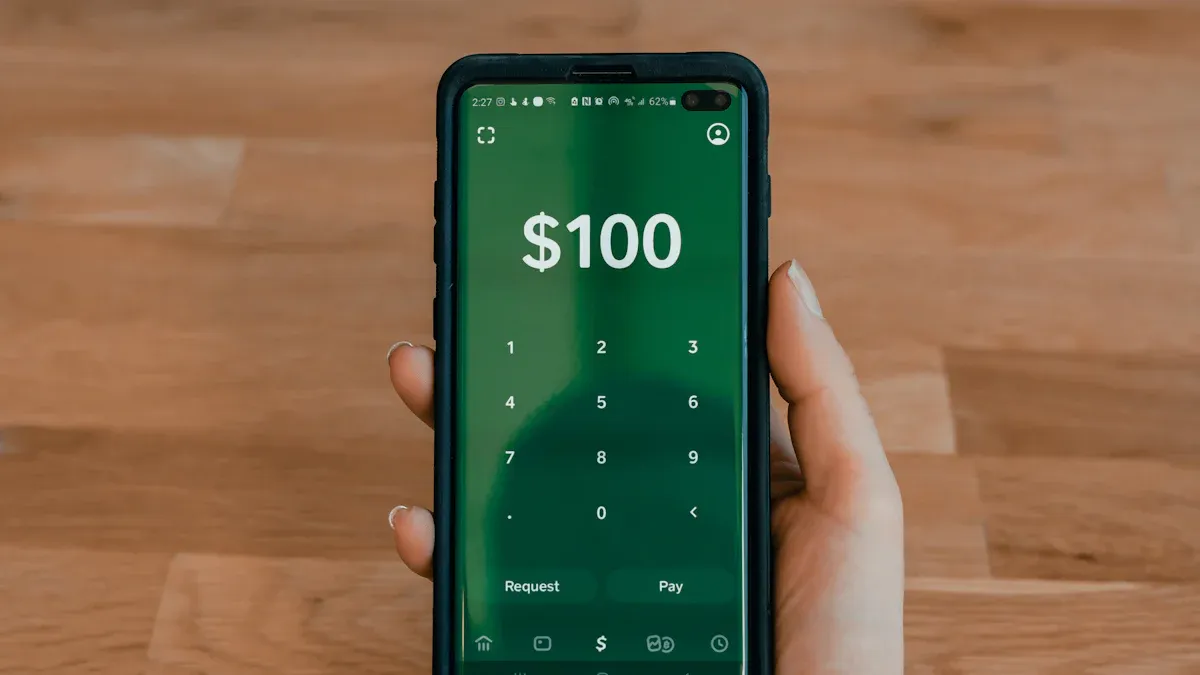
Image Source: unsplash
To fully utilize PayPal, you first need to understand its transfer limits. These limits aren’t fixed and depend primarily on whether your account is verified. A verified account and an unverified account have vastly different usage permissions.
Verified Account Limits
Once you complete account verification, your PayPal transfer limits are significantly increased.
Technically, a verified account can send up to $60,000 per transaction. However, you should note a practical reality: for risk control and regional financial regulatory requirements, PayPal may limit your single transaction to $10,000.
Key Note: While the theoretical limit is as high as $60,000, you’re more likely to encounter a $10,000 per-transaction cap in daily operations. This specific amount may also vary depending on the currency used.
Unverified Account Limits
If your PayPal account hasn’t been verified, you face much stricter restrictions. These limits fall into two categories:
- Payment Limits: You can send a maximum of $4,000 per transaction. Additionally, your total payment amount is subject to a hidden limit, which you can see during payment.
- Receiving Limits: Your account can receive a maximum of $500 equivalent annually. Once this annual cap is reached, you must complete verification to continue receiving funds.
These restrictions aim to mitigate financial risks and encourage users to establish a trusted transaction identity.
Special Restrictions for Mainland China Users
If you’re a user in mainland China, in addition to adhering to PayPal’s transaction limits, you must consider the dual restrictions imposed by China’s foreign exchange policies.
| Restriction Type | Rule Description |
|---|---|
| PayPal Transfer Limits | You must still comply with PayPal’s single and total transaction limits for verified or unverified accounts. |
| Personal Foreign Exchange Quota | According to China’s State Administration of Foreign Exchange (SAFE), each Chinese citizen can convert up to $50,000 equivalent in foreign currency to RMB annually. |
This means that even if your PayPal account receives over $50,000 in a year, the total amount you can withdraw and convert to RMB in that year won’t exceed this statutory limit.
How to Increase Transfer Limits
The most direct and effective way to increase PayPal transfer limits is to complete account verification. This process is simple, proving your identity to PayPal and unlocking higher transaction permissions.
You can follow these steps:
- Log into your PayPal account, go to the “Settings” or “Profile” page.
- Link and verify your bank account or credit card. PayPal will verify by sending a small deposit to your bank account.
- Submit identity verification documents as prompted. Typically, you need:
- Identity Proof: A government-issued photo ID, such as a national ID, passport, or driver’s license.
- Address Proof: A utility bill, bank statement, or similar document from the past three months with your name and address.
- Wait for review. PayPal typically completes the review within a few business days. In some cases, it may resolve within 72 hours, but complex cases may take longer.
Once verified, your account status updates, and related restrictions are lifted.
Comprehensive PayPal Fee Analysis: Transfers and Withdrawals
Image Source: pexels
After understanding transfer limits, the next key issue is fees. PayPal’s fee structure is complex, varying based on transaction type, funding source, region, and whether currency conversion is involved. Mastering these fees can save you significant costs.
Personal Transfer Fees
When transferring to friends or family, fees depend on your region and payment method.
For personal transfers within the US (often called “Friends and Family” payments), the fee rules are:
| Payment Method | Fee |
|---|---|
| PayPal Balance or Linked Bank Account | Free |
| Credit or Debit Card | 2.9% + Fixed Fee (e.g., $0.30) |
Note: Using a credit card incurs extra fees because PayPal must pay processing fees to the card issuer.
For cross-border personal transfers, fees are higher. Typically, these include multiple components:
- Base Transaction Fee: A fixed percentage fee, usually 5%, with a minimum ($0.99) and maximum ($4.99) cap.
- Payment Method Surcharge: If you use a credit or debit card, in addition to the base fee, you’ll pay about 2.9% plus a fixed fee based on the currency.
- Currency Conversion Fee: If the transfer involves currency conversion, PayPal charges an additional conversion fee.
The “fixed fee” varies by currency; here are reference values for major currencies:
| Currency | Fixed Fee |
|---|---|
| US Dollar (USD) | $0.30 |
| Canadian Dollar (CAD) | $0.30 |
| Euro (EUR) | €0.35 |
| British Pound (GBP) | £0.20 |
| Japanese Yen (JPY) | ¥40.00 |
| Hong Kong Dollar (HKD) | $2.35 |
Goods and Services Payment Fees
If you’re a seller receiving payments for goods or services, you bear the handling fee, not the payer.
For domestic transactions in most regions, the standard fee is about 2.99%. In some regions (e.g., the US), the fee structure may be 2.9% + $0.30 fixed fee.
For international commercial payments, fees are higher due to the complexity of processing. International receiving rates are typically higher, with an additional fixed fee based on the receiving currency. For example, the fixed fee for receiving USD is $0.49, while for EUR, it’s €0.35.
Cross-Border and Currency Conversion Fees
Currency conversion fees are a significant hidden cost with PayPal. When sending or receiving funds in a currency different from your PayPal account’s default, conversion is required.
Start with BiyaPay’s free Fiat Rate Comparator to see mid-market USD pairs and recent moves, so your take-home isn’t skewed by spreads.
If PayPal’s spread looks steep, compare total cost and delivery time via BiyaPay Remittance for the same amount, then pick the best fit.
Context: BiyaPay is a multi-asset wallet for fiat/crypto conversion, operating under U.S. MSB and NZ FSP licenses; this is tooling context only.
PayPal’s rates aren’t the real-time mid-market rate; they add a “currency conversion spread” to the wholesale rate, typically ranging from 3% to 4%, depending on the transaction type.
- When Paying or Shopping: If you pay in one currency but the seller receives another, PayPal charges about 4% for conversion.
- When Receiving or Withdrawing: If received funds need conversion to your account’s currency or you withdraw in another currency, the conversion fee is about 3%.
Withdrawal Fees to Bank Accounts in Different Regions
Withdrawing PayPal balance to your bank account varies in fees and rules by country.
In the US, standard withdrawals to linked bank accounts are typically free. However, choosing “instant transfer” incurs a 1.5% fee (minimum $0.50).
For users in other regions, withdrawal rules differ significantly. Here’s a comparison of withdrawal fees in key regions:
| Region | Withdrawal Rules and Fees |
|---|---|
| Mainland China | Each withdrawal incurs a $35 fixed fee. Minimum withdrawal amount is $150. |
| Hong Kong | Withdrawals to local licensed banks typically have a minimum threshold (e.g., HKD 80). Withdrawals below a certain amount are free; above that, tiered fixed fees may apply. |
| Taiwan | Must go through E.Sun Bank, which charges a 2.5% fee on the withdrawal amount. |
Key Advice: Before withdrawing, log into your PayPal account and check the “Wallet” or “Money” page for the latest, most accurate withdrawal fees and minimum amount requirements for your region.
PayPal Safe Operation Guide
Having mastered limits and fees, you also need to know how to use PayPal safely and efficiently. Following proper steps and taking necessary security measures can ensure your funds are secure.
Standard Transfer Steps
The process of paying someone via PayPal is straightforward, whether using the website or mobile app.
- Log into your PayPal account and click “Send” or “Send & Request.”
- Enter the recipient’s information, which can be their name, PayPal username, email, or phone number.
- Input the amount you want to send and select the correct currency.
- Choose your payment method, such as PayPal balance, linked bank account, or credit card.
- Finally, double-check all information and click “Send Payment Now” to complete the transaction.
Important Note: When paying, select the payment type. For family or friends, choose “Friends and Family”; for purchases, choose “Goods and Services” to qualify for PayPal’s buyer protection.
Expected Delivery Time
The speed of fund delivery depends on the transfer or withdrawal method chosen.
| Transfer Type | Expected Delivery Time |
|---|---|
| Instant Transfer | Typically completes in minutes, up to 30 minutes. This service incurs a fee. |
| Standard Transfer | Usually takes 1-3 business days, depending on bank processing speed. This is typically free. |
If you need funds urgently, instant transfer is the best choice. If you’re not in a rush, standard transfer saves fees.
Account Security and Risk Management
To protect both buyers and sellers, PayPal has a strict risk control system. Sometimes, your account may face fund holds or restrictions.
PayPal holds funds typically for security reasons, such as:
- Unusual account activity, like receiving a large payment far exceeding typical transactions.
- As a seller, receiving excessive customer complaints or refund requests.
- Your account is newly registered, lacking a trusted transaction history.
- You’re selling high-risk items, like electronics or gift cards.
You can proactively take steps to protect your account and avoid unnecessary issues:
- Create a Strong Password: Set a unique and complex password for your PayPal account.
- Enable Two-Factor Authentication: One of the most effective ways to secure your account. Even if your password is compromised, others can’t easily log in.
- Keep Information Updated: Ensure your phone number and email are current and accessible for receiving security codes when needed.
- Beware of Phishing Emails: PayPal never requests passwords via email. Stay vigilant for suspicious emails asking you to click links and enter sensitive information.
Money-Saving Tips and Rewards Programs
Beyond understanding limits and fees, you can leverage tips and official programs to make every PayPal transaction more cost-effective. Mastering these methods can save you money and earn extra rewards.
Utilize Payment Types Wisely
Choosing the right payment type is the first step to saving money. PayPal offers two main payment types: “Friends and Family” and “Goods and Services,” with entirely different fees and protection policies.
| Payment Type | Use Case | Fees | Protection Policy |
|---|---|---|---|
| Friends and Family | For transfers to trusted family or friends, like splitting meal costs or gifts. | Usually free with balance or bank account. | No PayPal buyer protection. |
| Goods and Services | For purchasing goods or services, like online shopping or work payments. | Seller pays the fee. | Eligible for PayPal buyer protection. |
Important Warning: Never disguise commercial transactions as “Friends and Family” payments to save fees. This explicitly violates PayPal’s user agreement.
Abusing “Friends and Family” payments carries serious risks:
- Account Suspension: PayPal may freeze or ban your account if it detects violations.
- Funds Held: During investigations, your account funds may be held for months.
- Loss of Protection: As a buyer, you can’t file disputes for issues like non-delivery.
Compare for Large Transfers
For large cross-border transfers, such as funding investments in the US market, PayPal may not be the most cost-effective option due to its high conversion rates. You should compare PayPal with other specialized remittance services.
Several excellent alternatives offer better rates and lower fees:
- Wise (formerly TransferWise): Known for using real-time market rates, transparent fees, and fast delivery.
- OFX: No transfer amount limit, ideal for large transactions, and typically no transfer fees.
- Xe: Wide coverage, supporting over 130 currencies, useful for tracking real-time rates.
Spending a few minutes comparing platforms before a transfer can save you hundreds or thousands of dollars.
Leverage Official Rewards Programs
PayPal isn’t just a payment tool; it offers robust rewards programs to earn cashback on spending.
You can earn rewards through:
- PayPal Rewards: Discover cashback offers from major brands in the PayPal app, earning 1% to 5% cashback at checkout.
- PayPal Cashback Mastercard: Earn 3% cashback on PayPal purchases and 1.5% on all other spending.
- Seasonal Promotions: PayPal periodically launches major marketing campaigns, offering limited-time high cashback in categories like dining or fashion.
These offers are typically promoted via banners in the PayPal app, email notifications, or checkout pages. Regularly check the app’s “Offers” feature to avoid missing these savings opportunities.
You now understand that PayPal transfer limits are tied to your account status, ranging from $4,000 to $60,000. Its fee structure is complex, especially for cross-border transactions and withdrawals, requiring close attention.
Key Takeaway: Always verify your account to unlock higher limits and carefully review fees and rates before each transaction.
We hope these tips help you make informed decisions for safer, more cost-effective global payments in the future.
FAQ
How can I quickly increase my PayPal transfer limit?
The fastest way is to complete identity verification. Log into your account, link and verify your bank account or credit card, then submit identity and address proof documents as required. Once reviewed, your limits will automatically increase.
Why are my PayPal funds frozen?
PayPal freezes funds typically for security reasons, such as unusual account activity, being a new seller, or receiving customer complaints. Follow PayPal’s instructions to provide required information for review and release.
Are “Friends and Family” payments completely free?
Not entirely. They’re usually free when using PayPal balance or a linked bank account for domestic transfers. However, using a credit card or making cross-border transfers incurs fees.
Can I avoid PayPal’s high currency conversion fees?
You can’t fully avoid them, but you can manage them. When paying with a card, choose your card issuer (e.g., Visa) for conversion instead of PayPal, which sometimes offers a better rate.
Operation Tip: This option is often hidden in the “See Conversion Options” link on the payment confirmation page.
How can I withdraw most cost-effectively in mainland China?
Due to the $35 fixed fee per withdrawal, the most cost-effective method is to reduce withdrawal frequency. Wait until your account accumulates a larger amount (e.g., thousands of dollars) before withdrawing to minimize the fee’s impact.
*This article is provided for general information purposes and does not constitute legal, tax or other professional advice from BiyaPay or its subsidiaries and its affiliates, and it is not intended as a substitute for obtaining advice from a financial advisor or any other professional.
We make no representations, warranties or warranties, express or implied, as to the accuracy, completeness or timeliness of the contents of this publication.
Related Blogs of

How to Write Remittance Notes to Avoid Bank Risk Control Interception? 2026 Cross-Border Remittance Compliance Guide & Sensitive Words Avoidance

How Do European International Students Pay the Final Installment for a Used Car? Digital Payment Methods to Avoid SEPA Transfer Delays Caused by Weekend Bank Closures

Pay for Perplexity Pro Subscription with USDT: Bypass Regional Payment Restrictions
Patreon/OnlyFans and Other Overseas Creator Platforms Payout: Ultimate Tricks to Bypass Domestic Bank Forex Review for Withdrawal

Choose Country or Region to Read Local Blog
 Australia
 Austria
 Belgium
 Canada
 Cyprus
 Czech Republic
 Denmark
 Estonia
 Finland
 France
 Germany
 Greece
 Hong Kong
 India
India Indonesia
 Ireland
 Italy
Italy Japan
Japan Latvia
 Lithuania
 Luxembourg
 Malaysia
 Malta
Malta Morocco
 Nepal
Nepal Netherlands
 New Zealand
 Norway
 Pakistan
 Philippines
 Poland
 Portugal
 Romania
 Singapore
 Slovakia
 Slovenia
 South Africa
 South Korea
 Spain
Spain Sweden
 Thailand
 The United States
 Turkey
 United Arab Emirates
 United Kingdom
 Vietnam
Contact Us




BIYA GLOBAL LLC is registered with the Financial Crimes Enforcement Network (FinCEN), an agency under the U.S. Department of the Treasury, as a Money Services Business (MSB), with registration number 31000218637349, and regulated by the Financial Crimes Enforcement Network (FinCEN).
BIYA GLOBAL LIMITED is a registered Financial Service Provider (FSP) in New Zealand, with registration number FSP1007221, and is also a registered member of the Financial Services Complaints Limited (FSCL), an independent dispute resolution scheme in New Zealand.