How to Trade US Stocks Pre-Market and After-Hours? Step-by-Step Taiwan Brokerage Complex Order Tutorial





Image Source: pexels
Want to trade US stocks immediately after earnings releases or major news breaks? Many price-moving events happen outside regular US market hours. Mastering pre-market and after-hours trading lets you capture these golden opportunities and make investment decisions in real time.
Major news often triggers sharp moves in extended hours, for example:
- Nvidia (NVDA) earnings can sometimes rival the impact of major macroeconomic data.
- Qualcomm earnings can drive related semiconductor stocks like Intel higher.
- Companies missing estimates, like Illumina, have seen shares plunge immediately after disappointing results.
This tutorial will walk you step-by-step through placing orders so that after reading, you can successfully submit your first pre-market or after-hours trade.
Key Takeaways
- Pre-market and after-hours trading let you buy and sell stocks outside regular US market hours, reacting instantly to news.
- You can only use “limit orders” in extended hours to ensure execution meets your price expectations.
- When placing an order, you must select the “pre-market” or “after-hours” session and set your desired price and quantity.
- Extended-hours volume is lower, bid-ask spreads can be wider, and price moves are more volatile — proceed with caution.
- Not all stocks support extended-hours trading; check availability in your broker’s app.
What Is Pre-Market and After-Hours Trading? Rules and Hours at a Glance

Image Source: pexels
Many investors think US stocks can only be traded for 6.5 hours a day, but that’s not true. With pre-market and after-hours trading, you gain much longer windows to react instantly to earnings or breaking news released after the regular close.
Pre-Market and After-Hours: US Stock Extended Trading Sessions
Simply put, pre-market (Pre-Market) and after-hours (After-Hours) trading together form the “extended trading hours” of the US market. This allows you to continue buying and selling stocks before the open or after the close.
You might wonder: without the regular exchange operating, how do these trades happen?
The answer is through Electronic Communication Networks (ECNs). An ECN is an automated computer system that directly matches buyer and seller orders. Think of it as a virtual trading floor that lets investors trade peer-to-peer outside normal US market hours without traditional market makers.
This mechanism provides tremendous convenience, allowing you to:
- React to breaking news outside regular hours.
- Manage positions and prepare for the next trading day.
- Capture price volatility created by market-moving events.
Complete US Stock Trading Hours Table (Including Summer/Winter Time)
The US switches between Daylight Saving Time (summer) and Standard Time (winter), affecting the Taiwan time conversion. Use the tables below to plan your trading schedule.
US Daylight Saving Time: From the second Sunday in March to the first Sunday in November each year.
| Session | US Eastern Time (ET) | Taiwan Time (UTC+8) |
|---|---|---|
| Pre-Market | 04:00 – 09:30 | 16:00 – 21:30 |
| Regular Hours | 09:30 – 16:00 | 21:30 – Next Day 04:00 |
| After-Hours | 16:00 – 20:00 | Next Day 04:00 – 08:00 |
US Standard Time (Winter): From the first Sunday in November to the second Sunday in March the following year.
| Session | US Eastern Time (ET) | Taiwan Time (UTC+8) |
|---|---|---|
| Pre-Market | 04:00 – 09:30 | 17:00 – 22:30 |
| Regular Hours | 09:30 – 16:00 | 22:30 – Next Day 05:00 |
| After-Hours | 16:00 – 20:00 | Next Day 05:00 – 09:00 |
Complex Order Rules: Why Only Limit Orders Are Allowed
When using Taiwan brokerage complex orders for extended-hours trading, you’ll find you can only select “limit orders” — market orders are not permitted.
The reason lies in the ECN system mentioned earlier. ECNs operate by matching orders based on price. They need explicit instructions — “buy at or below a certain price” or “sell at or above a certain price.”
- Limit Order: You clearly state the highest price you’ll pay or the lowest you’ll accept — the ECN can match accordingly.
- Market Order: It only says “execute at the best current price” without specifying a price. This ambiguous instruction cannot be processed by the automated ECN system.
Therefore, to ensure accurate matching in ECNs, all pre-market and after-hours orders must be limit orders. This also protects you from executing at unexpected prices during volatile periods.
Before you set a limit, always check the extended-hours bid/ask first. You can use BiyaPay Stock Quotes & Info to verify live pricing, and the FX Converter & Comparison to factor conversion costs into your limit level.
If you prefer a repeatable “watch → price → place order” routine, start by getting familiar with the unified trading entry; if you don’t have access yet, complete registration.
For positioning and compliance disclosures (including U.S. MSB and New Zealand FSP-related registrations/credentials), refer to the official site and the Event Center.
Step-by-Step Complex Order Tutorial for Pre-Market and After-Hours (With Screenshots)
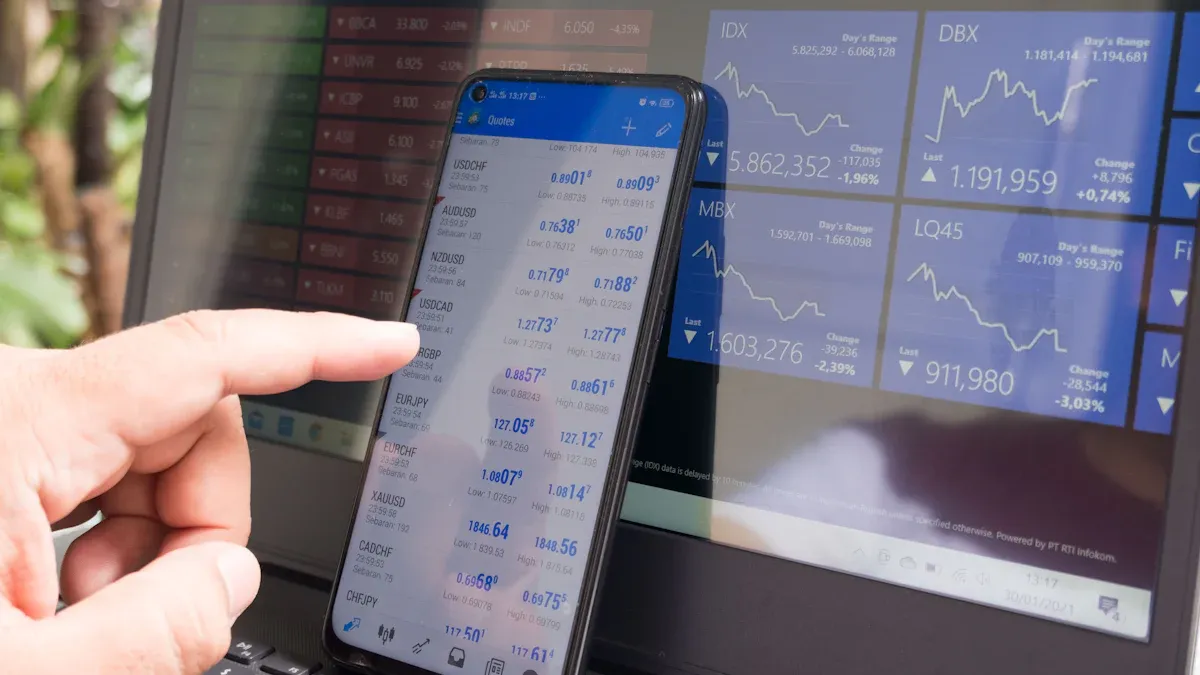
Image Source: unsplash
Now that you understand the rules, let’s move to actual execution. Although each broker’s app interface differs slightly, the core steps and logic are identical. This tutorial uses the most common layout so you can quickly adapt regardless of your broker.
Step 1: Select “Pre-Market” or “After-Hours” Session
After entering the ticker and reaching the order page, first locate the “trading session” dropdown. This tells the system when your order should be active.
You’ll typically see options like:
- Regular Session / ROD: Default — order valid only during normal hours.
- Pre-Market Order: Order valid only before the open.
- After-Hours Order: Order valid only after the close.
Most brokers offer “day-only” pre-market or after-hours orders. If unfilled during the selected extended session, the order automatically cancels when regular hours begin — it will not carry over. This gives you precise control and prevents unwanted fills.
Step 2: Set Limit Price and Quantity
After choosing the session, enter your price and shares. Remember — only limit orders are allowed in extended hours.
Setting the right price is the most skillful part. Volume is thin, so bid-ask spreads are usually much wider than during regular hours. Do not base your price solely on yesterday’s close — always check the current extended-hours quote.
How to set a realistic price?
- Check live quotes: Look at the real-time best bid and ask displayed in your broker’s app for the extended session.
- Set your limit:
- To buy, place your limit at or above the current best ask to increase fill probability.
- To sell, place your limit at or below the current best bid.
This is similar to how Taiwan stocks display simulated best five bid/ask prices and sizes from 8:30–9:00 before the open — both give investors a reference before matching begins.
For example, if a stock closed at $150 but positive news pushes the after-hours ask to $155, a $150 buy limit has very low fill probability.
Step 3: Final Order Confirmation and Submission
The last step before sending is to double-check everything. A tiny mistake can be costly.
Always verify these key items again:
- Session: Did you select pre-market or after-hours correctly?
- Ticker: Is it the right stock?
- Direction: Buy or sell?
- Limit Price: Is the price correct? (in USD)
- Quantity: Correct number of shares?
- Estimated Total: Within your budget?
Important Reminder: Most brokerage apps show a final confirmation screen. Take five seconds to review everything carefully. Only then press “Place Order” or “Confirm.”
Once submitted, the order enters the ECN and awaits matching. You can track its status in the order history or execution report section.
Risks of Extended-Hours Trading and Three Key Warnings
Learning extended-hours trading is like gaining a powerful tool — but every tool has risks. Understand these unique characteristics and manage risk before committing capital.
Risk 1: Low Liquidity and Wide Bid-Ask Spreads
The biggest risk in extended hours comes from significantly lower liquidity.
Liquidity is simply the number of buyers and sellers in the market. During regular hours, participation is high and active; in extended hours, participation drops sharply, making the market much thinner.
This directly causes wider bid-ask spreads. The spread is the gap between the highest bid and lowest ask. When liquidity is low, this gap can become very large.
| Session | Bid-Ask Spread (vs Regular Hours) |
|---|---|
| Regular Hours | Narrow |
| Active Extended Hours | Moderately wider |
| Quiet Extended Hours | Significantly wider (often many times larger) |
The impact on you is direct:
- Buying: You may have to pay far above the quoted price to get filled.
- Selling: You may have to accept far below the quoted price to exit.
Your limit order may simply not fill or execute at an unfavorable price.
Risk 2: Extreme Volatility — Easy to Chase Highs or Panic Sell
Extended hours are prime time for major news and earnings releases. A single positive or negative headline can cause massive upward or downward spikes on very thin volume.
These violent swings easily trigger irrational emotions like:
- FOMO (Fear of Missing Out): Seeing a stock rocket after hours and rushing to chase it.
- Herd Mentality: Seeing a wave of sell orders and panic-selling your position.
Advice for beginners: Emotional decisions in extended hours often lead to losses. Stay calm and stick to your discipline. Start with smaller position sizes and strictly use limit orders to control execution cost and avoid chasing highs or panic lows.
Important Note: Not All Stocks Support Extended-Hours Trading
Finally, a crucial reminder: not every US stock supports pre-market/after-hours trading.
Generally, only large-cap, highly liquid stocks (e.g., AAPL, NVDA, TSLA) have enough volume in extended hours. Many small- and mid-cap or low-volume stocks may have no quotes or no trading capability outside regular hours.
Before attempting extended-hours trading, always confirm in your broker’s app that the stock offers live extended-hours quotes and order placement.
In summary, trading US stocks pre-market and after-hours via Taiwan complex orders requires just three core steps: select the extended session, set a limit order, and carefully confirm before submitting.
Always remember that liquidity is lower and volatility can be extreme. Start small, get familiar with the market behavior, then gradually increase activity.
Congratulations! You’ve now mastered an advanced tool to respond flexibly to market changes. Wishing you smooth sailing on your investment journey.
FAQ
What happens if my pre-market/after-hours order doesn’t fill?
If your order isn’t filled during the specified extended session, it automatically expires. It will not carry over to regular hours or the next day. You’ll need to place a new order.
Are extended-hours trading fees higher?
No. Most Taiwan brokerages charge the same complex order commission for regular, pre-market, and after-hours trades. Confirm exact fees with your broker or account representative.
Why didn’t my order fill even though price hit my limit?
Extended-hours matching follows “price priority, time priority.” Even if price reaches your level, earlier orders or better-priced orders get filled first — yours queues behind.
This is very common in low-liquidity extended sessions. Sufficient opposing interest is key to execution.
How do I know if my stock supports extended-hours trading?
The easiest way is to open your broker’s order entry screen. After entering the ticker, if “Pre-Market” or “After-Hours” appears in the session dropdown, the stock supports extended-hours trading.
*This article is provided for general information purposes and does not constitute legal, tax or other professional advice from BiyaPay or its subsidiaries and its affiliates, and it is not intended as a substitute for obtaining advice from a financial advisor or any other professional.
We make no representations, warranties or warranties, express or implied, as to the accuracy, completeness or timeliness of the contents of this publication.
Related Blogs of

How to Prepare Overseas Accounts: Opening, FX, Receiving Payments, and Investment Funding in One Guide


Xoom vs Wise vs PayPal: Exchange Rates, Fees and Transfer Speed


Choose Country or Region to Read Local Blog
 Australia
 Austria
 Belgium
 Canada
 Cyprus
 Czech Republic
 Denmark
 Estonia
 Finland
 France
 Germany
 Greece
 Hong Kong
 India
India Indonesia
 Ireland
 Italy
Italy Japan
Japan Latvia
 Lithuania
 Luxembourg
 Malaysia
 Malta
Malta Morocco
 Nepal
Nepal Netherlands
 New Zealand
 Norway
 Pakistan
 Philippines
 Poland
 Portugal
 Romania
 Singapore
 Slovakia
 Slovenia
 South Africa
 South Korea
 Spain
Spain Sweden
 Thailand
 The United States
 Turkey
 United Arab Emirates
 United Kingdom
 Vietnam
Contact Us




BIYA GLOBAL LLC is registered with the Financial Crimes Enforcement Network (FinCEN), an agency under the U.S. Department of the Treasury, as a Money Services Business (MSB), with registration number 31000218637349, and regulated by the Financial Crimes Enforcement Network (FinCEN).
BIYA GLOBAL LIMITED is a registered Financial Service Provider (FSP) in New Zealand, with registration number FSP1007221, and is also a registered member of the Financial Services Complaints Limited (FSCL), an independent dispute resolution scheme in New Zealand.