Chinese Users Can Open a Wise Account Instantly with an ID Card: Detailed Step-by-Step Guide




Image Source: unsplash
You only need to prepare your ID card to register a Wise account in just a few minutes. Mainland Chinese users do not need a passport or proof of address, and the process is very simple. You just need to follow the on-screen prompts, upload ID card photos, and complete real-name authentication, and the system will automatically review it. After registration, you can immediately experience the convenience of a multi-currency account, easily managing different currencies.
Key Highlights
- Mainland Chinese users can quickly register a Wise account using an ID card, but the success rate for ID card verification is low, so it’s recommended to prioritize preparing a passport or driver’s license to increase the approval rate.
- During registration, you need to prepare an ID card, passport, or driver’s license, a phone or computer, and a valid email address; business accounts also require company registration proof and related documents.
- When uploading ID card photos, ensure they are clear and complete, using a physical ID card for on-site photos, avoiding glare and obstructions to ensure smooth system review.
- After completing real-name authentication, the account is activated instantly, allowing immediate use of multi-currency accounts for cross-border transfers and collections, enjoying efficient and convenient services.
- If you encounter authentication failure or need to supplement documents, check your email promptly and follow official guidelines, contacting Wise customer service if necessary.
Conditions for Mainland Chinese Users to Open an Account
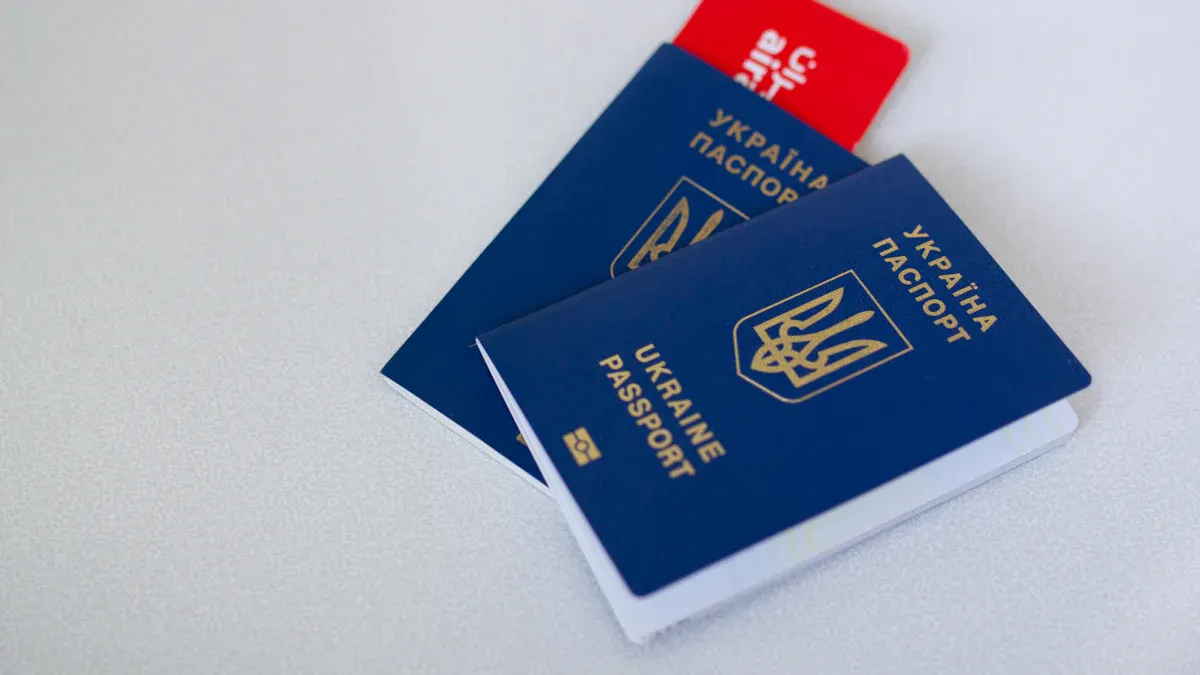
Image Source: pexels
ID Card Support
You can try using a Chinese ID card to register a Wise account. The Wise platform previously allowed mainland users to verify their identity with an ID card, and the process is very simple. You only need to upload photos of both sides of the ID card, and the system will automatically review them.
However, according to recent user feedback, ID card photos often fail verification during Wise account registration. The main reason is that Chinese ID cards lack Latin letters (English information), making them unrecognizable by the system. Many users wait several days after uploading ID card photos without passing review, eventually receiving an email from Wise requesting re-verification. If you encounter this situation, you can choose to use a passport or driver’s license with English information for verification. Passports and driver’s licenses typically pass review faster, with verification possibly taking only 1 hour.
Document Preparation
When registering a Wise account, you need to prepare the following documents in advance to ensure a smooth account opening process:
- Chinese ID card (for attempting personal account registration)
- Passport or driver’s license (recommended for priority preparation to facilitate identity verification)
- Phone or computer (for taking photos and uploading documents)
- Valid email address (for receiving verification codes and notifications)
If you are registering a business account, you also need to prepare the following supporting documents:
- US company registration certificate (Certificate of Formation)
- EIN confirmation letter (SS-4 confirmation letter issued by the IRS)
- Company business description (e.g., “software development,” “digital services,” etc.)
- Passport and selfie of the company’s responsible person
- US virtual address (provided by a registered agent)
You can refer to the table below for a quick overview of required documents for different account types:
| Account Type | Required Documents | Supporting Documents (Business) |
|---|---|---|
| Personal Account | ID card/Passport/Driver’s License | None |
| Business Account | Passport/Driver’s License | Company registration certificate, EIN, address, etc. |
Precautions
When registering a Wise account, you need to pay attention to the following points:
- Mainland Chinese users can try opening an account with an ID card, but the actual verification success rate is low. It’s recommended to prioritize preparing a passport or driver’s license.
- When uploading ID card photos, ensure the images are clear and complete, avoiding glare and obstructions.
- In some cases, Wise may require additional documents or re-verification. You need to check your email promptly and follow official instructions.
- When registering a business account, ensure all documents are authentic and valid. Wise will review the account’s purpose based on the latest KYC compliance requirements. You need to describe the business type in detail, such as “selling apps via the App Store” or “providing technical services to overseas clients,” to increase approval chances.
- Wise accounts must be used for genuine commercial or personal purposes. If you register for testing or fictitious purposes, the account may be rejected for activation.
Friendly Reminder: If mainland Chinese users encounter any document or verification issues during Wise account registration, you can always refer to Wise’s official Help Center or contact online customer service for support.
Registration Steps

Image Source: unsplash
The Wise account registration process is very straightforward, and you can complete the account opening in a few minutes by following the steps below. The entire process centers around using an ID card, with automatic system review and no need to wait for manual activation.
Visit the Wise Website/App
You can start registration through the Wise official website or by downloading the Wise mobile app. It’s recommended to use a computer or phone browser to access the website, as the layout is clear and the operation is more convenient. If you prefer mobile operations, the Wise app also supports all registration processes.
Select Account Type
After entering the registration page, you need to select the account type. Wise supports personal accounts and business accounts. Most mainland Chinese users choose personal accounts, suitable for daily cross-border transfers and collections. If you have company registration needs, you can select a business account, which requires additional company-related documents later.
Fill in Information
You need to fill in basic information, including name, email, and phone number. Ensure all information matches your ID card. The system will send a verification code to your email or phone, and you can proceed to the next step after entering the code.
Upload ID Card
During the identity verification step, you need to upload photos of your Chinese ID card. Wise requires you to take photos of the physical ID card on-site, not using photos from your phone gallery or scanned copies. You will take photos of both sides of the ID card, ensuring the images are clear and free of glare. The system will automatically recognize the ID information, improving review efficiency.
Real-Name Authentication
The real-name authentication process is relatively strict. You need to follow the on-screen prompts to complete the following steps:
- Use a Chinese ID card or passport for identity verification.
- Take photos of both sides of the ID card, using the physical ID card on-site.
- Take a selfie, ensuring the photo is bright and close to your face.
- The system will check the selfie’s natural expression to ensure the photo is authentic and valid.
The entire process is automatically reviewed by the system, typically completed within a few minutes. You do not need to wait for manual review, making the registration experience very smooth.
Friendly Reminder: If the system indicates verification failure, you can try retaking photos or switching to a passport for verification. In some cases, Wise may require additional documents; check your email promptly and follow the instructions.
Instant Account Opening
After completing real-name authentication, your Wise account will be automatically activated. You do not need additional operations and can immediately add multi-currency accounts. Wise supports major currencies like USD, EUR, and GBP, facilitating cross-border transfers and collections. You can link a Hong Kong bank account for seamless fund transfers. Currently, Wise does not support RMB deposits, so it’s recommended to use USD or other currencies, with exchange rates based on real-time market prices.
After successful registration, you can immediately experience the advantages of Wise’s multi-currency account. Whether for receiving, transferring, or withdrawing funds, you can enjoy efficient and convenient services.
Common Issues
Authentication Failure
When registering a Wise account, you may encounter authentication failure. Common reasons include blurry ID card photos, inconsistent information, or unsupported document types. The Wise system has a lower recognition rate for Chinese ID cards, so it’s recommended to prioritize using a passport or driver’s license for verification. If the system indicates authentication failure, you can retake ID photos, ensuring sufficient lighting and clarity. If multiple attempts fail, it’s advised to switch to passport verification, which has a faster review speed.
Document Supplementation
In some cases, Wise may require you to supplement documents. You may need to upload a hand-held ID photo or provide proof of fund sources. For business accounts, you also need to submit a company registration certificate, EIN confirmation letter, and other documents. Wise may sometimes require proof of address, especially when using a Chinese IP or entering a foreign address. You should check your email promptly and upload the required documents per official guidelines. All information must be authentic and valid; otherwise, it may lead to account review failure.
Verification Code Issues
During registration, you need to complete email or phone verification code authentication. If you do not receive the code after a long time, you can check your spam folder or try resending. Network instability may cause code delivery delays. It’s recommended to operate during stable network conditions to ensure smooth verification. If you still do not receive the code after multiple attempts, try switching to another email or phone number.
Other Questions
When registering a Wise account, you may also encounter the following issues:
- Wise stipulates that personal users can only register one account, and repeated registration risks account suspension.
- Wise accounts have an age restriction, and minors cannot register.
- You can link a Chinese bank card for operations or a Hong Kong bank account for receiving or withdrawing funds.
- You must use authentic information during registration; false information will lead to review failure or account suspension.
- Wise does not currently support RMB deposits; it’s recommended to use USD or other major currencies, with exchange rates based on real-time market prices.
- If network access is slow during registration, try operating during off-peak hours.
For any issues, you can refer to Wise’s official Help Center or contact online customer service for support.
Account Usage Tips
Security Settings
After registering a Wise account, it’s recommended to set a strong password immediately and enable two-factor authentication. This can effectively protect your fund security. You can also regularly check account login records and update your password promptly if anything unusual is detected. Wise will notify you of account changes via email or SMS, so it’s recommended to keep your contact information valid.
Linking a Bank Card
You can link a Chinese UnionPay card to your Wise account for fund withdrawals. Wise supports various bank card types, mainly including UnionPay cards. You can also link Alipay or WeChat for withdrawals. When withdrawing to a UnionPay card, a $100 withdrawal incurs about a 3.5 CNY fee (calculated at real-time exchange rates), but it will count toward your personal annual foreign exchange quota. Withdrawing to Alipay or WeChat incurs a fee of about 35 CNY for $100, without using your foreign exchange quota. You can choose the most suitable withdrawal method based on your needs.
Cross-Border Transfers
Wise provides a transparent fee structure. When making cross-border transfers, fees mainly consist of exchange rate differences and handling fees. Wise typically offers more favorable rates than traditional banks. When transferring to a Hong Kong bank account or other countries’ accounts, funds usually arrive within a few working days. Arrival times and fees vary based on the amount, destination, and payment method. You can view the system’s automatically calculated fee details before transferring.
Withdrawal Channels
Wise accounts support multi-currency withdrawals. You can transfer funds to Chinese or overseas bank accounts or directly withdraw to an Alipay account. Wise also supports transferring funds to US bank accounts via ACH and Wire Routing. Withdrawal fees and exchange rates vary by currency and amount. You can select withdrawal channels in the Wise mobile app, and the system will automatically display available methods and corresponding fees. Currently, Wise does not support RMB deposits, so it’s recommended to use USD, EUR, or other major currencies for operations.
As a mainland Chinese user, you can register a Wise account in minutes using just an ID card. You can directly experience multi-currency accounts and convenient cross-border transfer services. After registration, it’s recommended to prepare all documents promptly and set up account security. If you encounter issues, you can refer to common questions or contact Wise’s official customer service to ensure smooth account usage.
FAQ
What to do if authentication fails?
You can retake ID or passport photos, ensuring they are clear. If the system repeatedly fails, use a passport for verification, which has a high approval rate and usually takes only 1 hour.
Why can’t I receive the verification code?
You can check your spam folder or SMS interception. If the network is unstable, the code may be delayed. Try switching to another email or phone number or operating during good network conditions.
What documents are needed for registration?
You need a Chinese ID card, passport, or driver’s license. For business accounts, you also need a company registration certificate, EIN, etc. All documents must be authentic and match the provided information.
What withdrawal methods does a Wise account support?
You can withdraw to a Hong Kong bank account, Alipay, or WeChat. Withdrawals to a Hong Kong bank account are settled in USD, with fees and exchange rates based on real-time market prices.
Can a Wise account receive RMB?
You cannot directly receive RMB. You can receive USD, EUR, or other major currencies. The system will convert the received amount based on real-time exchange rates (e.g., 1 USD ≈ 7.2 CNY).
This article provides a detailed guide on how Chinese users can quickly open a Wise account with an ID card, along with potential issues during registration and use. While Wise offers a convenient account opening process, its services still have some limitations. For instance, the article mentions that ID card verification success rates are low, and many users still need to rely on their passports. Additionally, Wise does not currently support RMB deposits, which is a significant pain point for users who need to transfer domestic funds into their Wise account. Moreover, users must consider how to efficiently and cost-effectively move funds from domestic channels like Alipay and bank cards to Wise and handle subsequent cross-border fund transfers, which can involve high fees and opaque exchange rates.
To solve these challenges, you can choose a more efficient and economical global financial service platform—BiyaPay. BiyaPay offers remittance fees as low as 0.5% and supports same-day transfers, greatly simplifying your cross-border fund management. Whether you need to convert HKD or USD into other fiat currencies or want to conduct fast, low-cost exchanges between USD, HKD, and cryptocurrencies, BiyaPay provides a secure and transparent service. Its real-time exchange rate lookup feature allows you to always get the best rates, avoiding unnecessary losses. Register now to begin your new global financial journey, making every fund transfer more effortless and cost-effective.
*This article is provided for general information purposes and does not constitute legal, tax or other professional advice from BiyaPay or its subsidiaries and its affiliates, and it is not intended as a substitute for obtaining advice from a financial advisor or any other professional.
We make no representations, warranties or warranties, express or implied, as to the accuracy, completeness or timeliness of the contents of this publication.
Related Blogs of

Essential Apps for Getting Started with US Stock Futures: These Apps Will Turn You into a Pro


Micro Dow, Micro Nasdaq, Micro S&P Futures Comprehensive Comparison – Helping You Find the Best Trading Choice


US-China Trade War Enters New Phase: How the Tech Industry Can Respond to Supply Chain Impacts


Annual Review: Best Performing US Stock ETFs in 2026 and the Logic Behind Them

Choose Country or Region to Read Local Blog
 Australia
 Austria
 Belgium
 Canada
 Cyprus
 Czech Republic
 Denmark
 Estonia
 Finland
 France
 Germany
 Greece
 Hong Kong
 India
India Indonesia
 Ireland
 Italy
Italy Japan
Japan Latvia
 Lithuania
 Luxembourg
 Malaysia
 Malta
Malta Morocco
 Nepal
Nepal Netherlands
 New Zealand
 Norway
 Pakistan
 Philippines
 Poland
 Portugal
 Romania
 Singapore
 Slovakia
 Slovenia
 South Africa
 South Korea
 Spain
Spain Sweden
 Thailand
 The United States
 Turkey
 United Arab Emirates
 United Kingdom
 Vietnam
Contact Us




BIYA GLOBAL LLC is a licensed entity registered with the U.S. Securities and Exchange Commission (SEC No.: 802-127417); a certified member of the Financial Industry Regulatory Authority (FINRA) (Central Registration Depository CRD No.: 325027); regulated by the Financial Industry Regulatory Authority (FINRA) and the U.S. Securities and Exchange Commission (SEC).
BIYA GLOBAL LLC is registered with the Financial Crimes Enforcement Network (FinCEN), an agency under the U.S. Department of the Treasury, as a Money Services Business (MSB), with registration number 31000218637349, and regulated by the Financial Crimes Enforcement Network (FinCEN).
BIYA GLOBAL LIMITED is a registered Financial Service Provider (FSP) in New Zealand, with registration number FSP1007221, and is also a registered member of the Financial Services Complaints Limited (FSCL), an independent dispute resolution scheme in New Zealand.