A Simple Guide to Using Apple Pay for Amazon Purchases



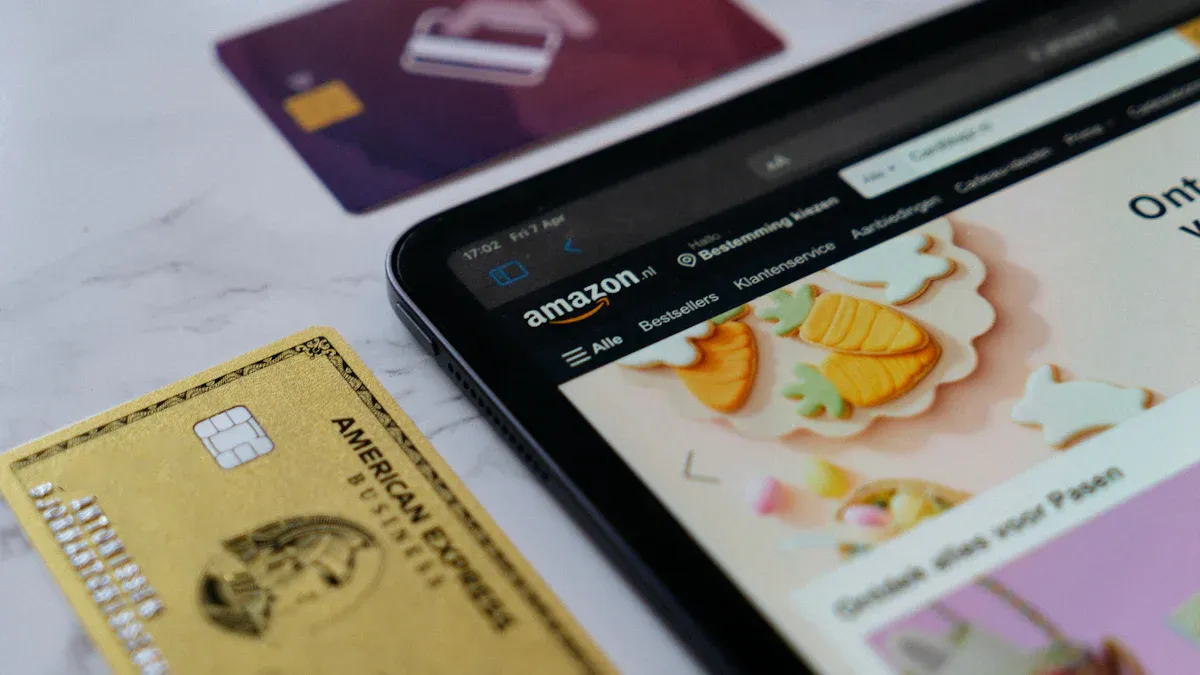
Image Source: unsplash
You might wonder if you can use apple pay when shopping on Amazon in 2024. Amazon does not let you pay with apple pay directly at checkout. Many shoppers love apple pay for its speed and security. In fact, 27% of online shoppers in the United States use apple pay for online payments, showing how popular it is. While you cannot use apple pay as a direct payment option on Amazon, you can still use cards linked to apple pay for your purchases.
Key Takeaways
- Amazon does not accept Apple Pay directly at checkout, but you can use Apple Card or other cards linked to Apple Pay as regular credit cards.
- Add your Apple Card to your Amazon account by entering the card details manually to use it for purchases without extra fees.
- You can buy Amazon gift cards with Apple Pay at stores that accept it, then redeem the gift cards on Amazon to shop.
- Use Apple Cash to pay your Apple Card bill, which helps fund your Amazon purchases indirectly through your Apple Card.
- Keep your card details correct and check for any payment issues; contact your card issuer or Amazon support if problems arise.
Does Amazon Accept Apple Pay?
Image Source: unsplash
Official Payment Options
When you shop on Amazon, you have several ways to pay for your order. Amazon accepts many popular payment methods, but you might still wonder, “does amazon accept apple pay?” Here are the main options you can use:
- Credit and debit cards from major networks like Visa, Mastercard, American Express, Discover, and JCB.
- Amazon Pay, which lets you use stored payment methods in your Amazon account.
- Amazon Gift Cards and Amazon Store Cards.
- Venmo debit and credit cards (but not Venmo itself after January 10, 2024).
- Checking accounts and installment payments.
Note: Amazon does not accept Afterpay or Apple Pay as direct payment methods. If you want to use Afterpay, you need to buy Amazon Gift Cards from third-party retailers.
You can see that Amazon covers almost every major card network. However, if you ask, “does amazon accept apple pay at checkout?” the answer is no. You cannot use apple pay directly when you check out on Amazon.
Apple Pay Direct Support
Amazon does not support apple pay as a direct payment method in 2024. You cannot tap your iPhone or use your Apple Watch to pay at checkout like you do on other websites or in stores. If you try to use apple pay on Amazon, you will not find it as an option.
But you still have some choices. You can add cards linked to apple pay, such as the Apple Card, to your Amazon account. When you use these cards, you pay with the same account you use for apple pay, but you do not use the apple pay feature itself. This means you get the benefits of your Apple Card, but you do not get the extra security features that come with apple pay, like Face ID or Touch ID at checkout.
Some third-party sellers on Amazon may let you use apple pay, but this is not common. The option depends on the seller and your region. Not every vendor supports apple pay, and you may face challenges if you try to use it. Most of the time, you will need to use one of the main payment methods listed above.
Tip: If you want to use apple pay for your Amazon shopping, try adding your Apple Card to your Amazon account. This is the closest way to use apple pay on Amazon right now.
So, does amazon accept apple pay? Not directly. You can use apple pay-linked cards, but you cannot use apple pay itself at checkout. Always check the payment options before you buy, especially if you want to use a specific method.
How to Use Apple Pay on Amazon
Image Source: unsplash
If you want to know how to use apple pay on amazon, you are not alone. Many shoppers want to use apple pay for their Amazon purchases because it feels safe and easy. While you cannot use apple pay directly at checkout, you can still use your Apple Card or another card linked to apple pay. Here is how you can do it step by step.
Add Apple Card to Amazon
You can add your Apple Card to your Amazon account just like any other credit card. This process is simple and only takes a few minutes. Follow these steps:
- Add your Apple Card to the Wallet app on your iPhone. Tap the plus (+) symbol to get started.
- Open the Amazon app on your phone.
- Tap the Account icon. You will find it next to the homepage icon at the bottom of your screen.
- Select “Your Account” to see your account details.
- Scroll down to the Payments section and tap “Your Payments.”
- In the Wallet tab, tap “+Add.”
- Choose “Add a credit or debit card.” Enter your Apple Card details, including the card number, your name, and the expiration date.
- Tap “Add” and follow the prompts to finish.
Tip: You can also add other cards linked to apple pay by following the same steps. Just enter the card details as you see them in your Wallet app.
Once you add your Apple Card, you can use it for any Amazon purchase. You do not need to pay extra fees, and there are no special limits for using apple pay-linked cards on Amazon.
Checkout Steps
When you are ready to buy something, you need to pick your Apple Card or another apple pay-linked card at checkout. Here is how to do it:
- Open the Amazon app or go to the Amazon website.
- Add the items you want to your cart.
- Go to checkout.
- Under “Payment Method,” select your Apple Card or the card you added from your Wallet app.
- Review your order and place it.
You will pay with your Apple Card just like any other credit card. Amazon does not support the extra security features of apple pay, such as Face ID or Touch ID, during checkout. You will not see the apple pay button, but your payment will still go through your Apple Card.
Note: If you want to change your payment method, you can always go to “Your Account” and update your payment options.
Can You Use Apple Cash on Amazon?
You might wonder if you can use Apple Cash for your Amazon shopping. Amazon does not accept Apple Cash or apple pay directly. However, you can use Apple Cash to pay your Apple Card bill. Here is how this works:
- Add your Apple Card to Amazon as a payment method.
- Make your purchase using the Apple Card.
- Open the Wallet app on your iPhone.
- Use your Apple Cash balance to pay off your Apple Card bill.
This way, you use Apple Cash to fund your Amazon purchases, but only by paying your Apple Card balance. You cannot use Apple Cash as a direct payment method on Amazon.
Note: Amazon does not charge extra fees for using apple pay-linked cards. You can shop with confidence, knowing you will not face hidden costs.
If you want to know how to use apple pay on amazon, just remember these steps. Add your Apple Card, select it at checkout, and use Apple Cash to pay your card bill if you want. This method gives you a simple way to use apple pay for your Amazon orders, even if you cannot use it directly.
Workarounds for Apple Pay
Sometimes you want to use apple pay on Amazon, but you see it is not an option. You still have a few smart ways to use your apple pay funds for Amazon shopping. Let’s look at the most common workarounds.
Buy Amazon Gift Cards
You can buy Amazon gift cards from stores or websites that accept apple pay. Many grocery stores, pharmacies, and online retailers let you use your digital wallet to pay for gift cards. Here is how you can do it:
- Find a store or website that sells Amazon gift cards and accepts apple pay.
- Use your iPhone or Apple Watch to pay for the gift card with apple pay.
- After you get the gift card, log into your Amazon account.
- Go to “Account & Lists” and select “Account.”
- Click “Gift Cards,” then “Redeem a Gift Card.”
- Enter the claim code from your gift card and apply it to your balance.
Now you can use your Amazon gift card balance at checkout. Just select it as your payment method when you place your order. This method lets you use apple pay even though Amazon does not accept it directly.
Tip: Always check that the store or website accepts apple pay before you buy the gift card.
Use Third-Party Payment Options
You have another way to use apple pay for Amazon purchases. You can transfer your Apple Cash to your bank account. After the money arrives, use your linked debit card to shop on Amazon. This method works if you want to use your apple pay funds but cannot use the digital wallet directly.
Some third-party payment services may also support apple pay. For example, certain online payment platforms or apps let you pay with apple pay and then buy Amazon gift cards or pay for Amazon orders. These options change often, so check the payment details before you try.
Note: Adding your Apple Card to Amazon is still one of the easiest ways to use apple pay for your orders.
These workarounds help you enjoy the convenience of apple pay, even when Amazon does not offer it as a direct payment method.
Troubleshooting and Tips
Common Issues
You might run into a few problems when you use apple pay-linked cards on Amazon. Here are some common issues and how you can fix them:
- Double-check your card details. Make sure you enter your name, card number, and expiration date exactly as they appear. Avoid extra spaces or special characters.
- Log in to your Apple ID and keep your Apple Store accounts in good standing. Sometimes, account issues can block payments.
- Turn on Location Services for your Apple Wallet. Set permissions to “While Using the App” and allow precise location.
- Banks and apple pay sometimes block new cards or cards with low activity. If this happens, try using the card for a few small purchases first.
- If your payment gets declined, check if you have reached your credit limit or if your bank has special rules for online shopping.
- Contact your card issuer using the number on the back of your card. Ask if there are any holds or security blocks.
- On Amazon, go to “Your Orders” and select “Retry Payment Method.” If that does not work, choose “Change Payment Method” and enter a different card.
Tip: Amazon only accepts certain card types, like Visa, MasterCard, and American Express. Make sure your apple pay-linked card matches one of these.
Security Tips
You want your shopping to stay safe. Apple pay gives you strong security by using dynamic payment tokens and biometric authentication, like Face ID or Touch ID. Your real card number never gets shared with Amazon. Instead, apple pay uses a unique Device Account Number for each transaction. This helps protect your card from theft and keeps your purchase data private.
Mobile wallets like apple pay also require you to unlock your device before making a payment. This adds another layer of safety. If you ever lose your phone, you can use “Find my iPhone” to suspend payments right away.
Still, you should watch out for a few risks. Some rare flaws in offline data authentication could let someone make a payment without unlocking your phone, especially with certain Visa cards. To stay safe, always keep your device locked when not in use and turn off features like Express Transit if you do not need them.
Note: Both Amazon and apple pay use advanced security, but apple pay’s tokenization and privacy features give you extra peace of mind. If you ever have trouble or suspect fraud, contact Amazon support or your card issuer for help.
You cannot use apple pay directly on Amazon, but you have some great options. You can add your Apple Card as a regular credit card or buy Amazon gift cards with apple pay at stores that accept it. Some people also move Apple Cash to a bank account and use a debit card for Amazon. Always check Amazon for new payment updates, since things can change. Remember to keep your information safe and enjoy shopping with confidence!
FAQ
Can you use Apple Pay directly on Amazon?
You cannot use Apple Pay as a direct payment method on Amazon. You can add your Apple Card or another card linked to Apple Pay and use it like any other credit card.
Is there a fee for using Apple Card on Amazon?
You do not pay extra fees when you use your Apple Card on Amazon. Amazon treats it like any other credit card. You pay only for your order and any standard shipping charges.
Can you buy Amazon gift cards with Apple Pay?
Yes, you can buy Amazon gift cards at stores or websites that accept Apple Pay. After you buy the card, you can redeem it on your Amazon account and use the balance for shopping.
What should you do if your Apple Card does not work on Amazon?
First, check your card details for mistakes. Make sure your card is active and has enough credit. If you still have trouble, contact your card issuer or Amazon support for help.
While Amazon doesn’t directly support Apple Pay, the high fees and complex currency exchanges of cross-border payments often frustrate shoppers. BiyaPay offers an ideal solution: real-time exchange rate queries and conversions, supporting over 30 fiat currencies and 200+ digital currencies with seamless flexibility, and remittance fees as low as 0.5% for efficient fund flows. Plus, its quick registration and no-overseas-account-needed US/HK stock investment features enhance your global shopping and investment experience. Visit BiyaPay now to explore these benefits and overcome traditional payment hurdles! For a smoother financial journey, whether shopping or remitting, start with BiyaPay today!
*This article is provided for general information purposes and does not constitute legal, tax or other professional advice from BiyaPay or its subsidiaries and its affiliates, and it is not intended as a substitute for obtaining advice from a financial advisor or any other professional.
We make no representations, warranties or warranties, express or implied, as to the accuracy, completeness or timeliness of the contents of this publication.
Related Blogs of
What Does Price-to-Earnings Ratio (PE) Mean? Master It to Navigate the Chinese Stock Market

Want to Invest in the Chinese Stock Market? Start by Understanding the Shanghai Composite Index

Understand the Core Differences Between the Nasdaq Composite Index and Nasdaq 100 Index in One Article

Ultimate Guide to Applying for a Schengen Visa in the USA in 2025: Understand the Process, Documents, and Timeline in One Article
Choose Country or Region to Read Local Blog
 Australia
 Austria
 Belgium
 Canada
 Cyprus
 Czech Republic
 Denmark
 Estonia
 Finland
 France
 Germany
 Greece
 Hong Kong
 India
India Indonesia
 Ireland
 Italy
Italy Japan
Japan Latvia
 Lithuania
 Luxembourg
 Malaysia
 Malta
Malta Morocco
 Nepal
Nepal Netherlands
 New Zealand
 Norway
 Pakistan
 Philippines
 Poland
 Portugal
 Romania
 Singapore
 Slovakia
 Slovenia
 South Africa
 South Korea
 Spain
Spain Sweden
 Thailand
 The United States
 Turkey
 United Arab Emirates
 United Kingdom
 Vietnam
Contact Us




BIYA GLOBAL LLC is a licensed entity registered with the U.S. Securities and Exchange Commission (SEC No.: 802-127417); a certified member of the Financial Industry Regulatory Authority (FINRA) (Central Registration Depository CRD No.: 325027); regulated by the Financial Industry Regulatory Authority (FINRA) and the U.S. Securities and Exchange Commission (SEC).
BIYA GLOBAL LLC is registered with the Financial Crimes Enforcement Network (FinCEN), an agency under the U.S. Department of the Treasury, as a Money Services Business (MSB), with registration number 31000218637349, and regulated by the Financial Crimes Enforcement Network (FinCEN).
BIYA GLOBAL LIMITED is a registered Financial Service Provider (FSP) in New Zealand, with registration number FSP1007221, and is also a registered member of the Financial Services Complaints Limited (FSCL), an independent dispute resolution scheme in New Zealand.