
BiyaPay
发布于 更新于



- On the [Assets] - [Virtual card] page, click [Apply Now], and click [OK] on the [Apply for Quick Card] page;
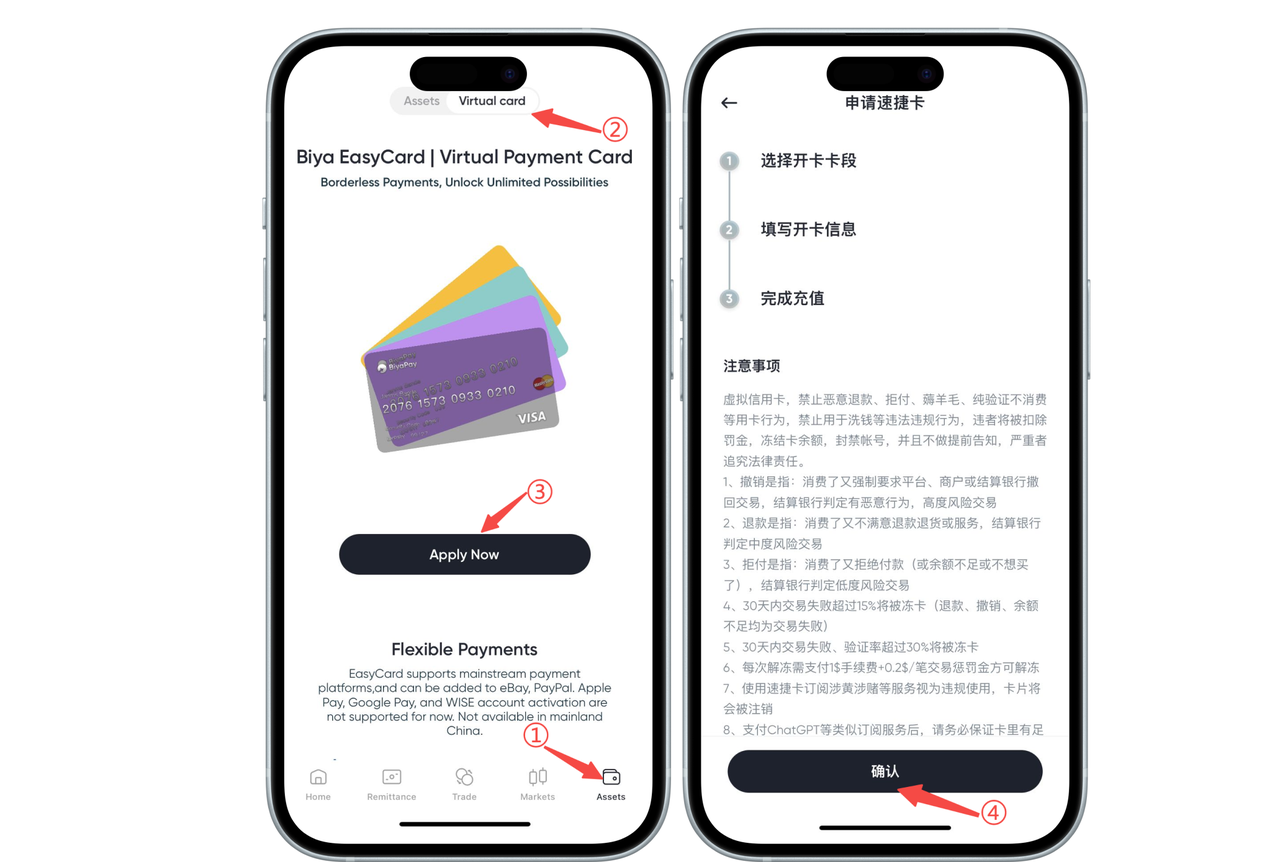
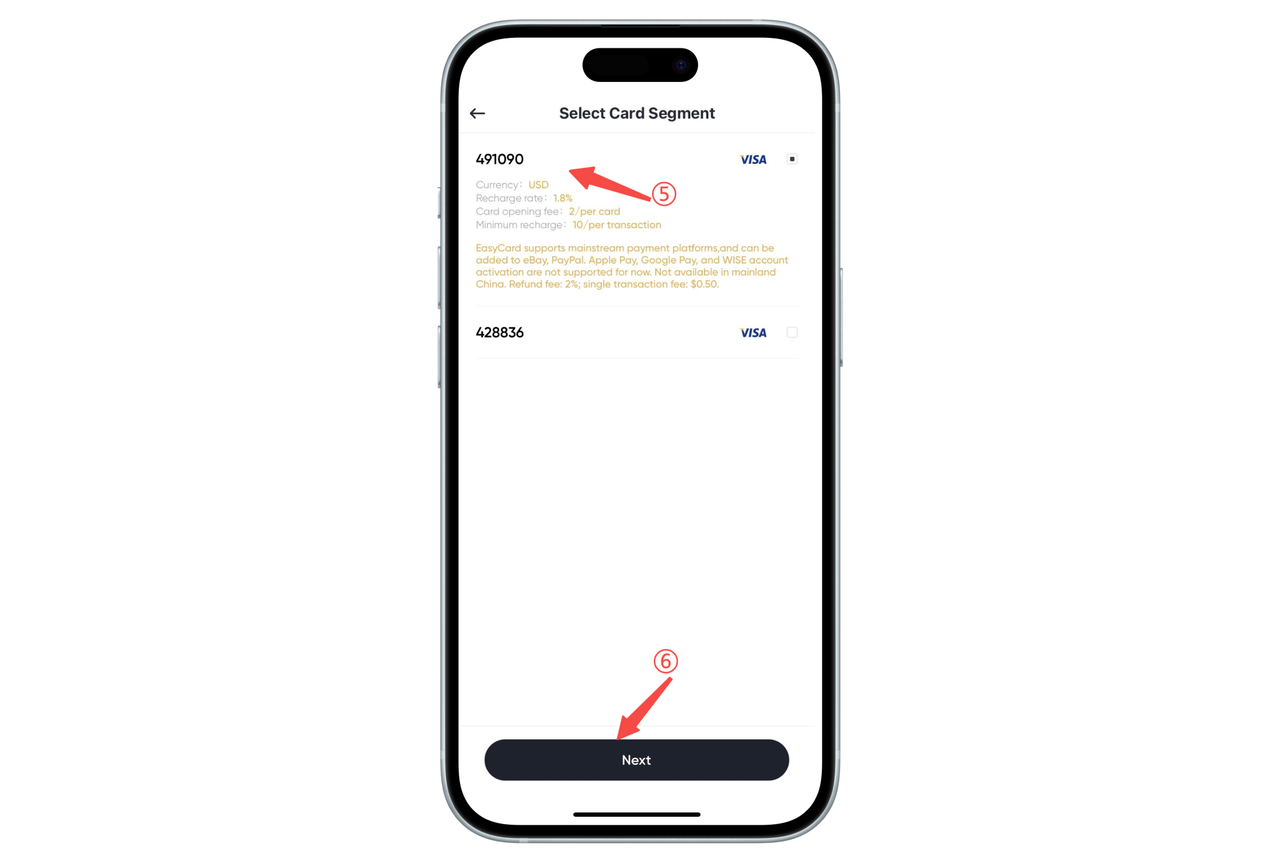
- Select the card segment you need and click [Next]. When applying, please carefully check the instructions under the card segment
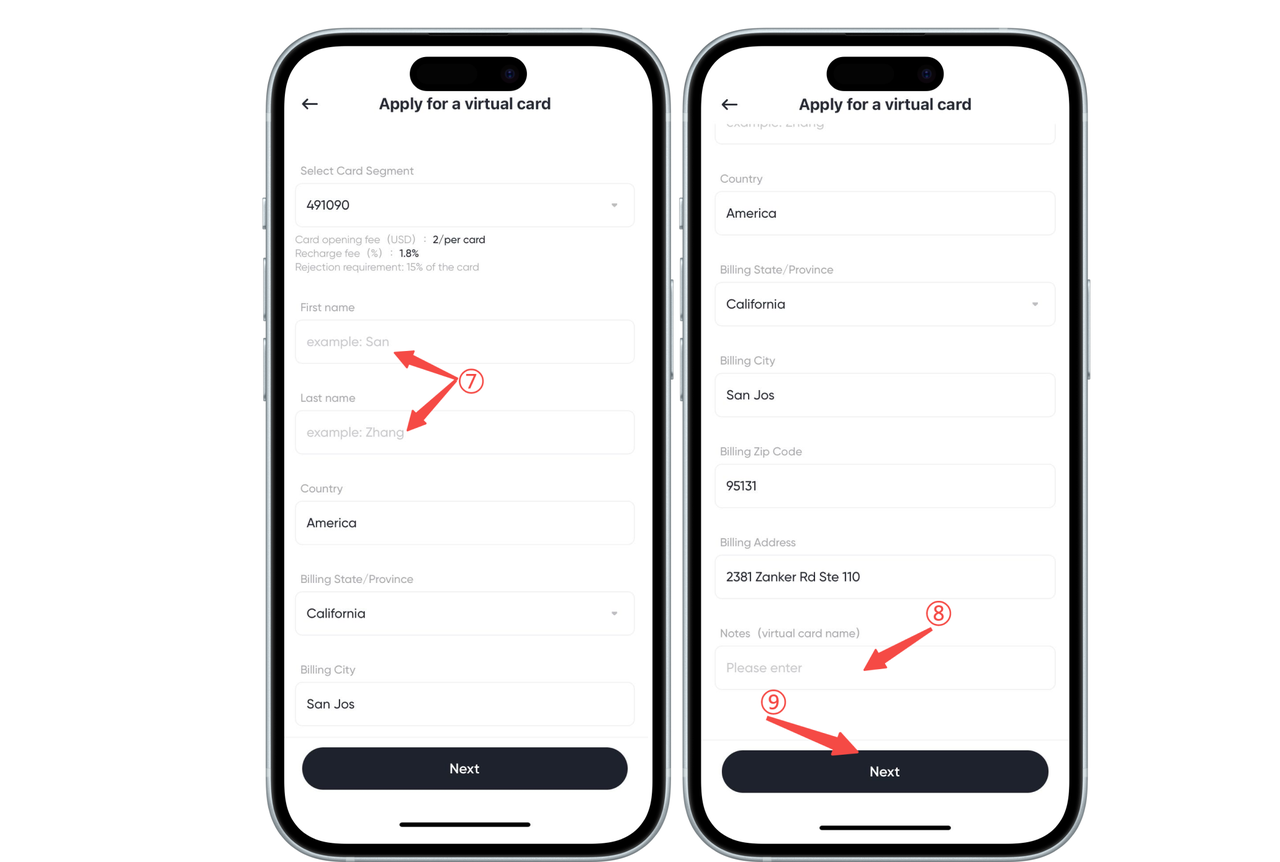
- According to the prompts, fill in your name and remarks, and click [Next].
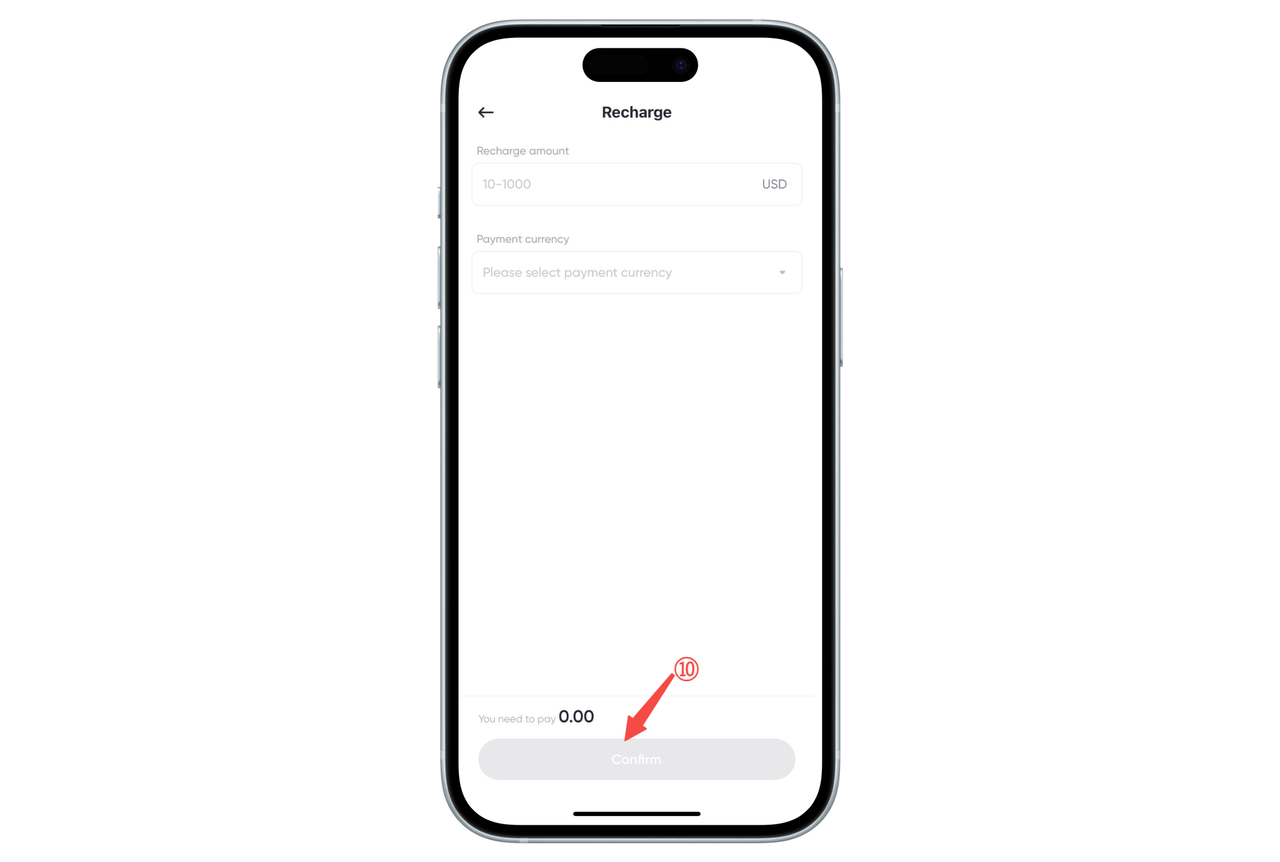
- Enter the recharge amount, select the payment currency, and click [Confirm], and your card will be successfully processed. When using BiyaPay, please pay attention to the following requirements for the recharge amount (subject to the amount prompted on the recharge page):
- Minimum deposit amount: 10 USD
- Maximum deposit amount: 1,000 USD Tips: The recharge beyond this range will not be completed, please make sure that the recharge amount meets the requirements so as not to affect the user experience.

BiyaPay 让全球资产自由流动
联系我们
客服邮箱: service@biyapay.com
客服Telegram: https://t.me/biyapay001
Telegram社群: https://t.me/biyapay_ch
Telegram数字货币社群: https://t.me/BiyaPay666
BiyaPay社区




合规主体
Biya Global LLC 为美国注册有限责任公司,已依据《银行保密法》向 FinCEN 完成 MSB 联邦登记,(注册号:31000218637349)受 FinCEN 监管;
Biya Global Limited 为新西兰注册企业,已依据《2008 金融服务提供商(注册与纠纷解决)法案》在 FSPR 完成 FSP 登记,(注册编号FSP1007221)受新西兰 FMA 监管;
本公司已完成新西兰 FSP(FSPR)法定金融服务商备案登记,依据备案经营范围及新西兰金融、反洗钱法规运营技术服务平台,为客户提供开户协助等技术配套服务,并对接全球合规持牌券商,开放全球证券投资渠道。需专项金融牌照方可经营的证券交易、资产托管、资金清算交收业务,统一由各属地持牌合作金融机构独立办理,相关业务受对应地区监管机构完整监管。